7. NiMH/NiCd battery programs
This program charges the battery using the
charge current set by the user. In 'Aut' mode, you
must set the charge current limit to prevent the
charger feeding too much current into the battery,
which could cause damage. In 'Man' mode, the
battery will be charged with the charge current set
by the user. You can change the mode by
pressing INC and DEC button simultaneously
when the current field is blinking.
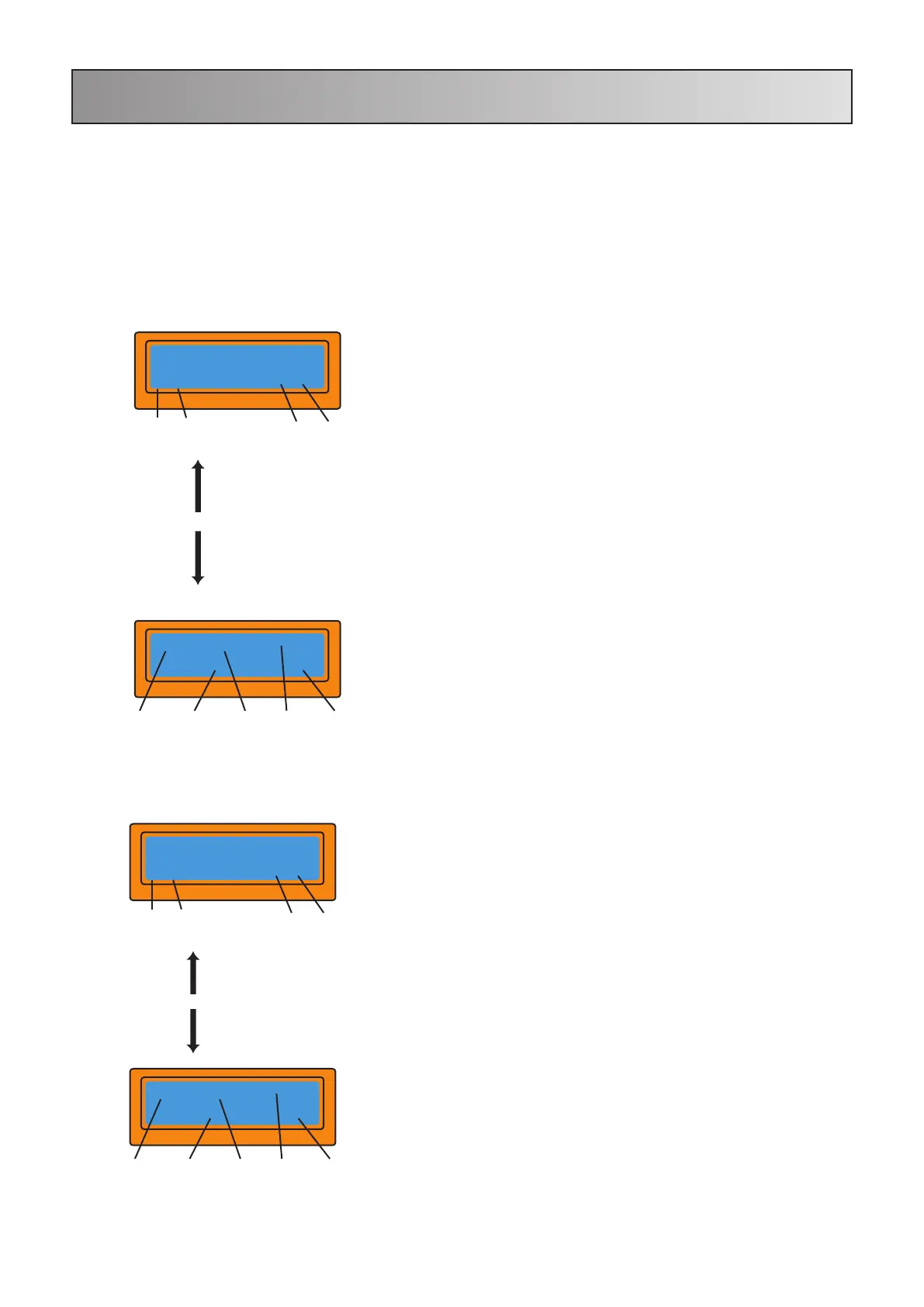
The discharge current is shown on the left and the
voltage of the pack on the right. The discharge
current ranges from 0.1A to 1.0A and the final
voltage ranges from 0.1V to 25.0V). You can alter
the parameters by pressing Start/Enter. Once
the correct values have been input, press
Start/Enter again to store the values. To start the
process, hold Start/Enter for 3 seconds.
This screen shows the present position of the
discharging process. To stop discharging press
Batt Type/Stop once.
This screen shows the present position of the
charging process. To stop charging press Batt
Type/Stop once.
7.1 Charging NiCd/NiMH batteries
7.2 Discharging NiCd/NiMH batteries
These programs are only for charging or discharging NiMH (Nickel-Metal-Hydride)
or NiCd (Nickel-Cadmium) batteries. If you wish to alter the default parameter value
in the program, press Start/ Enter to make the value blink then change the value
with INC or DEC. The value will be stored by pressing Start/Enter once.
Display
NiMH 2.0A 7.42V
CHG 022:45 00890
Battery Type Charging
time
Charge
rate
Battery
voltage
Charged
capacity
<Batt type Start > 3 seconds
stop Enter
Display
NiMH CHARGE Aut
CUR LIMIT 5.0A
< Dec Inc >
- +
< Dec Inc >
- +
Display
NiMH 1.0A 7.42V
DSC 022:45 00890
Battery Type Elapsed
time
Discharge
rate
Battery
voltage
Discharged
capacity
<Batt type Start > 3 seconds
stop Enter
Display
NiMH DISCHARGE
1.0A 11.5V
< Dec Inc >
- +
< Dec Inc >
- +
- 12 -


 To Next Page