Car camera mode
Turn on the camera and press the Mode button to enter the car
camera mode. Press the OK button to start recording. Press it
again to stop.
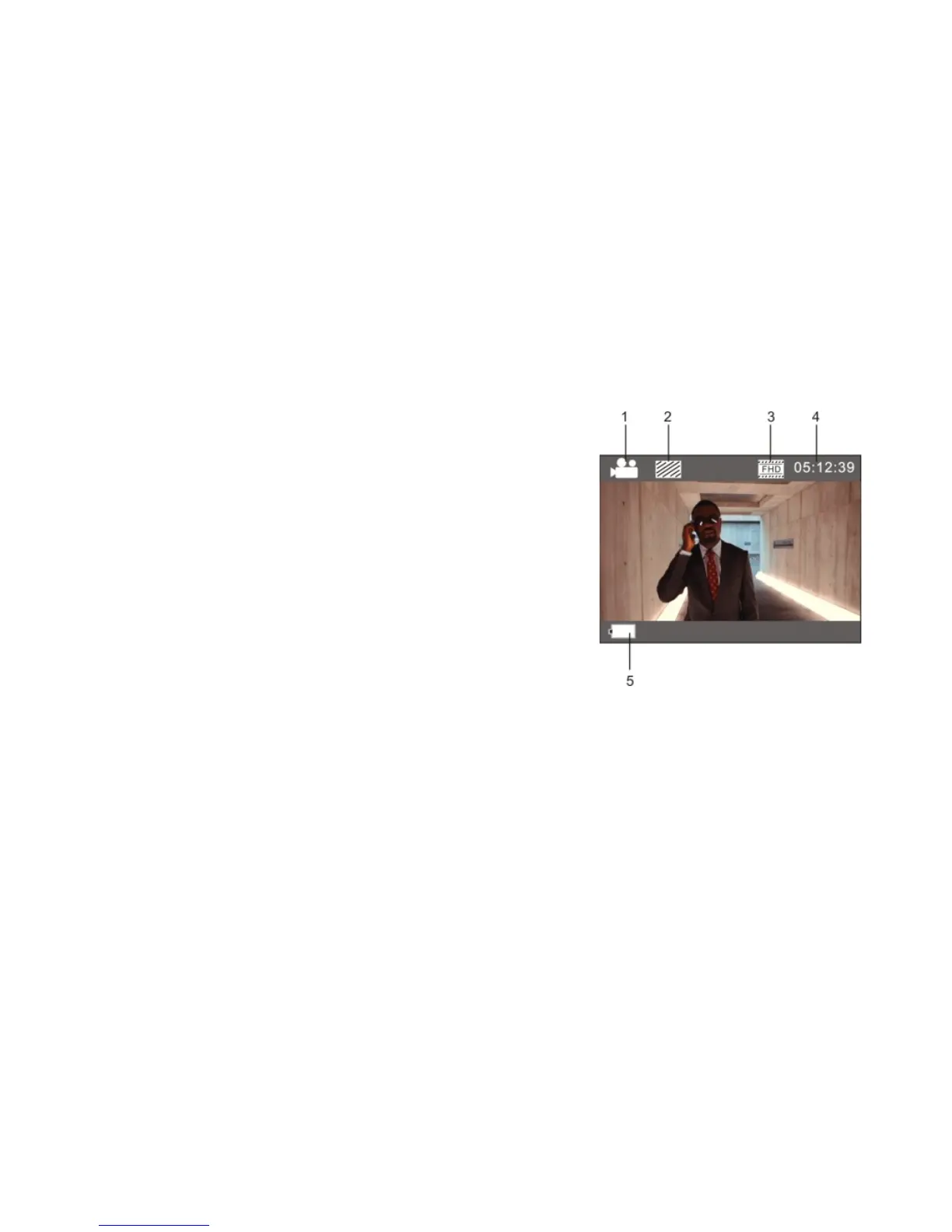
1. Current mode;
2. Video quality;
3. Video size: FHD(30FPS)/HD(60FPS)/HD(30FPS);
4. Recording time;
5. Battery level.
Note:
1. In the car camera mode the maximum length of a video file is 3 minutes.
2. If a memory card runs out of space during recording, the oldest video file is
overwritten.


 To Next Page