Photo mode
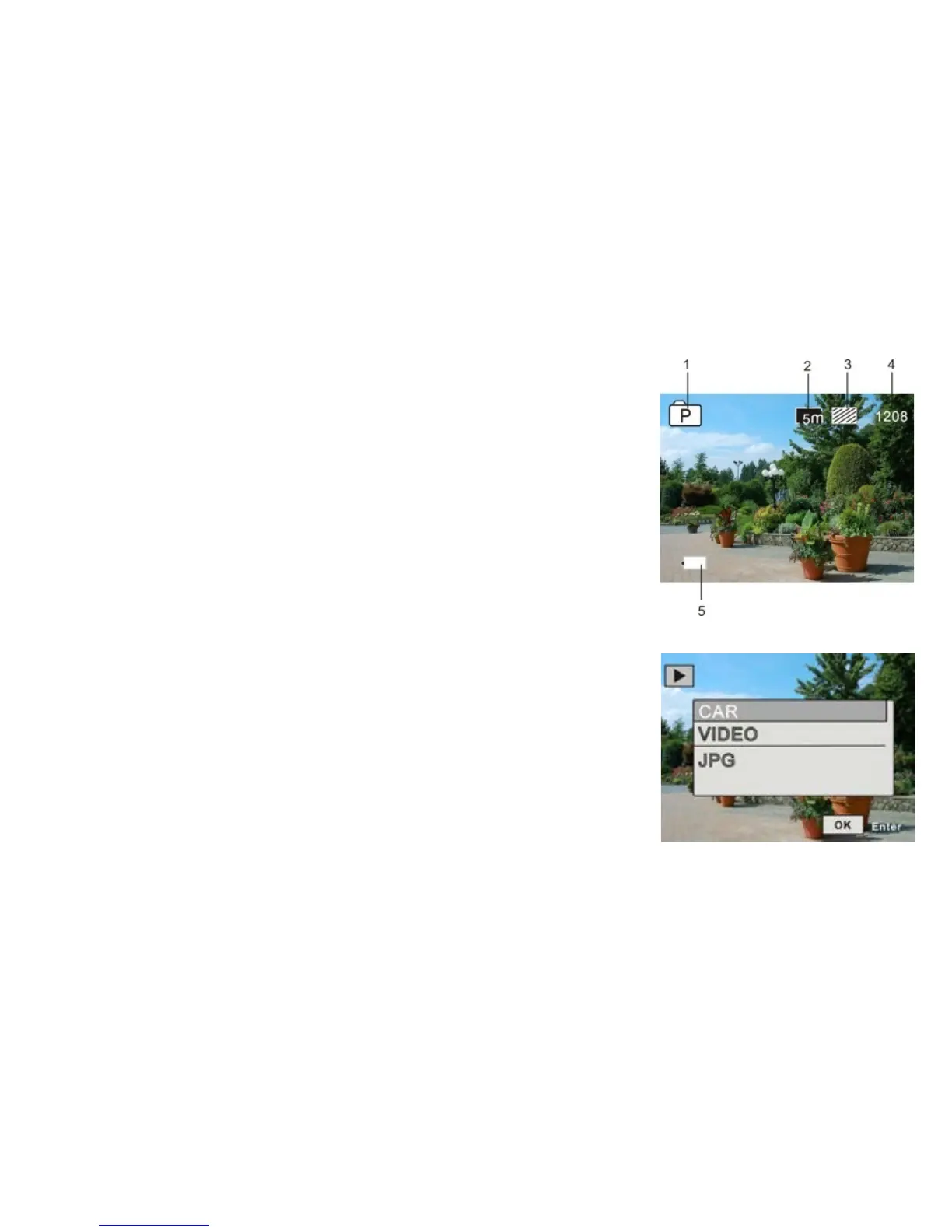
Turn on the camera and press the Mode button to enter the photo
mode. Press the OK button to take a photo.
1. Current mode;
2. Photo size: 3M/5M/8M/10M/12M;
3. Photo quality;
4. Number of photos you can take before the memory card runs out
of space;
5. Battery level.
Preview mode
Turn on the camera and press the Mode button to enter the preview
mode.
Then, select a desirable mode:
- CAR - in order to see the videos recorded in the car
camera mode;
- VIDEO - in order to see the videos recorded in the sports
camera mode;
- JPG - in order to browse pictures;


 To Next Page