EN
Installation
Standard settings
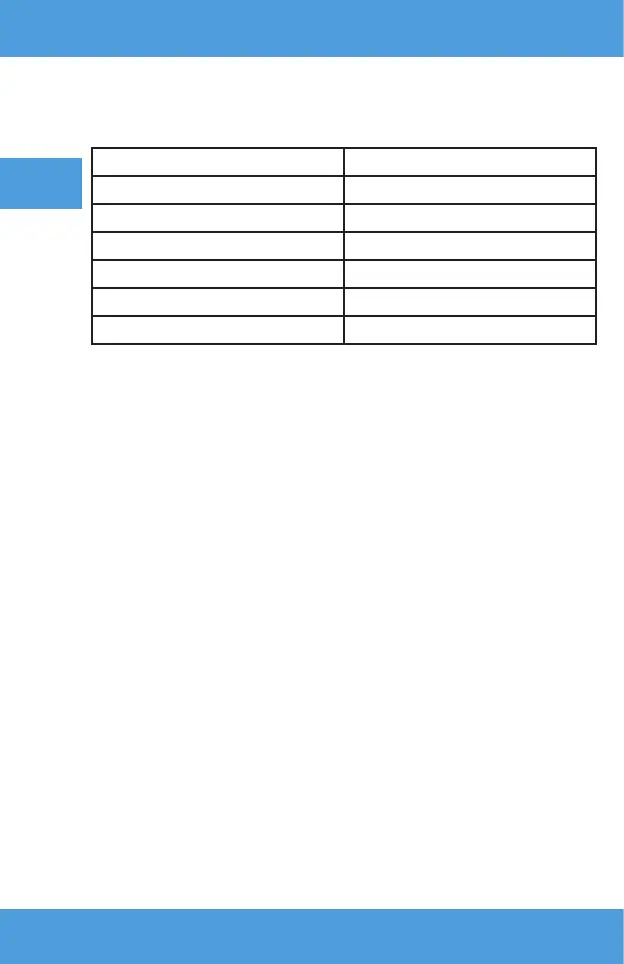
Refer to the table below to adjust the image size and projector distance (fig. 3).
Proportion ratio 16:9
Image size (inches) Projection distance
50 1,53
70 2,14
100 3,03
120 3,60
150 4,50
• During installation, place the projector on a stable surface or set it on a
stand. Do not cover or block ventilation holes.
•
If the distance between the projector and the screen is less than the
minimum distance or is much greater, the image may be blurred.
Device operation
Switching on and o
• When the projector is connected to the power source, it enters standby
mode. The indicator light will turn red.
• To turn the projector on or o, press the on/o switch on the top of the
cabinet or the on/o button on the remote control. The projector is ready
for operation when the light turns blue.
Focus adjustment
• Place the projector so that the lens remains perpendicular to the wall or
screen on which the image is to be projected.
• o improve the focus of the projected image, turn the focus knob on the
top panel until the image comes into focus.
• If the image is not displayed perpendicularly, it will be distorted.
Signal source settings
Switch on the projector, and then select your preferred signal source in the
main interface (fig. 4).


 To Next Page