EN
Battery charging manual
Remove the battery from the drone before charging it.
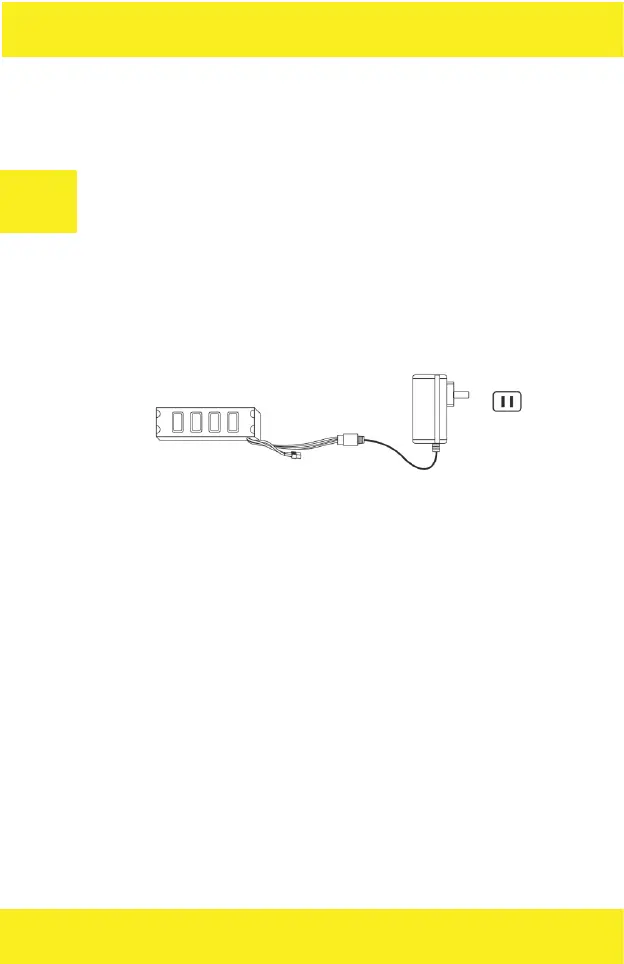
1. Plug the power supply to a power outlet. The power supply LED turns
green.
2. Connect the plug of the battery cable to the charger socket. Charging
takes up to 300 minutes. The LED glows red steadily during charging.
When the process is completed it turns green. Then, disconnect all the
cables and put them in a safe place for future use.
Lithium batteries - usage notes:
A. Battery charging should always be done under adult supervision. In
case of any disturbing symptoms, the charging must be stopped so that
the battery is not damaged or inflamed.
B. Do not place the battery near open flame, explosives, flammables, etc.
If the battery starts to overheat, change color, swell, or other abnormal
phenomena occurs at any time during charging or use, stop using it im-
mediately.
C. In case of leakage, do not let the electrolyte to come into contact with
skin or eyes. In case of such contact wash the aected area immediately
with plenty of cold water and seek medical advice as soon as possible.
D. Use only the original charger, which will match your local power supply
specifications.


 To Next Page