EN
Transmitter (remote control) and receiver
(drone) synchronization
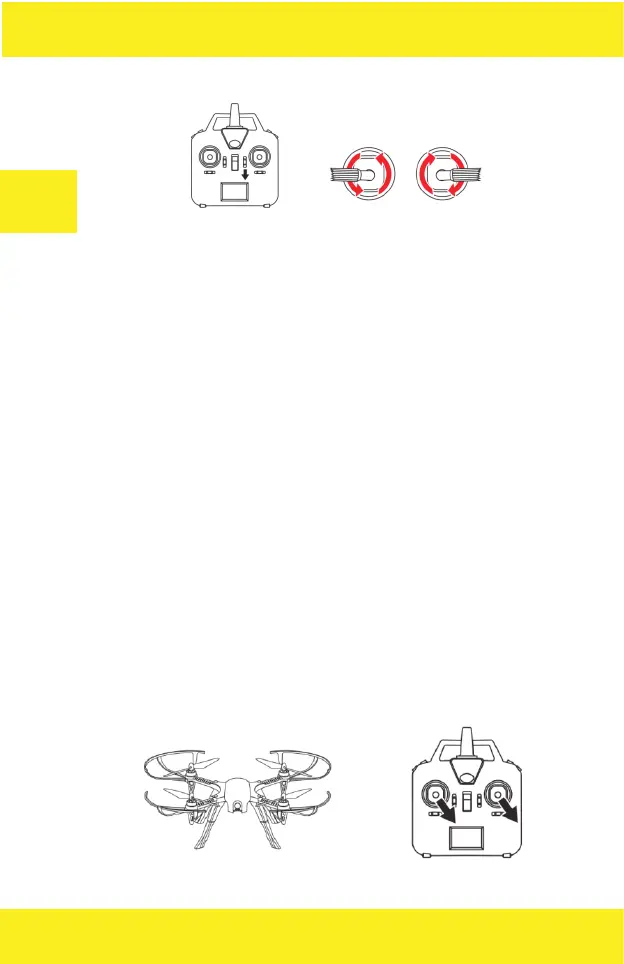
1. Press and hold the engine unlocking / locking button and then slide the
remote control Power button to ON. The remote control beeps once. Release
the engine unlocking / locking button.
2. Place the drone on a flat surface so that its back faces you. Connect the
battery to the drone’s power port. The drone emits a beep sound and its
LEDs start to glow steadily indicating correct synchronization.
UWAGA: Do not move the drone during the synchronization process.
Calibration of the engines
After correct synchronization of the transmitter and the receiver, it is neces-
sary to calibrate the drone’s engine. NOTE: this operation must be perfor-
med each time you turn on the drone. Failure to comply with the note above
may cause a malfunction of the device.
To calibrate the engines move both sticks to the lower right corner positions,
as shown in the picture.


 To Next Page