EasyManua.ls Logo

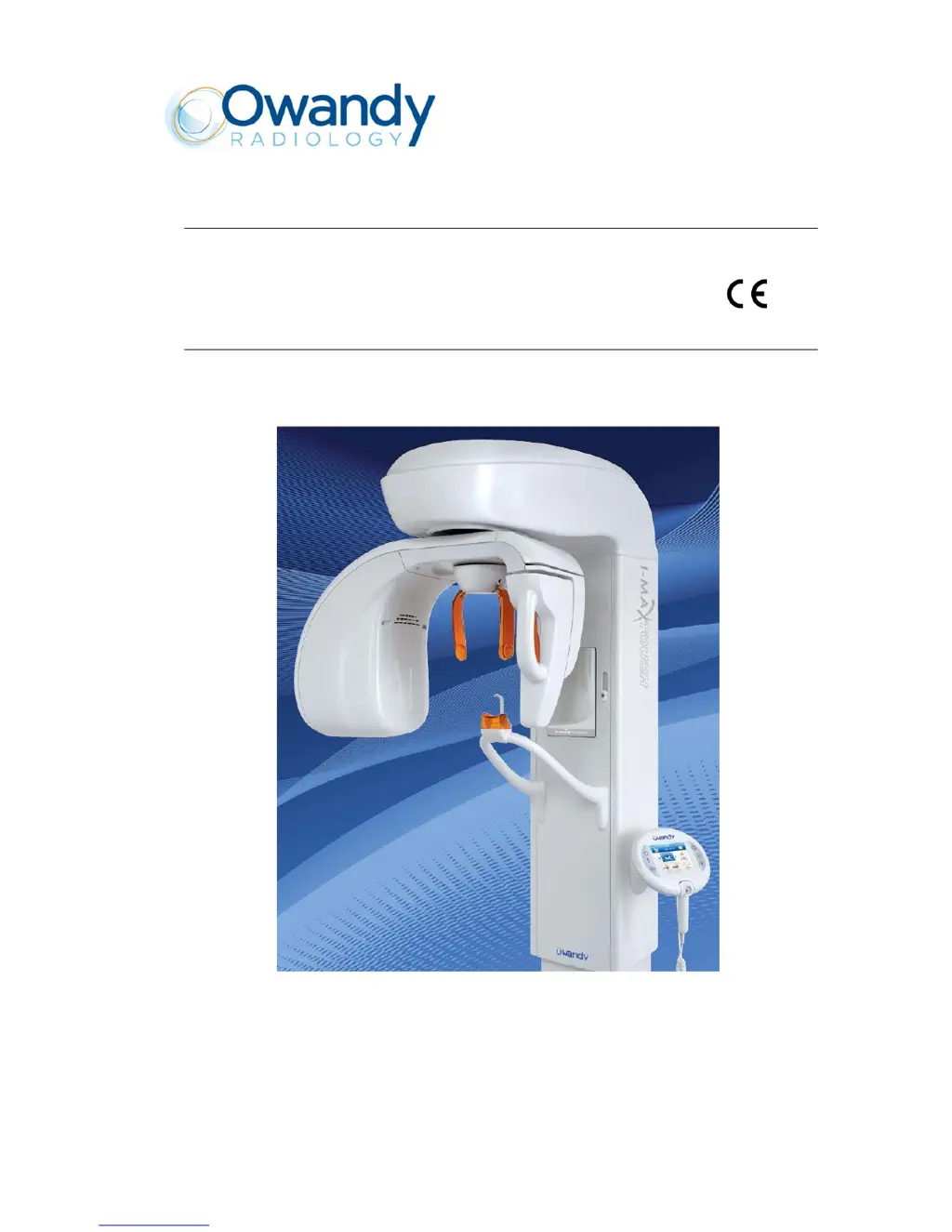
Owandy Radiology i-max touch - User Manual

Owandy Radiology i-max touch
267 pages
Print Icon
To Next Page IconTo Next Page
Loading...
Version January 2014 (Rev. 4b)
I-Max Touch 0051
Service Manual

Table of Contents

Questions and Answers

Summary

Revision History

Document Revision Details

Details of changes and updates made to the service manual across different revisions.

Installation Procedures

Wall Mounting Setup

Instructions for correctly mounting the unit to a wall, including bracket placement.

Column Installation

Steps for assembling and securing the main column of the I-Max Touch unit.

Rotating Arm Assembly Mounting

Procedure for attaching the rotating arm assembly to the installed column.

Optional CEPH-Arm Installation

Steps for installing the optional cephalometric arm attachment.

Mounting Protective Covers

Guide on how to properly attach the various protective covers of the unit.

Sensor Insertion

Instructions for correctly inserting the digital sensor into its holder.

Troubleshooting Guide

Generator Board LED Status

Interpreting the status and colors of LEDs on the Generator board for diagnostics.

Interpreting Displayed Messages

Understanding the different types of messages displayed by the system.

Main CPU Board Errors (E000-E199)

Troubleshooting specific errors related to the main CPU board.

Rotation Axis Errors (E200-E299)

Diagnosing and resolving errors associated with the rotation axis movement.

CEPH Collimator Errors (E300-E399)

Troubleshooting errors related to the CEPH secondary collimator.

Soft Tissue Filter Errors (E400-E499)

Diagnosing errors associated with the Soft Tissue Filter function.

Generator Board Errors (E700-E799)

Troubleshooting errors originating from the Generator board.

Column Movement Errors (E800-E801)

Diagnosing and resolving errors related to column vertical movement.

Operator Interface Errors (E850-E852)

Troubleshooting errors originating from the keyboard or control interface.

Introduction to I-Max Touch

Manual Icons and Symbols

Explanation of icons used in the manual for notes, warnings, and symbols.

Technical Service Contact

Information on how to contact technical support for queries.

Safety Information and Warnings

General Safety Precautions

Essential safety guidelines for operating and maintaining the device.

Environmental Considerations

Information regarding materials and disposal at the end of the unit's life.

Understanding Warning Symbols

Explanation of the various symbols used throughout the manual and device.

Device Description

Identification Labels

Details on the identification and laser labels for different device versions.

Functionality and Versions

Overview of the device's capabilities, basic version, and optional versions.

System Architecture (Block Diagram)

Description of the system's main components and their interconnections.

Control Panel Operations

Control Panel Key Functions

Detailed explanation of the functions of each key on the control panel.

Service Programs and Tools

Accessing Service Programs

Procedure for accessing and navigating the device's service programs.

System Configuration (Password 92)

Accessing and modifying system configuration parameters via password.

Troubleshooting Menus (Password 112)

Accessing diagnostic tests and troubleshooting functions via password.

Axis Alignment (Password 118)

Procedures for aligning the device's axes using specific service passwords.

CEPH Settings (Password 124)

Accessing and adjusting CEPH-related settings via password.

Required Service Tools

List of essential tools required for system calibration and maintenance.

Technical Specifications

General Features and Electrical Data

Overview of general features, electrical requirements, and power consumption.

Exposure Parameters and Times

Details on exposure times, modes, and accuracy for various examinations.

Tube-head and X-ray Tube Characteristics

Specifications for the tube-head, including voltage, current, and filtration.

Digital Sensor and Laser Specifications

Technical details of the digital sensor and laser centring devices.

Mechanical and Working Conditions

Physical characteristics, weight, and environmental operating conditions.

Safety Regulations Compliance

Information on standards and directives the device complies with.

Performance Curves and Measurements

Tube load/cooling curves and methods for measuring technical factors.

Device Dimensions

Overall physical dimensions of the I-Max Touch unit.

Pre-Installation Guide

Installation Site Requirements

Minimum room height, space, and access requirements for installation.

Electrical Connection Setup

Guidelines for connecting the unit to the power supply and safety switches.

Packaging and Handling

Information on how the unit is packaged and precautions for unpacking.

Room Space Requirements

Detailed space requirements for different versions of the I-Max Touch.

Installation Instructions

Wall Mounting Setup

Instructions for correctly mounting the unit to a wall, including bracket placement.

Column Assembly

Steps for assembling and securing the main column of the I-Max Touch unit.

Rotating Arm Assembly Mounting

Procedure for attaching the rotating arm assembly to the installed column.

Optional CEPH-Arm Installation

Steps for installing the optional cephalometric arm attachment.

Mounting Protective Covers

Guide on how to properly attach the various protective covers of the unit.

Sensor Holder Installation

Instructions for correctly inserting the digital sensor into its holder.

Maintenance Procedures

Routine Inspections by Operator

Daily checks recommended for the operator before use.

Periodic Maintenance by Service Department

Annual inspection activities to be performed by authorized technicians.

Centering Adjustments

Procedures for aligning various components for optimal image quality.

Exposure Parameter Verification

Methods to verify and check the accuracy of exposure parameters.

Storing Custom Exposure Settings

Procedure for modifying and saving automatic exposure parameters.

Troubleshooting Errors

Generator Board LED Status

Interpreting the status and colors of LEDs on the Generator board for diagnostics.

Interpreting Displayed Messages

Understanding the different types of messages displayed by the system.

Main CPU Board Errors (E000-E199)

Troubleshooting specific errors related to the main CPU board.

Rotation Axis Errors (E200-E299)

Diagnosing and resolving errors associated with the rotation axis movement.

CEPH Collimator Errors (E300-E399)

Troubleshooting errors related to the CEPH secondary collimator.

Soft Tissue Filter Errors (E400-E499)

Diagnosing errors associated with the Soft Tissue Filter function.

Generator Board Errors (E700-E799)

Troubleshooting errors originating from the Generator board.

Column Movement Errors (E800-E801)

Diagnosing and resolving errors related to column vertical movement.

Operator Interface Errors (E850-E852)

Troubleshooting errors originating from the keyboard or control interface.

Service Programs and Tools

Accessing Service Programs

Procedure for accessing and navigating the device's service programs.

System Configuration (Password 92)

Accessing and modifying system configuration parameters via password.

Troubleshooting Menus (Password 112)

Accessing diagnostic tests and troubleshooting functions via password.

Axis Alignment (Password 118)

Procedures for aligning the device's axes using specific service passwords.

CEPH Settings (Password 124)

Accessing and adjusting CEPH-related settings via password.

Required Service Tools

List of essential tools required for system calibration and maintenance.

Technical Specifications

General Features and Electrical Data

Overview of general features, electrical requirements, and power consumption.

Exposure Parameters and Times

Details on exposure times, modes, and accuracy for various examinations.

Tube-head and X-ray Tube Characteristics

Specifications for the tube-head, including voltage, current, and filtration.

Digital Sensor and Laser Specifications

Technical details of the digital sensor and laser centring devices.

Mechanical and Working Conditions

Physical characteristics, weight, and environmental operating conditions.

Safety Regulations Compliance

Information on standards and directives the device complies with.

Performance Curves and Measurements

Tube load/cooling curves and methods for measuring technical factors.

Device Dimensions

Overall physical dimensions of the I-Max Touch unit.

Pre-Installation Guide

Installation Site Requirements

Minimum room height, space, and access requirements for installation.

Electrical Connection Setup

Guidelines for connecting the unit to the power supply and safety switches.

Packaging and Handling

Information on how the unit is packaged and precautions for unpacking.

Room Space Requirements

Detailed space requirements for different versions of the I-Max Touch.

Installation Instructions

Wall Mounting Setup

Instructions for correctly mounting the unit to a wall, including bracket placement.

Column Assembly

Steps for assembling and securing the main column of the I-Max Touch unit.

Rotating Arm Assembly Mounting

Procedure for attaching the rotating arm assembly to the installed column.

Optional CEPH-Arm Installation

Steps for installing the optional cephalometric arm attachment.

Mounting Protective Covers

Guide on how to properly attach the various protective covers of the unit.

Sensor Holder Installation

Instructions for correctly inserting the digital sensor into its holder.

Maintenance Procedures

Routine Inspections by Operator

Daily checks recommended for the operator before use.

Periodic Maintenance by Service Department

Annual inspection activities to be performed by authorized technicians.

Centering Adjustments

Procedures for aligning various components for optimal image quality.

Exposure Parameter Verification

Methods to verify and check the accuracy of exposure parameters.

Storing Custom Exposure Settings

Procedure for modifying and saving automatic exposure parameters.

Troubleshooting Errors

Generator Board LED Status

Interpreting the status and colors of LEDs on the Generator board for diagnostics.

Interpreting Displayed Messages

Understanding the different types of messages displayed by the system.

Main CPU Board Errors (E000-E199)

Troubleshooting specific errors related to the main CPU board.

Rotation Axis Errors (E200-E299)

Diagnosing and resolving errors associated with the rotation axis movement.

CEPH Collimator Errors (E300-E399)

Troubleshooting errors related to the CEPH secondary collimator.

Soft Tissue Filter Errors (E400-E499)

Diagnosing errors associated with the Soft Tissue Filter function.

Generator Board Errors (E700-E799)

Troubleshooting errors originating from the Generator board.

Column Movement Errors (E800-E801)

Diagnosing and resolving errors related to column vertical movement.

Operator Interface Errors (E850-E852)

Troubleshooting errors originating from the keyboard or control interface.

Schematics and Diagrams

General System Diagram

Overall block diagram illustrating the main system components.

Column CPU PCB A1 Diagrams

Layout and circuit diagrams for the Column CPU PCB A1.

CPU PCB A5 Diagrams

Layout and circuit diagrams for the CPU PCB A5.

Microprocessor PCB A6 Diagrams

Layout and circuit diagrams for the Microprocessor PCB A6.

Rotation Group PCB A7 Diagrams

Layout and circuit diagrams for the Rotation Group PCB A7.

Generator CPU PCB A9 Diagrams

Layout and circuit diagrams for the Generator CPU PCB A9.

Generator PCB A10 Diagrams

Layout and circuit diagrams for the Generator PCB A10.

CEPH Arm Connection PCB A12 Diagrams

Layout and circuit diagrams for the CEPH Arm Connection PCB A12.

Spare Parts Catalog

Column Components

List of spare parts for the column assembly, including cables and boards.

Upper Movement Assembly Components

Spare parts for the upper movement assembly, including cables and motors.

Rotation Arm Components

List of spare parts specifically for the rotation arm assembly.

CEPH Device Components

Spare parts for the CEPH device, categorized by serial number range.

Covers

List of all external covers for the I-Max Touch unit.

Accessories and Service Tools

Catalog of accessories and specialized tools for operation and maintenance.

Appendix

Setup Parameters Table

Table of adjustment parameters stored during factory testing for CPU board replacement.

Owandy Radiology i-max touch Specifications

General IconGeneral
BrandOwandy Radiology
Modeli-max touch
CategoryMedical Equipment
LanguageEnglish

Related product manuals