ÖWN Smart HD user manual
1. What's in the box
- Device - Lithium ion battery
- Guide Quick Start -Instruction
- AC adapter - USB Cable
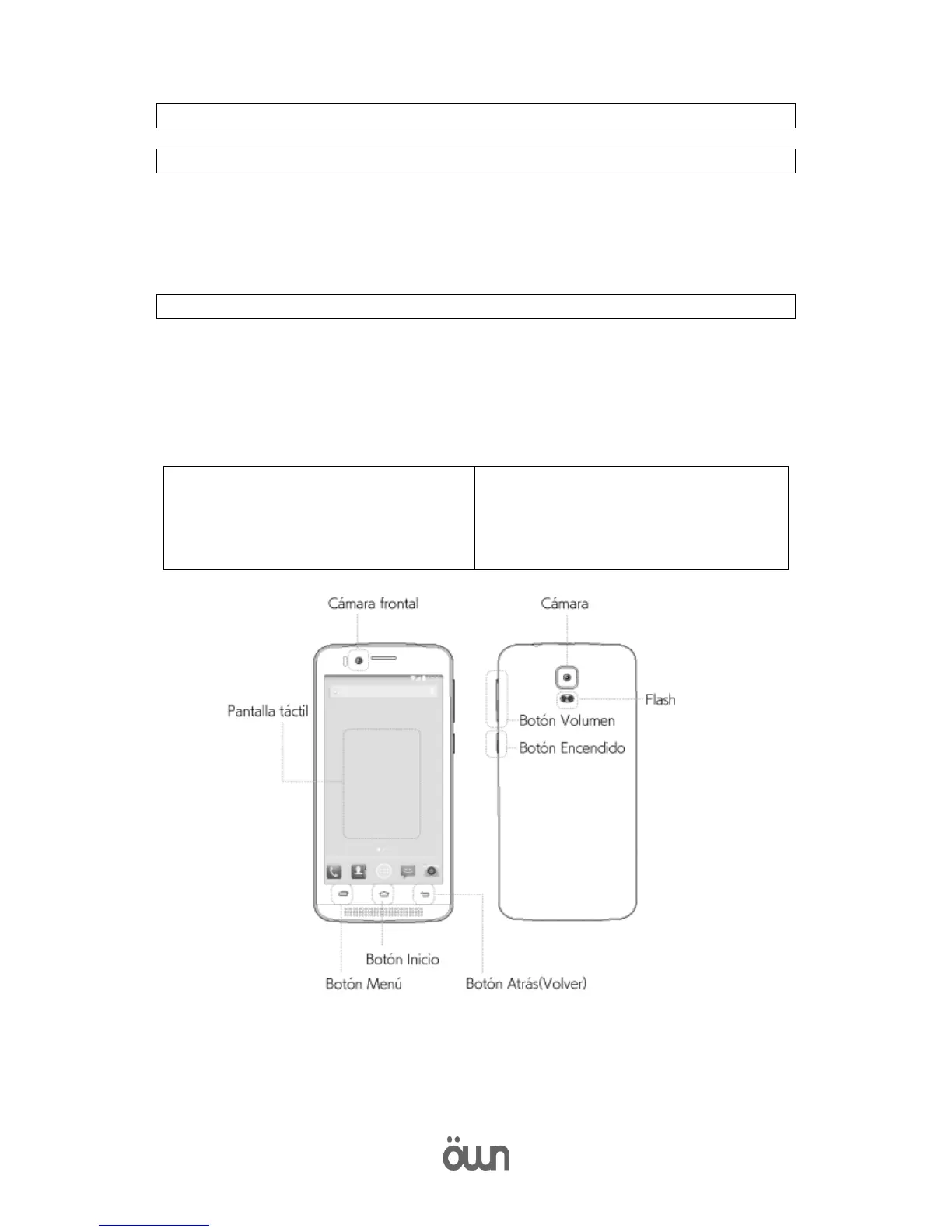
2. Device Design
Menu button
Press to access the options for the wallpaper, applications management,
adjusting the system and other settings.
Start button
Keep it pressed to open the list of recent applications.



 To Next Page