
 Need help?
Do you have a question about the Own Smart 9 Pro and is the answer not in the manual?
Covers essential safety guidelines for phone usage, including hospital, refueling, and travel.
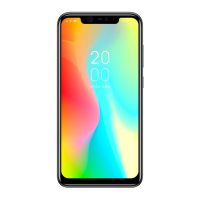
Details the physical components and layout of the Smart 9 Pro phone.
Explains the operation of essential buttons like Power, Volume, and navigation keys.
Step-by-step guide for inserting SIM and TF cards into the device.
Instructions for charging the phone via USB and wireless charging options.
Covers fundamental operations like turning on/off and restarting the phone.
Introduction to the phone's home screen and its customization options.
Detailed steps for initiating, managing, and handling phone calls.
Guide to sending text and multimedia messages.
Overview of camera functions, modes, and settings for photos and videos.
Managing photos, videos, and audio files on the device.
Connecting to Airplane mode, WLAN, and Bluetooth networks.
Connecting the phone to a computer via USB for file transfer.
Face ID, Group Selfie, and Bokeh effects for enhanced user experience.
Notch gesture, navigation mode, and wireless charging capabilities.
Overview of gesture controls for various phone operations and reminders.
Details various gesture controls like Smart Answer, Pause Alarm, and Black Screen Gestures.
Covers Smart Vibration Reminder, Smart Bright Screen, and Double Click Wake Up.
Customizing and using the suspend button for quick actions.
Important information on safe operation, handling, and potential hazards.
Guidelines for safe usage, battery care, FCC regulations, and RF exposure.
Details on Specific Absorption Rate (SAR) compliance for radio frequency exposure.
 General
| Brand | Own |
|---|---|
| Model | Smart 9 Pro |
| Category | Cell Phone |
| Language | English |

 To Next Page
