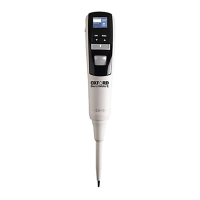
The Oxford Plasmalab 80 Plus Plasma Etcher is a plasma processing system designed for reactive ion etching (RIE) applications. This "Non-Standard" equipment is located at NFF Enterprise Center Cleanroom Room 4162.
Function Description
The primary function of the Oxford Plasmalab 80 Plus Plasma Etcher is to perform dry etching processes on various materials. It utilizes a plasma processing system, specifically configured for reactive ion etching (RIE). The system's core mechanism involves an electrode powered by a 13.56 MHz RF generator, with an associated auto-matching tuner unit positioned close to the driven electrode. This setup creates a plasma within the process chamber, enabling precise material removal.
Important Technical Specifications
Available Etching Materials: The system supports etching of LTO, Thermo Oxide, Silicon Nitride, Poly-silicon, and Silicon on 4” wafers or small piece samples. Users are advised to consult NFF EC staff before processing new materials not on this list. Hazardous or radioactive materials are strictly prohibited.
Etching Capabilities:
- Thin Films: Capable of etching thin films with a thickness of ≥400Å.
- Thick Films: Can etch thick films up to ≤100µm thick.
- Limitations: It cannot replace ICP DRIE for etching films thicker than 100µm. It is also not suitable for photoresist stripping, as photoresist is intended for mask protection only.
Process Parameters (User Restrictions): Users are not permitted to modify recipe parameters such as chamber pressure, RF power, process gas flow, and chiller temperature.
Process Time: The maximum process time per run is 20 minutes, followed by a 5-10 minute chamber cooling period.
Gases and Maximum Flow:
- O2: 100 sccm
- Ar: 100 sccm
- CF4: 100 sccm
- CHF3: 100 sccm
- SF6: 100 sccm
- N2: 100 sccm
- He: 100 sccm
- H2: 100 sccm
Recipe Parameters for Dry Etching:
- O2 CLEAN: 80 sccm O2, 100 mTorr chamber pressure, 100 Watts RF power.
- SiNx: 5 sccm O2, 50 sccm CHF3, 55 mTorr chamber pressure, 100 Watts RF power.
- SiO2: 1.5 sccm O2, 48.5 sccm CHF3, 60 mTorr chamber pressure, 200 Watts RF power.
- Si Etch: 10 sccm O2, 50 sccm SF6, 150 mTorr chamber pressure, 100 Watts RF power.
System Components:
- Chamber: Cylindrical aluminum chamber with a view port and three ports for roughing, extraction, and pressure gauges.
- Electrodes: Top electrode (gas inlet, plasma) and a water-cooled lower electrode (substrate table).
- Pumping System: Includes an APC valve, gate valve, turbo pump, backing valve, and rotary vane pump. This configuration allows the chamber to be vented and roughed out without stopping the turbo pump.
- RF Generator: 13.56 MHz.
- Control Panel: Features system ON/OFF buttons, chamber hoist buttons (up/down selection switch), and an emergency off button.
- Safety Interlocks: Monitored by software and supplemented by machine protection sensors. These include vacuum switch ('Vacstat'), chamber lid position, primary process pump status, primary process pressure gauge, load lock inter-chamber valve, external alarm devices, and inert gas purge flow.
- Machine Protections: Nitrogen pressure switch (for turbo molecular pump bearings), nitrogen flow meter (for purge gas flow to pump bearings), and water flow switch.
Usage Features
User Qualification and Training: To become a qualified user, individuals must read all relevant materials on the NFF website, then send an e-mail to NFF requesting Oxford RIE 80+ safety operation training. Scheduling may take several weeks due to high demand.
Operating Procedures:
- Initial System Checks: Verify all System Interlocks, Pump-down System components, and Process Interlocks are in the "ON Mode" or "ready" state (green light).
- Status Checks: Check the NFF website for reservations, problems, and user status. Confirm the machine is marked "EMPTY" before use. Check-in and enable the system on the NFF Machine Reservation System, then place an "IN USE" sign.
- Venting the Chamber (Before Loading): Display the Pump Control page, select "STOP," then "VENT" for the process chamber. The vent sequence is timer-controlled for turbo pump purging. A clear gap between the chamber lid and chamber indicates successful venting.
- Opening the Process Chamber: Set the up/down selection switch to "chamber up," then simultaneously press both hoist buttons. The lid will raise and rotate. Release buttons once fully raised. If the lid doesn't open within 5 seconds, retry; if it fails again, contact NFF EC staff.
- Inspecting the Chamber: Review the logbook for previous run issues. Fill in the log sheet with user details, project number, timeslot, and process parameters. Minimize chamber exposure to ambient conditions to prevent moisture.
- Loading Wafers: Place samples face up in the center of the substrate holder. Wear gloves to prevent contamination. A maximum of three 4" full wafers are allowed per run. Inspect O-rings for particles, dirt, or damage.
- Closing the Process Chamber: Set the up/down selection switch to "Chamber Down," then simultaneously press both hoist buttons. The lid will lower and rotate. Release buttons once fully lowered. If the lid doesn't close within 5 seconds, retry; if it fails again, contact NFF EC staff.
- Pumping Down (for Dry Etching): Ensure the Pump Control page is displayed. Verify PSU Monitor, Water, and Gas Pod Interlock indicators are green. Confirm the chamber lid is "down." Select "Set Base Pressure" and enter the desired base pressure (default 1.80e-05 Torr), then click "OK." Click the rough pump mimic to start. Select "Evacuate" for the process chamber. Enter wafer identity or click "Cancel" to pump down without it. The system will automatically pump down.
- Starting Dry Etching Process (Automatic):
- Pump the system down and confirm "Base Pressure reached."
- Select "Process Menu," then "Recipe."
- Select "Load" and choose the required recipe from the list, then "OK." If the material or recipe is not available, contact NFF EC staff.
- Select "Run" to start the loaded recipe. The Chamber 1 page will display for monitoring.
- If issues arise, press "ABORT" and re-select the correct process.
- Important: Verify plasma presence, brightness, and color through the view port. Avoid prolonged staring at the plasma to prevent eye damage.
- Pause/Stop: The process can be paused or stopped using the "PAUSE" or "STOP" buttons, respectively. Changes made during a pause require pressing "START" to take effect.
- Venting the Chamber (Before Unloading): Same procedure as "Venting the Chamber (Before Loading Wafers)."
- Pumping the System Down for Idle:
- After unloading, close the chamber lid and ensure it's in the "down" position.
- Ensure the Pump Control page is displayed.
- Verify PSU Monitor, Water, and Gas Pod Interlock indicators are green.
- Select "Set Base Pressure" and enter the desired base pressure (default 1.80e-05 Torr), then click "OK."
- Click the rough pump mimic to start.
- Select "Evacuate" for the process chamber. Click "Cancel" to pump down without wafer identity.
- Crucial: Do not leave immediately. Monitor chamber pressure until it reaches 1.80e-05 Torr.
- Clean the area, return items, place an "EMPTY" sign, and complete the logbook, noting any problems.
Recipe Creation and Editing: The system allows users to assemble and store recipes consisting of a sequence of process steps. The "Recipe" option (under "PROCESS" menu) enables creation/editing of recipes and their steps. Users must understand system component operation before creating/editing recipes. Step commands include "Edit Step," "Repeat Step," "Loop Step," "Insert Step," "Delete Step," and "Cancel."
Safety Rules:
- Do not operate if any doors, panels, or covers are removed.
- Only trained and alerted personnel should operate the equipment.
- Stand clear of the chamber lid and hoist assembly when opening.
- Close the chamber door carefully, ensuring no personnel are in the vicinity to avoid trapped fingers.
- Do not leave tweezers between the lid and base to prevent equipment damage.
- When compressed air is first applied, initial lid movement will be rapid unless "HOIST" buttons are operated intermittently.
- If samples contain photoresist, they must be baked immediately before being placed in the chamber.
- No smoking or eating in the cleanroom or near gas storage areas due to fire risks, particulate contamination, and potential generation of carcinogenic/toxic compounds from burning chemicals.
- Contact NFF staff for equipment failures; do not attempt to fix problems yourself.
- Do not operate equipment unless properly trained and approved by NFF staff.
- Do not leave an ongoing experiment unattended.
Maintenance Features
Emergency Off and Interlock Facilities: The system is equipped with Emergency Off (EMO) and interlock facilities to shut down the machine in emergencies and halt processes until the system is fully initiated. The red "Emergency Off" button activates a switch with normally-closed contacts on top of the console.
PLC Interlock Chain: This chain is monitored by software but operates independently, supplemented by machine protection sensors that only operate via software. It ensures safe operation by enabling RF power and process gases only when specific conditions are met (e.g., low vacuum pressure, closed chamber lid, running primary process pump, on-scale pressure gauge, closed load lock inter-chamber valve, safe external alarms, and flowing inert gas purge).
Machine Protections:
- Nitrogen pressure switch to detect adequate purge pressure to turbo molecular pump bearings.
- Nitrogen flow meter to detect purge gas flow to pump bearings.
- Water flow switch.
These features contribute to the safe and reliable operation of the Oxford Plasmalab 80 Plus Plasma Etcher, ensuring both user safety and equipment integrity.

 Need help?
 General

 To Next Page