EasyManua.ls Logo

Oxytek Medical Technology OX-5A - User Manual

Default Icon
16 pages
Print Icon
To Next Page IconTo Next Page
Loading...
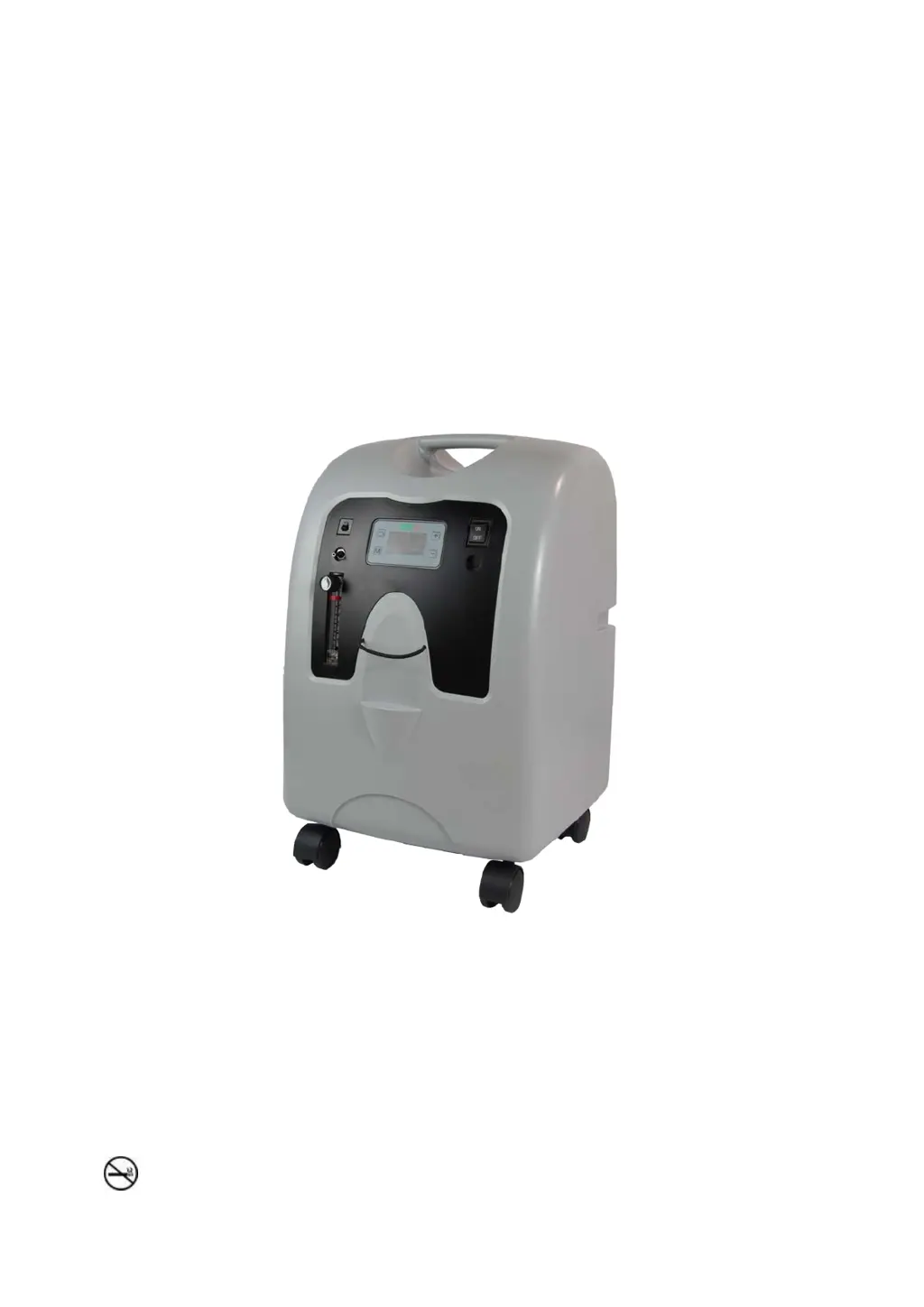
OX- A Series
OXYGEN CONCENTRATOR
OX-10A/5A Oxygen Concentrator
Instruction Guide
VERSION NO: VO
Issued on 2016.3.10
WARNING-Read instruction guide before operating this equipment.
DANGER---NO SMOKING
Page 1 of 16

Questions and Answers

  • D
    danielbishopAug 8, 2025
    What to do if my Oxytek Medical Technology Oxygen Equipment unit does not operate?
    • S
      Steven MillerAug 8, 2025
      If your Oxytek Medical Technology Oxygen Equipment isn't operating, the power light is off, and the service required light is flashing with an audible alarm, it could be due to several reasons: * The power cord might not be properly inserted into the wall outlet. Ensure it's correctly plugged in, checking both the wall and the back of the unit for 230-volt models. * There might be no power at the wall outlet. Check your home circuit breaker and reset it if needed. Try a different wall outlet if the problem persists. * The oxygen concentrator circuit breaker might be activated (on selected units). Press the concentrator circuit breaker button located below the power switch. If it happens again, use a different wall outlet.
  • A
    Anthony PowellAug 18, 2025
    Why is the low oxygen light on my Oxytek Medical Technology OX-5A?
    • S
      Steven HarperAug 18, 2025
      If the yellow low oxygen light is on, or if it's on along with an intermittent audible signal on your Oxytek Medical Technology Oxygen Equipment, consider the following: * Ensure the flow meter is properly set to the prescribed level. * Check the air filter. If it's dirty, clean it following the cleaning instructions. * Inspect the exhaust area to make sure nothing is restricting the unit's exhaust.
  • D
    David SanchezAug 23, 2025
    What to do if my Oxytek Medical Technology OX-5A is vibrating?
    • W
      williamsonjenniferAug 23, 2025
      If your Oxytek Medical Technology Oxygen Equipment is making an audible low-frequency vibration sound, turn the unit off, switch to your reserve oxygen system, and contact your OXTm provider immediately.
  • S
    Scott AllenAug 28, 2025
    What does it mean if both oxygen lights are on in Oxytek Medical Technology OX-5A Oxygen Equipment?
    • T
      Tony BeltranAug 28, 2025
      If both the green normal oxygen and the yellow low oxygen lights are either on or off on your Oxytek Medical Technology Oxygen Equipment, contact your OXTm provider, as this may indicate an O.C.I malfunction.
  • J
    John WilliamsSep 2, 2025
    What to do if I have other problems with Oxytek Medical Technology OX-5A?
    • M
      michellepattonSep 2, 2025
      If you experience any other problems with your Oxytek Medical Technology Oxygen Equipment, turn your unit off, switch to your reserve oxygen system, and contact your OXTm provider immediately.
  • J
    Jason JosephNov 11, 2025
    What to do if the service light is on for Oxytek Medical Technology OX-5A Oxygen Equipment?
    • P
      Peter StaffordNov 12, 2025
      If your Oxytek Medical Technology Oxygen Equipment is operating but the red service required light is on and an audible alarm is sounding, here's what you can do: * Check the air filter. A blocked air filter could be the cause. If it's dirty, clean it following the instructions. * Inspect the exhaust area. Make sure nothing is blocking the unit's exhaust. * Check the cannula, catheter, face mask, or oxygen tubing for blockages or defects. Detach them one by one to see if proper flow is restored. Clean or replace if necessary. Disconnect the oxygen tubing at the oxygen outlet and check for obstructions or kinks, replacing the tubing if needed. * Detach the humidifier from the oxygen outlet. If proper flow is restored, clean or replace the humidifier. * Ensure the flow meter is se...

Summary

Important Safeguards

Critical Safety Warnings

Key warnings such as NO SMOKING and fire hazards related to oxygen use.

Important Parts of Your Concentrator

Front View Component Identification

Identification of front panel controls, indicators, and ports.

Back View Component Identification

Identification of rear panel components and connections.

Setting Up Your Oxygen Concentrator

Unit Positioning and Clearance

Guidance on unit placement for safe operation and proper airflow.

Before Operating Your Oxygen Concentrator

Operating Your Oxygen Concentrator

Powering On and Initial Checks

Procedure for switching the unit on and verifying operation.

Flow Meter Adjustment and Verification

How to check and adjust the flow meter settings per prescription.

Reserve Oxygen System

Caring and Periodic Maintenance

Minor Troubleshooting

Unit Not Operating; Service Required

Troubleshooting steps for unit non-operation or service alerts.

Low Oxygen; Audible Alarm Issues

Diagnosing issues related to low oxygen levels or intermittent alarms.

General Problem Resolution

Guidance for resolving other operational problems with the concentrator.

Specifications

Symbols Explained

Oxytek Medical Technology OX-5A Specifications

General IconGeneral
Oxygen Concentration93%±3%
Oxygen Output5L/min
Outlet Pressure0.04-0.07 MPa
Input VoltageAC220V±10%, 50Hz
Operating Temperature40°C
Power SupplyAC220V±10%, 50Hz

Related product manuals