7 • Oz Charge manual www.ozcharge.com.au
8) Float Mode - Full Green LED ON
This stage allows you to keep the charger connected 24/7 to ensure your battery is well maintained
and kept 100% fully charged. Float mode will maintain the battery at a constant 13.6V.
9) Long Term Maintenance - Full Green LED ON
During long term maintenance / oat mode, the unit will apply a special pulse charge to ensure
the battery is kept in optimal condition.
STEP 4 - Disconnecting the Battery charger from Battery
• If the Battery is out of the vehicle:
(1) Switch OFF and Remove the AC Power Socket from the outlet.
(2) Remove the Black lead and then the Red lead.
• If the battery is still in the vehicle:
(1) Switch OFF and Remove the AC Power Socket from the outlet.
(2) Remove the lead from the vehicle chassis.
(3) Remove the lead from the battery.
Note: Check electrolyte levels if possible after charging as they may need topping up with distilled
water. (This does not apply to sealed maintenance free batteries)
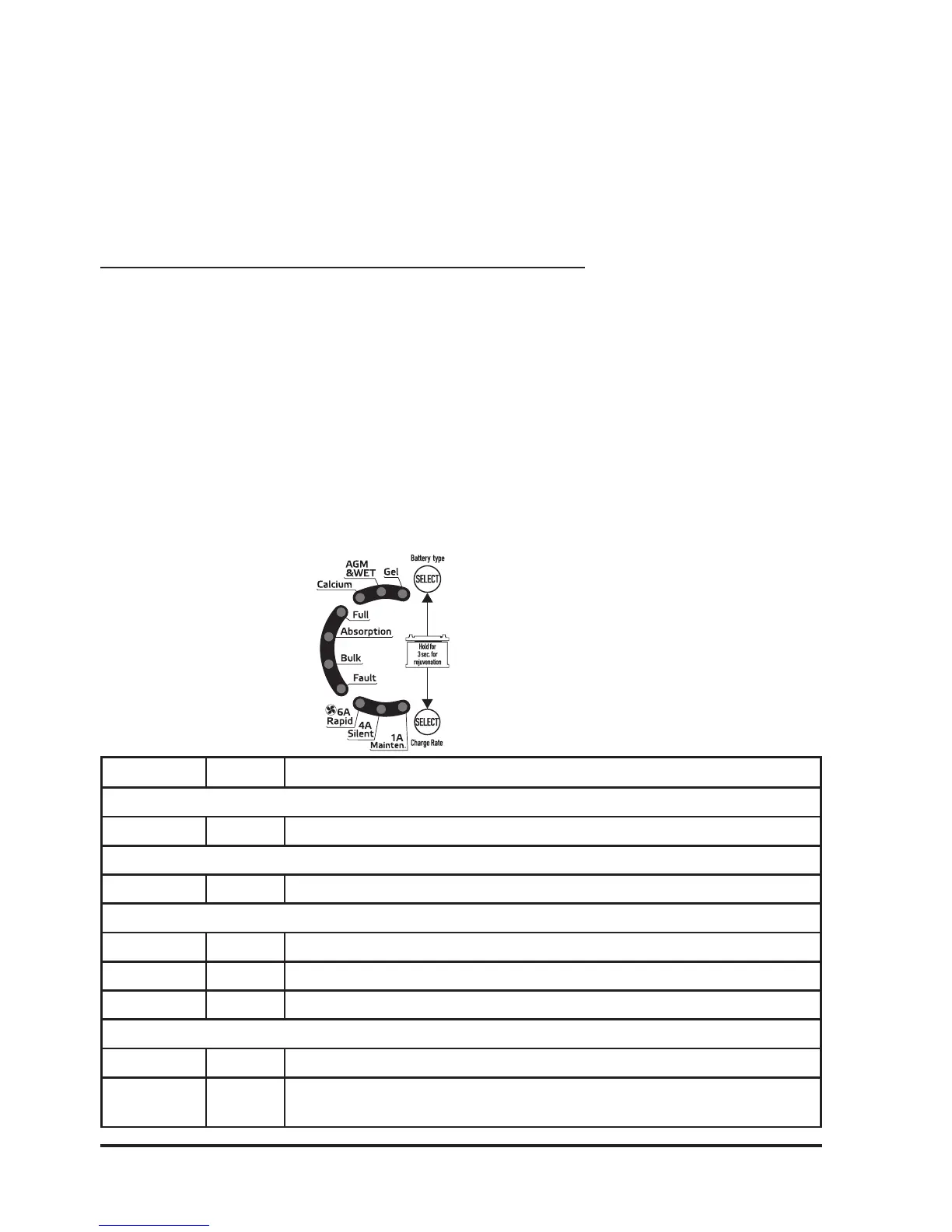
LED STATUS INDICATOR TABLE:
LED Status Description
Battery Type LED’s
Green ON Indicates which Battery Type is selected
Charge Rate LED’s
Green ON Indicates which Charge Rate / Charge Mode is selected
Charging Status LED’s
Full Green Flash/ON Flashing if Analysis failed or ON if fully charged - Float / Maintenance mode
Absor. Green Flash/ON Flashing during equalisation charging or ON during Absorption charging
Bulk Blue Flash/ON Fast Flash - Rejuvenation / Slow Flash - Soft Start charging / ON - Bulk charging
Fault LED
Red ON Short circuit/reverse polarity or Rejuvenation failed if Bulk LED also ashing slow
Red Flashing Over temperature protection mode / Soft start charging timed out if Blue Bulk
LED also ashing fast / Bulk charging timed out if Blue Bulk LED also ON



 To Next Page