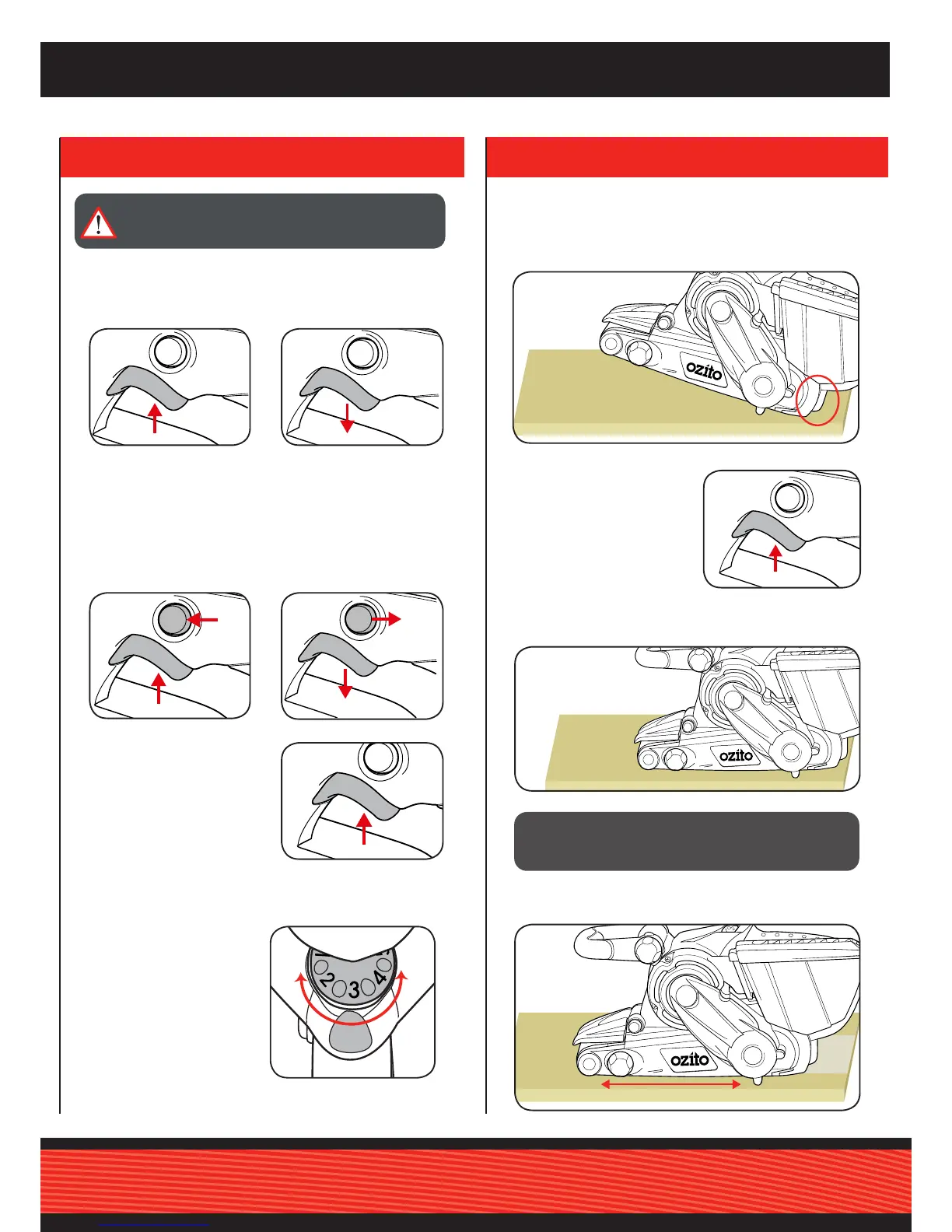
3. To turn off, release the on/
off trigger.
1. Connect the tool to the mains power supply.
CAUTION: GUIDE THE CORD DURING SANDING TO
PREVENT IT BEING CAUGHT ON THE WORKPIECE,
OR OTHER OBJECTS.
Lock on Button
The lock on button allows the belt sander to continue operating
without having to maintain pressure on the on/off trigger.
4. CONTROLS
5. SANDING
1. Squeeze the on/off trigger,
then press the lock on
button.
2. Release the on/off trigger
and then the lock on button.
1. Secure the material to be sanded.
2. Firmly grasp the sander. Gently place the rear heel of the
sander on your workpiece, keeping the sanding belt off the work
surface.
3. Turn the sander on.
4. Wait for the belt to reach maximum speed, then gradually lower
it onto the workpiece.
BSV-9000
Variable Speed Dial
1. Rotate the dial clockwise
to select a higher speed or
anti-clockwise to lower the
speed. Align the number
with the marker on the tool
housing.
3. To unlock, squeeze and
release the on/off trigger.
2. To turn the sander on,
squeeze the on/off trigger.
WARNING! THE POWER SUPPLY FOR THIS PRODUCT
SHOULD BE PROTECTED BY A RESIDUAL CURRENT
DEVICE (RATED AT 30mA OR LESS).
5. Use a back and forth motion. Do not apply pressure on the
sander. Allow the sander to do the work.



 To Next Page