13
DRILL/DRIVER OPERATION (cont.)
Keyless Chuck
• The keyless chuck (1) allows for easy installation and removal of accessories.
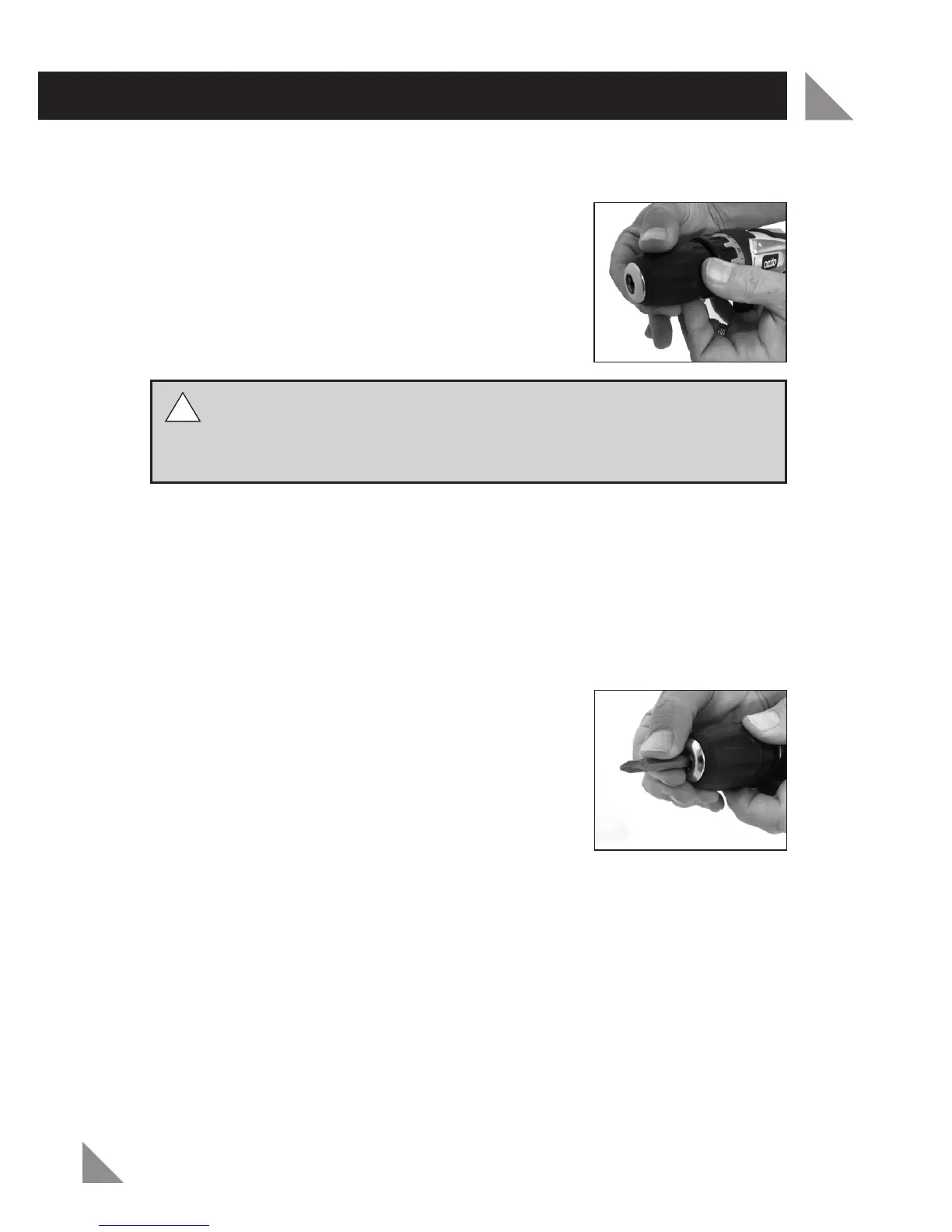
• To open and close the keyless chuck (1), firmly hold
the chuck collar and rotate the chuck body with your
hand (see Fig. 7).
• The arrows on the keyless chuck (1) indicate in
which direction to rotate the chuck body in order to
GRIP (tighten) or RELEASE (unlock) the drill bit or
accessory.
WARNING! Do not hold the chuck body with one hand and use the
power of the drill to tighten or loosen the chuck jaws. The chuck body
could slip and your hand could come in contact with a rotating accessory
resulting in personal injury.
Installing a Drill or Driver Bit
Always ensure the forward/reverse lever (4) is in the lock position and/or remove
the battery (5)
• Loosen the keyless chuck (1) as described in the "Keyless chuck" section
above.
• Insert the drill or driver bit into the keyless chuck (1), ensuring the end of the
drill bit does not touch the screw inside the keyless chuck (1).
• Tighten the keyless chuck (1) onto the drill or driver
bit (see Fig. 8).
Removing Drill or Driver bit
Always ensure the forward/reverse lever (4) is in the lock position and/or remove
the battery (5)
• Loosen the keyless chuck (1) as described in the "Keyless chuck" section above.
• Remove the drill or driver bit from the keyless chuck (1).
Note: Do not handle drill bits without gloves as drill bit and other accessory can
be sharp or can be hot after use causing personal injury.
!
!
Fig. 7
Fig. 8


 To Next Page