8. SPEED SELECTION7. CONTROLS
OPERATION
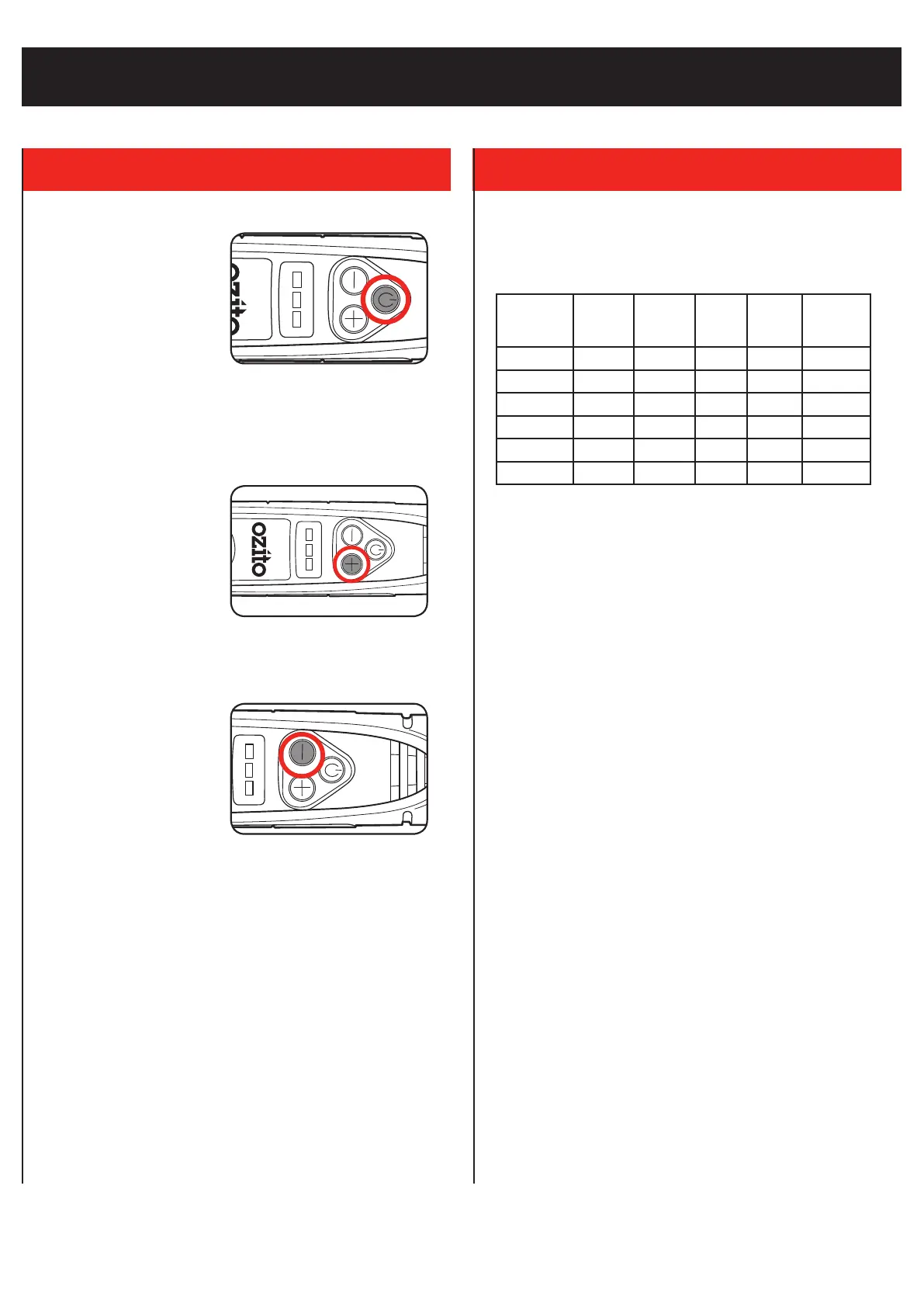
On/O Button
1. Press the on/o button to
turn the tool on. The battery
charge indicator LEDs will
illuminate.
2. To turn the tool o, press the
on/o button again.
Variable Speed Control
1. Once the tool is turned
on, press the ‘+’ button to
increase the speed.
Note: The default speed of the tool when turned on is ‘3’. Press the
‘+’ and ‘-’ buttons as appropriate to vary the speed setting between 1
and 6.
2. To decrease the speed, press
the ‘-’ button.
Recommended Speed Settings
The gures listed below are intended as a guide only. Always test
settings and accessories on a scrap piece of material beforehand.
Timbers Plastics
Soft
Metals
Hard
Metals
Ceramic,
Stone,
Glass
Sanding 1-6 1-2 1-2 6 1-6
Cutting 6 3 3-6 3-6 -
Engraving 6 3-6 3-6 3-6 6
Drilling 6 1-6 3-6 - -
Polishing 3-6 3-6 3-6 3-6 3-6
Grinding 6 - 2-3 6 3-6



 To Next Page