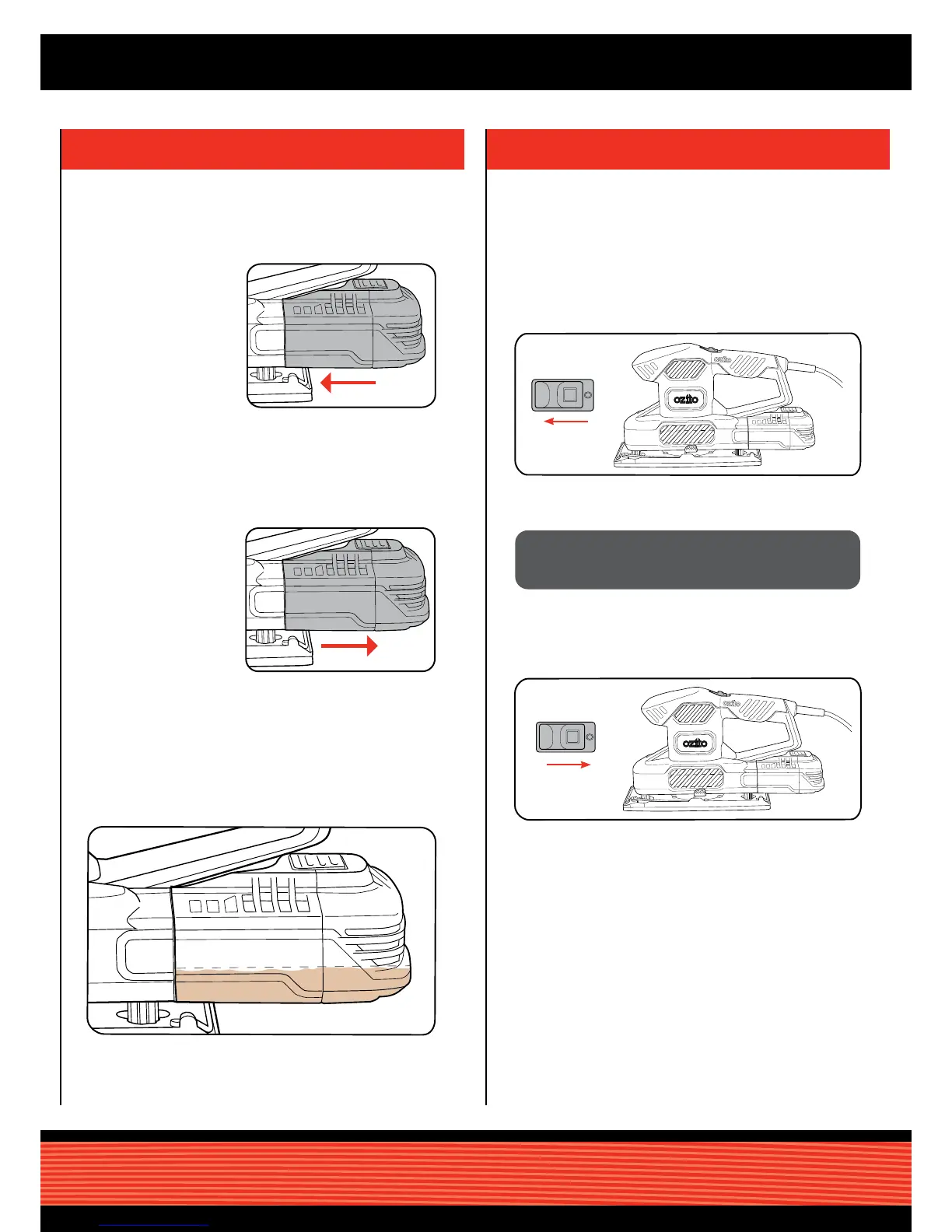
2. To remove, pull
the dust canister
away from the dust
extraction port.
1. Push the dust
canister onto the
dust extraction port
until it clicks into
place.
Install
3. Regularly check the dust canister and empty when it becomes
1
/3 full for optimum dust extraction.
Remove
Empty
The tool is recommended for use with a residual current
device with a rated residual current of 30mA or less.
2. To turn the sander off, slide the switch back.
2. To turn the sander on, slide the switch forward.
1. Connect the tool to the mains power supply.
CAUTION: GUIDE THE CORD DURING SANDING TO
PREVENT IT BEING CAUGHT ON THE WORKPIECE,
OR OTHER OBJECTS.



 To Next Page