4. CONTROLS
OPERATION
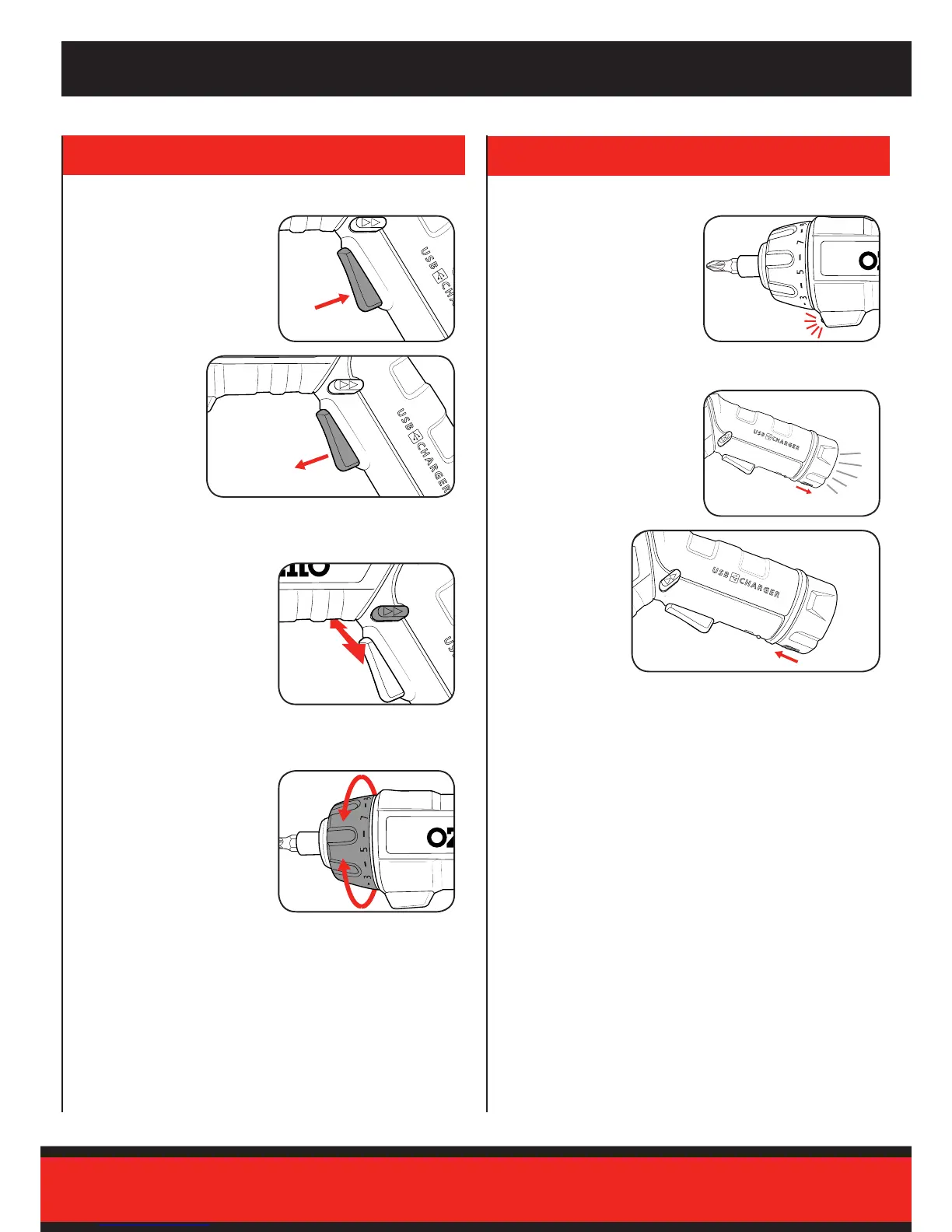
On/Off Trigger Screwdriving LED Worklight
Using the Torch Function
Forward / Reverse Lever
Adjusting the Torque
1 To start driving, squeeze the
on/off trigger.
The screwdriver features a
worklight that will help brighten
the work area. This light will
automatically turn on once the on/
off trigger is pressed.
1 To turn the torch on, press
torch on/off switch into the on
position.
2 To stop driving,
release the on/off
trigger.
2 To turn the torch
off, press torch on/
off switch into the
off position.
1 Push the forward/reverse
lever left, for forward rotation.
2 For reverse rotation push the
lever to the right of the tool.
Align the arrow at the top of the
tool with the desired setting by
rotating the torque collar.
Note: A higher number will result
in higher torque or twisting
action.
Note: To avoid damaging screw heads, start with a low torque setting
and increase until the screw head is ush with the work piece.



 To Next Page