SDR-050
4. OPERATION
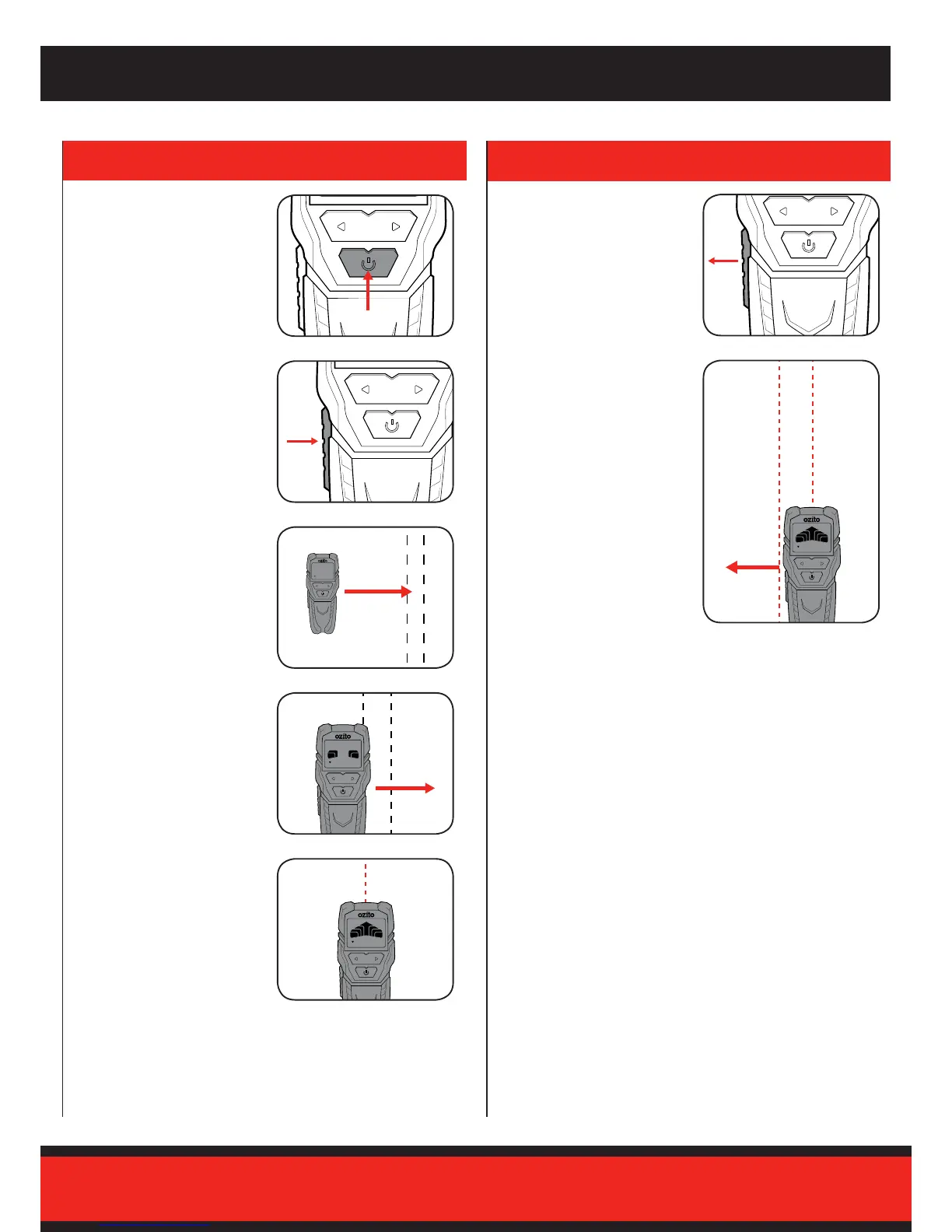
1 Turn the unit on by pressing
the on/off button and complete
the calibration instructions in
the previous section.
3 Move the unit slowly in a
horizontal direction along the
surface.
5 Continue to move the unit
slowly until all bars on the
display are lled. Mark this
position on the wall.
2 Once the calibration is
complete (indicated by 3
beeps), continue to hold the
detection button down.
4 If you get close to the search
object, bars will start to appear
on the digital display.
6 Once this position has been
marked, the detection button
can be released.
7 Repeat this process in the
opposite horizontal direction
and make a second mark.
These marks indicate the
edges of the object.
Note: The middle of these marks
indicates the centre of the object.



 To Next Page