2. CONTROLS 3. CALIBRATION
OPERATION
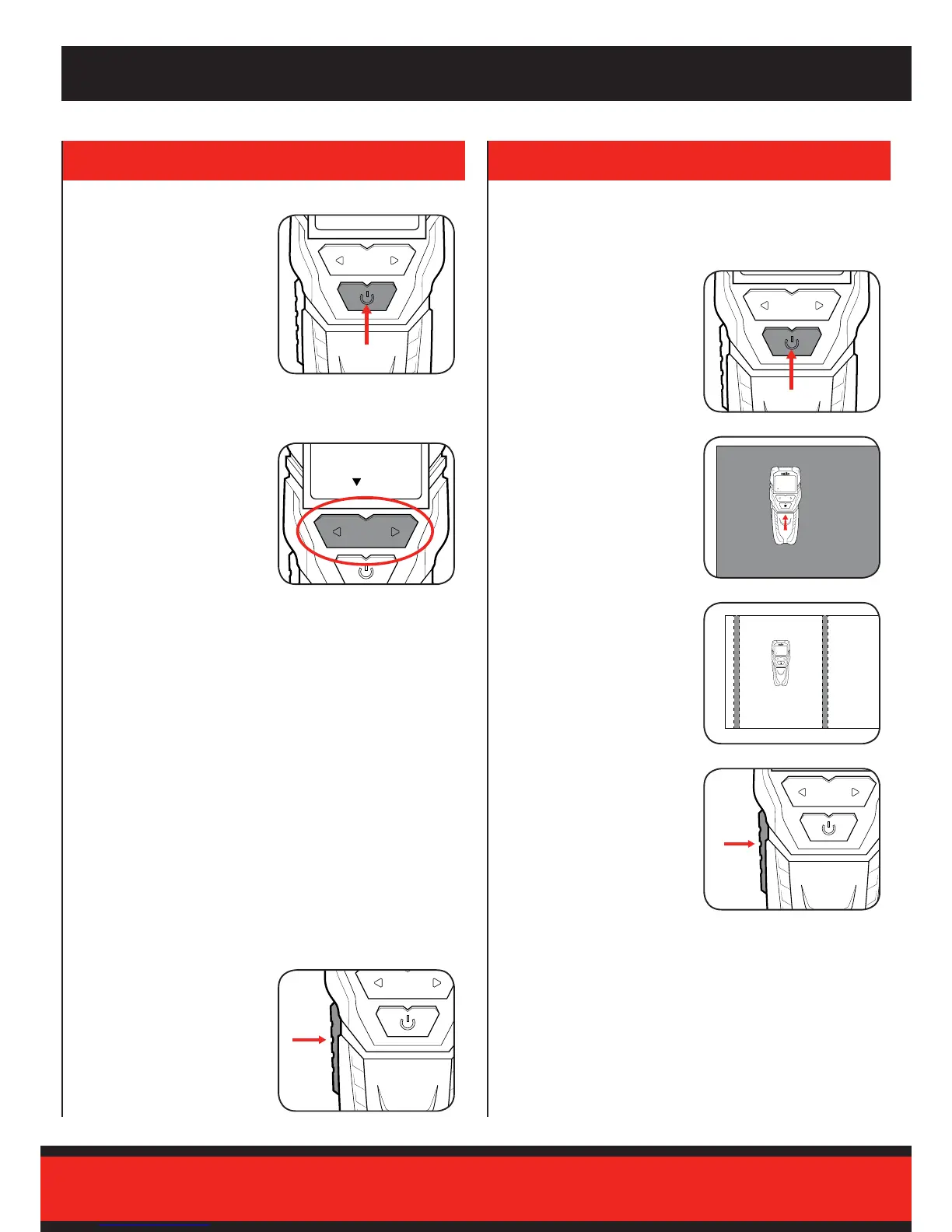
Switching On and Off
Mode Selection
Detection Button
1 To turn the unit on, press the
on/off Button
The directional mode buttons
allows you to select between the
4 operational modes.
Note: An arrow is displayed at
the bottom of the digital display,
indicating the current mode.
Stud detection mode:
For metallic and non-metallic materials (wood, metal, etc.)
• Wood max. detection depth: 19mm
• Metal max. detection depth: 19mm
Metal detection mode:
For ferrous materials and copper piping
• Ferrous Metal max. detection depth: 50mm
• Copper max. detection depth: 24mm
Deep detection mode:
For copper piping, metal, wood
• Wood max. detection depth: 19mm
• Metal max. detection depth: 38mm
• Copper max. detection depth: 38mm
AC detection mode:
For live cables (power cords, network cables, etc.)
• Max. detection depth: 50mm
1 The detection button is used
to calibrate and start detecting
objects.
The stud detector needs to be calibrated for the characteristics of the
search area before each measurement.
Note: Calibrations needs to be repeated every 60 seconds in order to
reduce the occurrence of measuring errors.
1 Turn the unit on by pressing
the on/off button.
3 Select an area of the surface
that is less likely of nding
the material you are trying to
locate.
2 Hold the back of the stud
detector against the surface.
4 Press and hold the detection
button to allow the detector
to calibrate correctly. The
calibration is complete when
you hear 3 beeps.
2 To turn the unit off, press the
on/off button again.
Note: The unit will automatically
turn off after 60 seconds of
inactivity.


 To Next Page