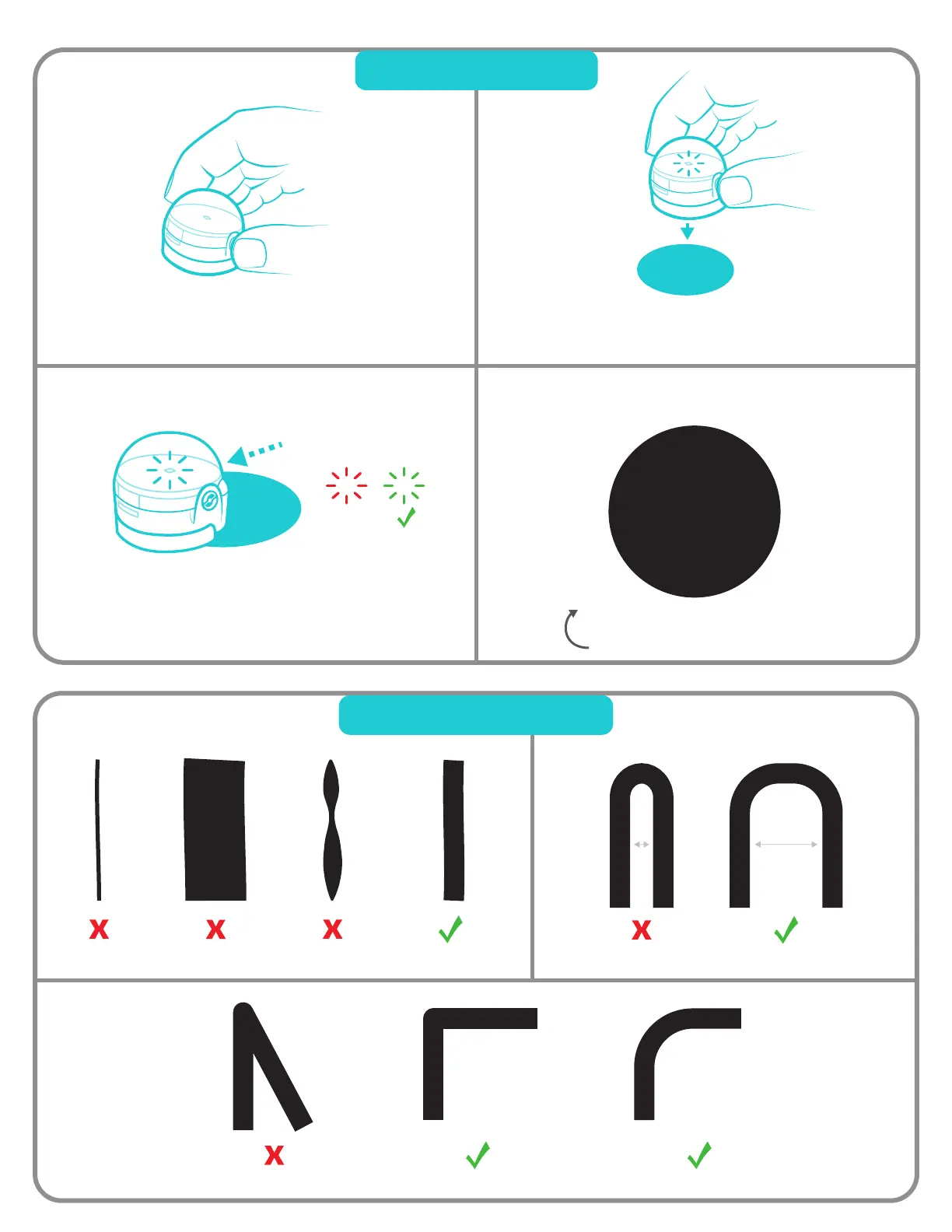
Too Thin!
Too Thick!
Inconsistent!
Too Sharp! Just Right Just Right
Tips: Drawing Lines
Just Right Too Close! Just Right
1
Hold down the power button on
Ozobot for 2 seconds until the
LED light turns white.
2
Quickly Place Ozobot in the middle of
the black calibration dot.
3
X
Ozobot will move forward and blink green,
which means it has successfully calibrated.
Start over if Ozobot blinks red.
Ozobot Tips
Tips: Calibration
Use this black dot to calibrate.


 To Next Page