6 7
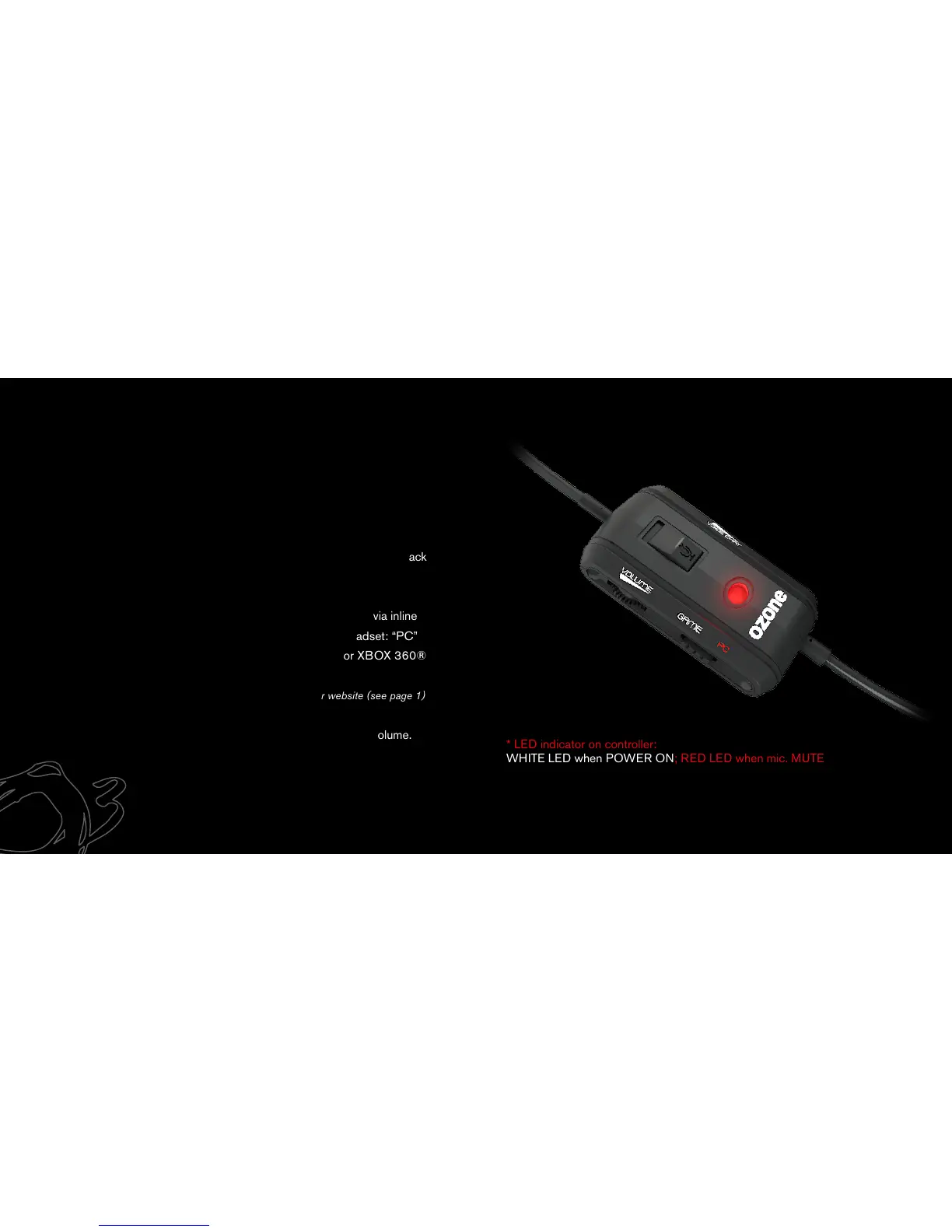
BLAST 4HX INLINE CONTROLLER
You can configure below settings through the inline controller:
1. Adjust the speaker volume as needed (-/+) .
2. Mic. mute function: mute the mic with just one click and easily turn it back
ON when required.
3. Switch between PC and Game mode: Select PC/Game mode via inline
controller based on the device you want to connect with the headset: “PC”
for a Windows® PC or Mac® / “Game” for a PS3®, PS4® or XBOX 360®
console.
For full inatallation intructions please download Manual from our website (see page 1)
4. Adjust voice chat volume (-/+) independently from the speaker volume.
* LED indicator on controller:
WHITE LED when POWER ON; RED LED when mic. MUTE
BLAST 4HX



 To Next Page