10
09
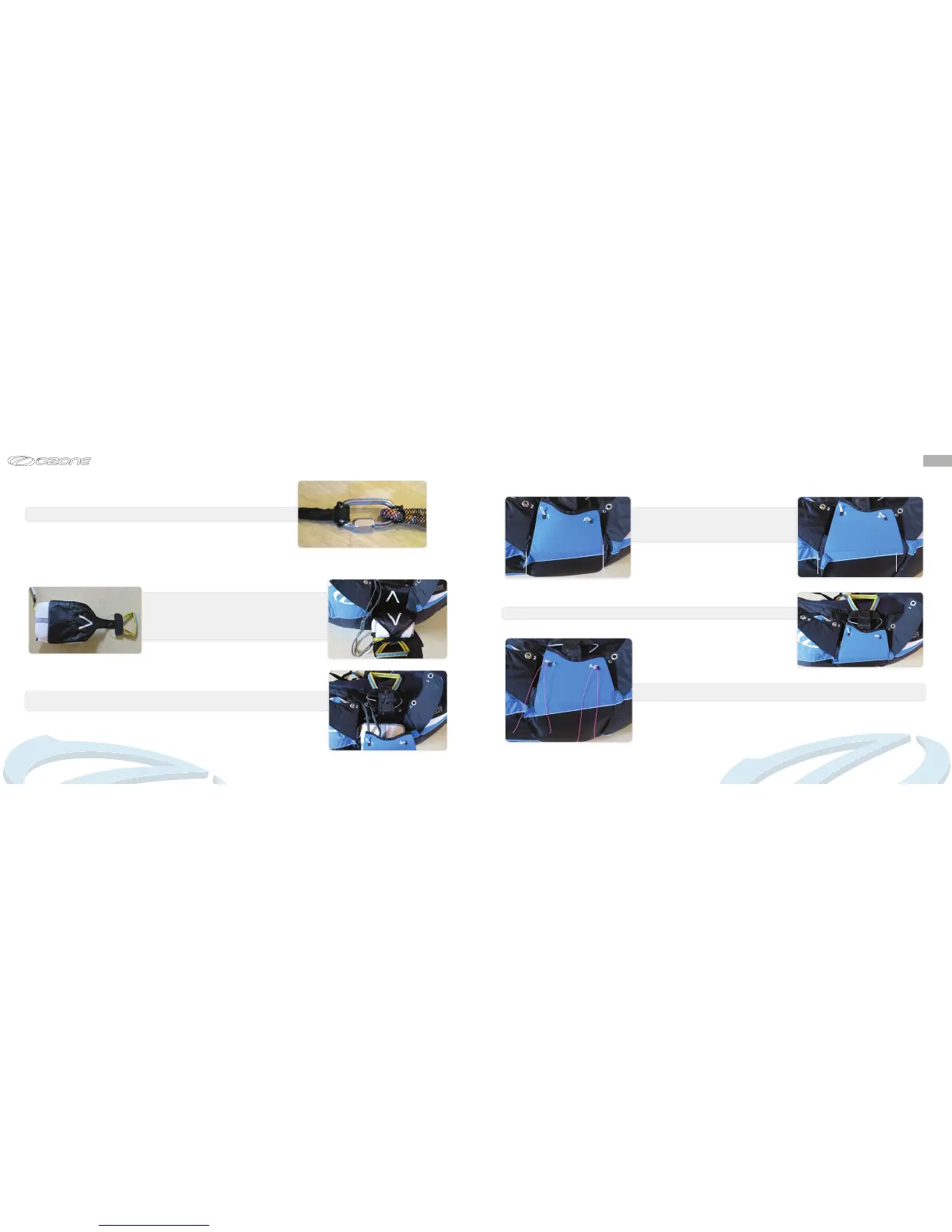
Attachtheharnessbridlestotheparachute’sbridleusingasuitableconnector(notsupplied).
Please note, the Ozium 2 is only suitable for reserve parachutes with a short bridle.
Open the reserve parachute container on the rear of the
harnessbyopeningthezips.Placethedeploymentbaginthe
space provided with white arrow on the deployment handle
facinguppermost sothat itmatches the white arrow on the
harness, the parachute lines should be underneath and the
handlepositionedcorrectlyasshown.
Payattentiontothebridles.Donotallowthemtobecomeentangled,theyshouldremainneatlyinplace
tothelefthandsideoftheparachutewheninserting.
The container can be closed by running both zips
forwardtowardsthereserveparachuteopening,allthe
waytotheeyelets,andthenbackagainunderneaththe
harnesstosecurethezips
Gentlypulltheparachutehandleandtopapoutofthewaysotheyareclearofthebottomaps
Usingsuitablepiecesofmagicstringorplasticpullthewhiteloopsthroughtheparachutecontainer
eyelets.


 To Next Page