PAC
®
| Ph. 866-931-8021 | support@pac-audio.com
©2017 PAC | PAC is a Power Brand of AAMP Global
www.pac-audio.com
Rev. 020717
Page 4
Pacific Accessory Corporation
Advanced Amplier Interface for
Chrysler / Dodge / Jeep
AP4-CH21
Restoring Factory Settings
You can restore the interface to factory default settings by pressing and holding the programming button on the side of the module
until the status LEDs start blinking red. Once the LEDs start blinking red, release the button.
This reset will restore the following settings to their factory defaults:
• Minimum volume level
• Enable / Disable factory EQ
• Factory EQ frequency
• Factory EQ Q factor
Troubleshooting
1. Hiss at high amp gain - Set feature DIP switch 2 to the on (down) position to lower the output voltage of the AP4 to 4v. If you
still hear the hiss, lower your amp gains until the hiss is gone.
2. Cannot hear uConnect or nav voice - Use the volume knob while either of these voice prompts are active to adjust voice
volume. If you still do not hear voice prompts, be sure that the 10-pin connector is plugged in behind the radio.
3. Low volume setting on radio is too loud - Set minimum volume using process outlined in Setup and Conguration or using the
AmpPRO application.
4. If for any reason the AmpPRO module becomes unresponsive, or will not power up with the key on, you can always reset the
interface by turning the key to the ignition position, then pressing and holding the Volume Down button on the factory SWC
for 12 seconds until a tone is heard.
Chime Volume Adjustment Mode
Minimum Volume Adjustment Mode
LED2
LED 1
Firmware Updates
The AmpPRO app will also allow you to update the interface with new rmware as it becomes available. Please visit
www.pac-audio.com or contact our tech support department to see if there is a rmware update for your interface.
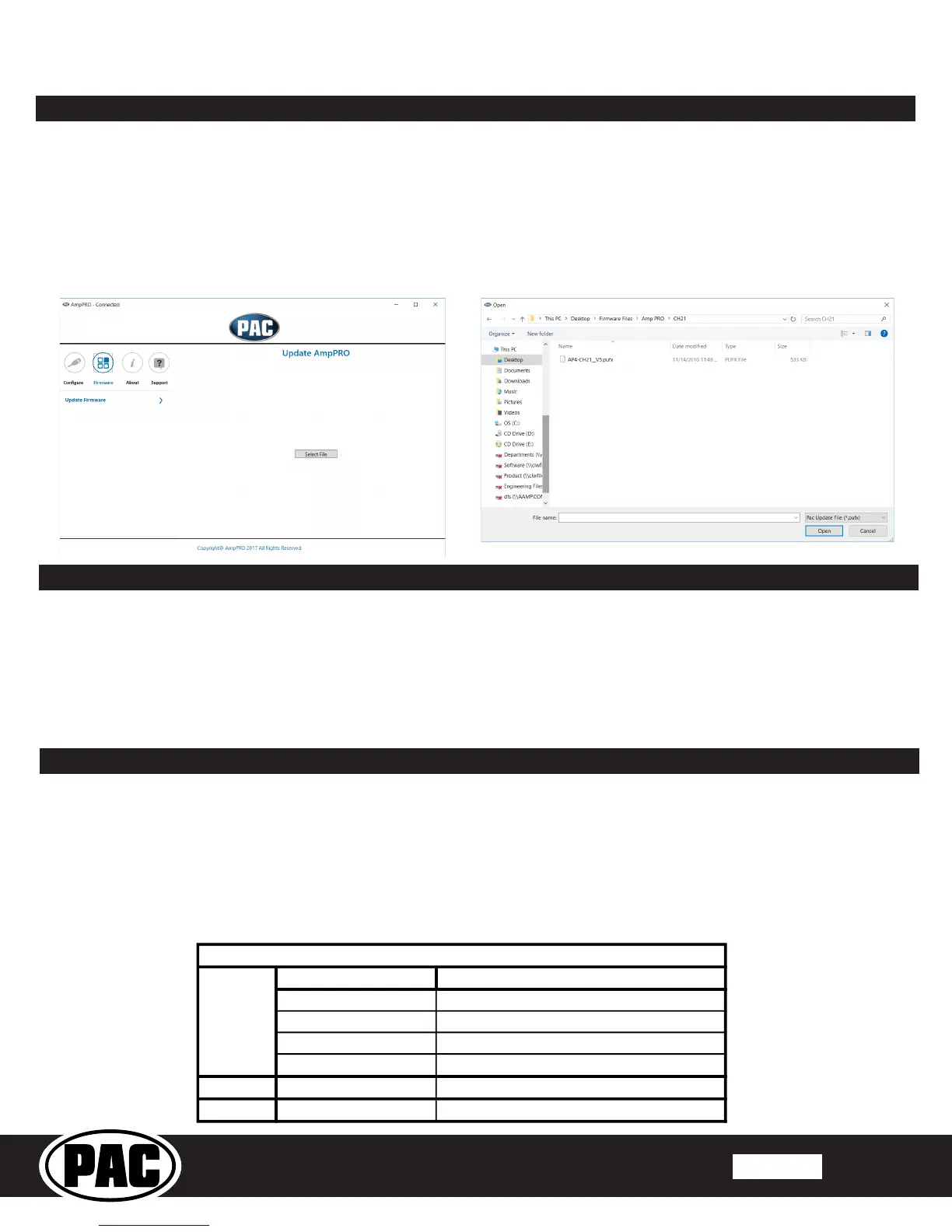
Connect the interface to your PC and select "Firmware", then “Update Firmware”. Now select “Select File”. Finally, browse to the
place where you saved the le and select it. This will begin the updating process. Once nished, disconnect the interface from
the PC and resume normal operation.
AmpPRO App



 To Previous Page
 Loading...