PAC
®
| Ph. 866-931-8021 | support@pac-audio.com
©2017 PAC | PAC is a Power Brand of AAMP Global
www.pac-audio.com
Rev. 020717
Page 1
Pacific Accessory Corporation
Advanced Amplier Interface for
Chrysler / Dodge / Jeep
AP4-CH21
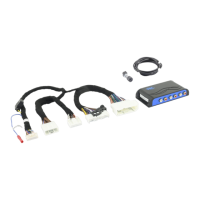
The AP4-CH21 provides a 6-channel pre-amp output for use with aftermarket audio equipment. Using the full range,
xed level head unit output, in conjunction with CAN messages, the AP4-CH21 delivers a variable 5v RMS pre-amp
output with fading, balance, equalization, and level control capabilities. The module also retains all audio from other
vehicle features such as factory Navigation Prompts, Bluetooth, and uConnect. A data controlled remote amplier
turn on wire is also provided by the AP4-CH21. When used in conjunction with the APA-TOS1 (sold separately), the
module can provide a variable 2-channel ber optic digital audio output (TOSLINK).
Introduction and Features
Important Notes
1. This interface is only compatible in vehicles equipped with a data-bus controlled premium sound system. To verify
compatibility, look for an Alpine, Beats, or Harmon Kardon badge on the door speakers, center speaker, or factory
subwoofer. If none of these brands are shown, check for the presence of a center speaker or subwoofer.
2. The factory amplier must remain connected, and in the vehicle after the AmpPRO has been installed.
3. The remote output is rated at 2A of current. If more current is needed an external relay must be used.
4. Channels 5 and 6 are non-fading outputs. The output level of channels 5 and 6 can be controlled using the supplied level
control knob.
5. The minimum volume level is set to 0 dB by default. If you are happy with this level in your particular application then
additional adjustment is not required. Please refer to the Setup and Conguration section on page 2 for more details.
6. The level control knob must be connected in order to manually adjust the minimum volume setting.
7. No adjustments can be made manually using the programming button, or the factory SWC when the module is connected to
a PC.
Wiring Connection Chart
To Aftermarket
Amplier
Non-FadingRearFront
1(L) 2(R) 4(R) 5(L) 6(R)3(L)
Remote Turn On Output
2A Max Output
AP4-CH21-HAR
To Radio
To Vehicle
Harness
Non-Fading
Level Control
Knob
Module Layout
Interface Connector 1
Expansion Port
Programming Button
Feature Select
DIP switches
Non-Fading Level Control
Knob Connection
USB Connection
LED 1
TOSLINK Output
(APA-TOS1 sold separately)
Front Output
Ch. 1(L) and 2(R)
Rear Output
Ch. 3(L) and 4(R)
Non-Fading Output
Ch. 5(L) and 6(R)
LED 2

 Need help?
 General

 To Next Page