–12– Y53-6051-1C1
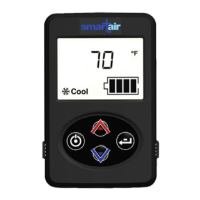
How to Change a Setting
Change the temperature, blower speed or temperature
units using these steps:
1. Press the ENTER button until the desired mode is
displayed.
NOTE
If nothing is changed the control will return to the
default screen in a few seconds.
2. While the desired mode is displayed, use the UP
and DOWN arrow to adjust the setting to the
desired value. The system will wait for 5 seconds
before changing the system.
3. Wait 5 seconds for the changes to be accepted and
the system to respond.
The system will begin adjusting to the new settings.

 To Next Page
 Loading...