(R05/2014) –5–
The available settings that may be changed are:
• Mode — Auto/Cool/Heat
• Blower speed — 1/2/3
• Temperature — 60º F to 85º F
• System runtime timer
• Temperature units — º F/º C
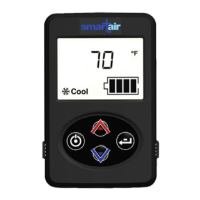
The control panel may display any combinations of these
icons:
Icon Description
Indicates the system mode for auto-
matic temperature control.
Provides battery charge status of the
auxiliary batteries (not the vehicle’s
starting batteries).
System air filter needs to be cleaned
and inspected when this icon is on.
Indicates the manual system mode
for cool air.
Indicates the fan speed setting.
Indicates the manual system mode
for heated air.
Indicates the system’s cumulative
operational time since the last reset.
Indicates a system error.
Icon Description


 To Next Page