EasyManua.ls Logo

Pace DC50Xu - User Manual

Pace DC50Xu
15 pages
Print Icon
To Next Page IconTo Next Page
Loading...
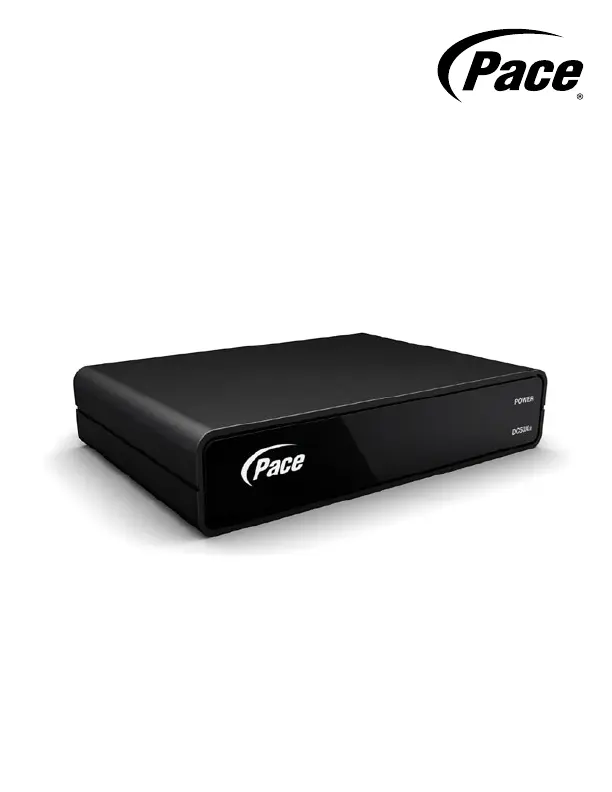
DC50Xu
Quick Start Guide
Digital Transport Adapter
BRINGING TECHNOLOGY HOME
www.pace.com

Questions and Answers

  • B
    Bonnie HayesJul 26, 2025
    Why is there no sound when using my Pace DC50Xu?
    • K
      Kelly FoxJul 27, 2025
      First, check the audio cables connecting your TV and any audio equipment to ensure they are securely and correctly connected. Next, make sure that the sound isn't muted on your TV or any connected audio equipment, and adjust the volume. If you only hear mono sound, confirm that the program you're watching is actually broadcast in stereo.
  • M
    Michael HudsonAug 2, 2025
    How to fix a Pace DC50Xu Adapter with nothing illuminated on the front panel?
    • B
      Brittany ButlerAug 3, 2025
      Ensure that the external power supply is correctly plugged in. If the wall AC power outlet has a switch, verify that it is switched to the ON position.
  • R
    richard64Aug 10, 2025
    What to do if there is no picture on my TV screen using Pace DC50Xu Adapter?
    • E
      elizabethbrownAug 10, 2025
      Ensure your TV and the Pace Adapter are both powered on and connected to AC power outlets. Also, verify that both the TV and the adapter are set to the same channel, either channel 3 or 4.
  • K
    Karen CruzAug 18, 2025
    What to do if Pace DC50Xu Adapter remote control is not working?
    • S
      Sean GloverAug 18, 2025
      First, check for any obstructions between the remote control and the front panel or remote eye of the Pace Adapter. If you're using a remote eye, ensure it's securely connected to the adapter. Next, verify that your remote control is set to operate the adapter, consulting the remote's instructions if needed. If the remote still doesn't work, try replacing the batteries.

Summary

IMPORTANT SAFETY INSTRUCTIONS

SAFETY INFORMATION

OTHER WARNINGS

Risk of Fire or Scorching

Avoid placing flammable items near the adapter to prevent fire hazards.

Ambient Temperature

Ensure the adapter operates within its specified temperature range of 32-104°F for safety.

Ventilation

Do not block ventilation openings to prevent overheating and ensure reliable operation.

Cautionary Modifications

Do not modify the adapter without authorization to avoid voiding warranty or authority.

REGULATORY INFORMATION

CONNECTING TO THE AC POWER SUPPLY

Power Supply Unit Warnings

WELCOME

BEFORE YOU BEGIN

WHATS IN THE BOX?

ABOUT YOUR DIGITAL ADAPTER

CONNECTING THE CABLES

CHECKING THE PICTURE

CONNECTING THE REMOTE EYE

PLACING THE DIGITAL ADAPTER

USING THE REMOTE CONTROL

ENJOY DIGITAL TV!

SOLVING PROBLEMS

Pace DC50Xu Specifications

General IconGeneral
BrandPace
ModelDC50Xu
CategoryAdapter
LanguageEnglish

Related product manuals