EasyManua.ls Logo

Pace dc50x - User Manual

Default Icon
15 pages
Print Icon
To Next Page IconTo Next Page
Loading...
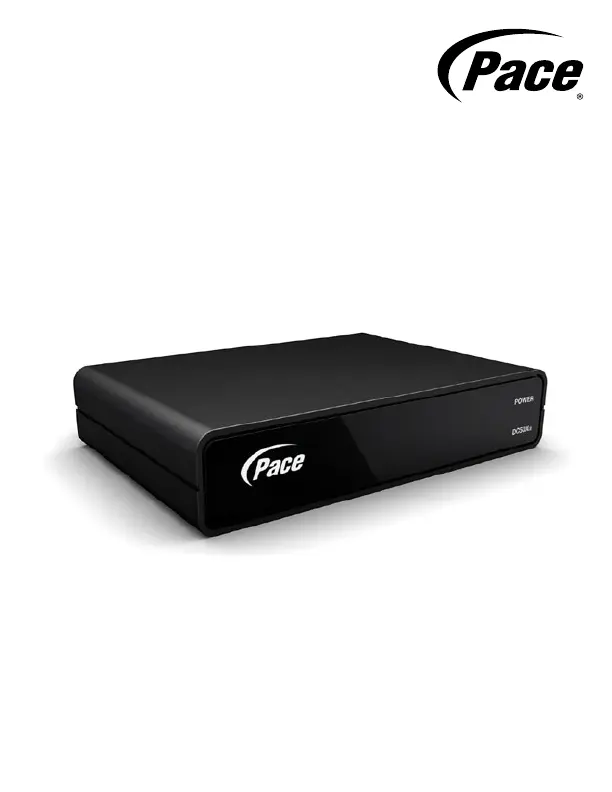
DC50Xu
Quick Start Guide
Digital Transport Adapter
BRINGING TECHNOLOGY HOME
www.pace.com

Questions and Answers

  • M
    Michele YoungAug 8, 2025
    Why is there no sound when using my Pace dc50x Adapter?
    • J
      James AndradeAug 8, 2025
      First, check the audio cables connecting your TV and any audio equipment to ensure they are securely and correctly connected. Next, make sure that the sound isn't muted on your TV or any connected audio equipment, and adjust the volume. If you only hear mono sound, confirm that the program you're watching is actually broadcast in stereo.
  • A
    Amanda NguyenAug 15, 2025
    How to fix a Pace dc50x Adapter with nothing illuminated on the front panel?
    • J
      Jennifer WongAug 15, 2025
      Ensure that the external power supply is correctly plugged in. If the wall AC power outlet has a switch, verify that it is switched to the ON position.
  • K
    Kevin BlairAug 22, 2025
    What to do if there is no picture on my TV screen using Pace dc50x Adapter?
    • C
      Cynthia DavisAug 23, 2025
      Ensure your TV and the Pace Adapter are both powered on and connected to AC power outlets. Also, verify that both the TV and the adapter are set to the same channel, either channel 3 or 4.
  • S
    Stephen AllenAug 31, 2025
    What to do if Pace Adapter remote control is not working?
    • T
      Tiffany WatersAug 31, 2025
      First, check for any obstructions between the remote control and the front panel or remote eye of the Pace Adapter. If you're using a remote eye, ensure it's securely connected to the adapter. Next, verify that your remote control is set to operate the adapter, consulting the remote's instructions if needed. If the remote still doesn't work, try replacing the batteries.

Summary

Important Safety Instructions

General Safety Guidelines

Follow all instructions to reduce risk of fire, electrical shock, and injury.

Safety Information

Other Warnings

Important warnings regarding fire, temperature, and ventilation.

Risk of Fire or Scorching

Avoid naked flame sources near the adapter to prevent fire hazards.

Ambient Temperature

Operate the adapter within its specified temperature range of 32-104°F.

Ventilation

Ensure ventilation openings are clear to prevent overheating.

Caution

Warning against unauthorized modification of the digital adapter.

Regulatory Information

Connecting to the AC Power Supply

Instructions for safely connecting the digital adapter to the AC power supply.

About Your Digital Adapter

Power LED and IR Receiver

Details on the power indicator light and infra-red receiver.

Connection Ports

Explanation of CABLE IN, TO TV, IR IN, and Power Input connectors.

Channel Switch

Information on the switch for tuning the digital adapter.

Connecting the Cables

Cable Connections

Step-by-step guide for connecting RF cables and power supply.

Checking the Picture

Tuning and Channel Settings

Instructions for tuning the TV and adapter to the correct channel.

Connecting the Remote Eye

IR Receiver Placement

How to connect and position the remote eye for out-of-sight placement.

Placing the Digital Adapter

Placement Options

Guidance on placing the adapter on top of or attached to the TV.

Using the Remote Control

Remote Control Operation

Information on changing channels using the supplied remote control.

Enjoy Digital TV!

Installation Completion

Confirmation of successful installation and next steps for activation or troubleshooting.

Solving Problems

Troubleshooting Guide

Common problems and suggested solutions for power, remote, picture, and sound issues.

Pace dc50x Specifications

General IconGeneral
BrandPace
Modeldc50x
CategoryAdapter
LanguageEnglish

Related product manuals