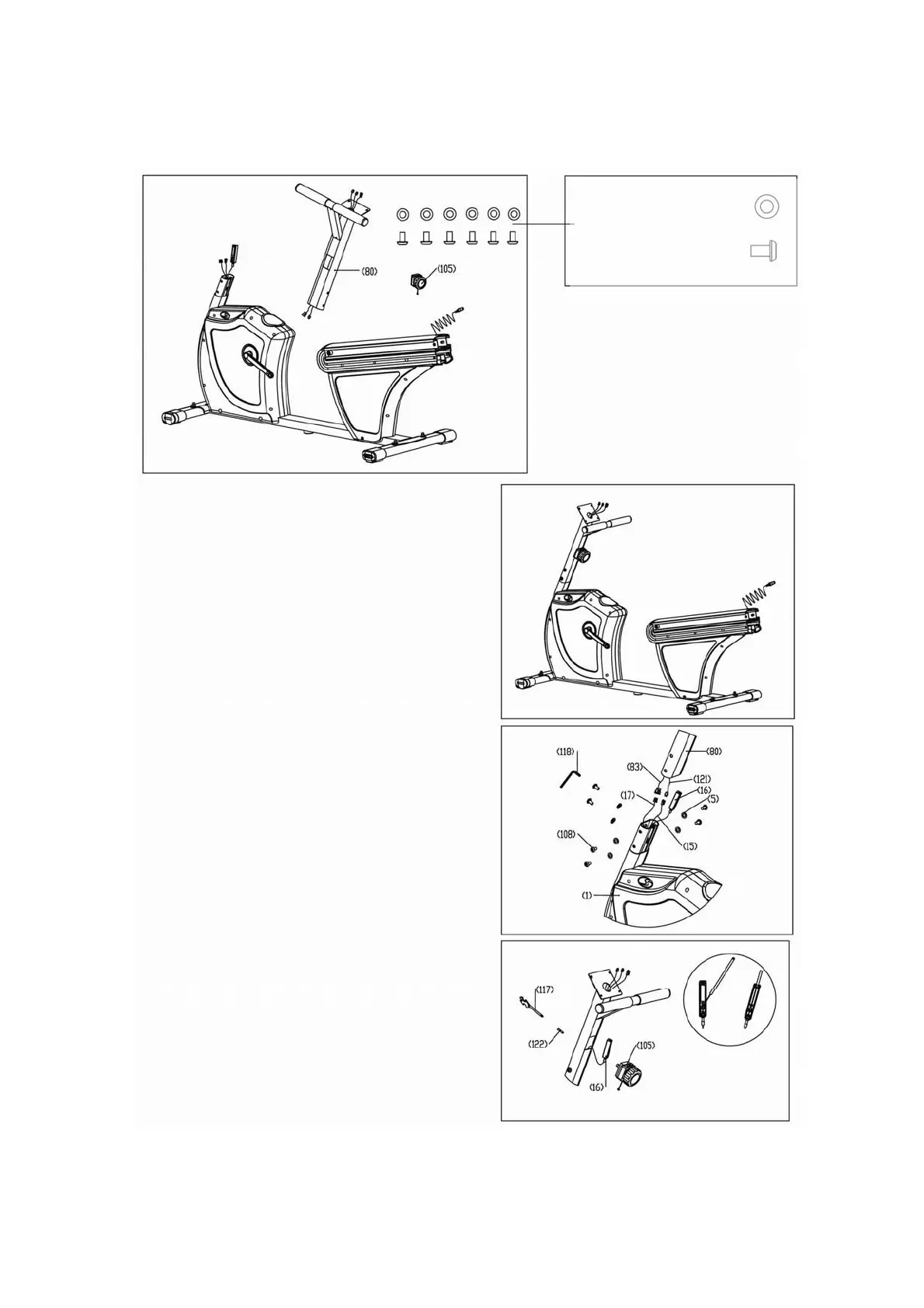
3. Assemble the computer mast
C
B
A
Step 3C: Insert tube (80) into main frame (1) with
screw (108) and washer (5) by 6mm Allen Wrench.
Connect cable wire (16) to knob (105). Then slide knob
(105) in to upright tube (80) and secure with screw
(122) using a Phillips screwdriver.
Step 3B: Connect Wires (83) & (17), and then
Connect wires (121) & (15). Slide tension cable (16)
in to the bottom of upright tube (80) see fig. 3B
Step 3A: Remove screw (122) from tension knob
assembly (105), and then remove tension knob
assembly (105) from the upright tube (80) see fig. 3A.
Washer 18х9х2.0t—6PCS(5)
Bolt M8х15—6PCS(108)
10


 To Next Page