11
5. During the workout the computer will notify you of any speed or elevation changes in the program by flashing the current speed and/or elevation a
few times, then displaying the new speed or elevation.
• At anytime during the workout you may increase or decrease your speed or elevation to meet your own fitness level, but at the next point in time
when there is a speed or elevation change, the treadmill will go to its new values. You may choose to override these new values at any time.
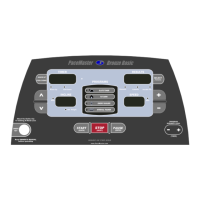
• If there is a warm up/cool down as part of the program chosen, you may shorten the warm up by pressing the WARM UP button prior to its
completion. This will advance you to the beginning of the main exercise routine. You may also choose to begin your cool down prior to the end of
your main exercise routine. This is done by pressing the COOL DOWN button before time has elapsed on the main routine, this will put you at the
beginning of the cool down routine.
• During the main routine you may, if desired, lengthen the workout by pressing the MIN button, which will add 1 minute to the main routine each
time you press it.


 To Next Page