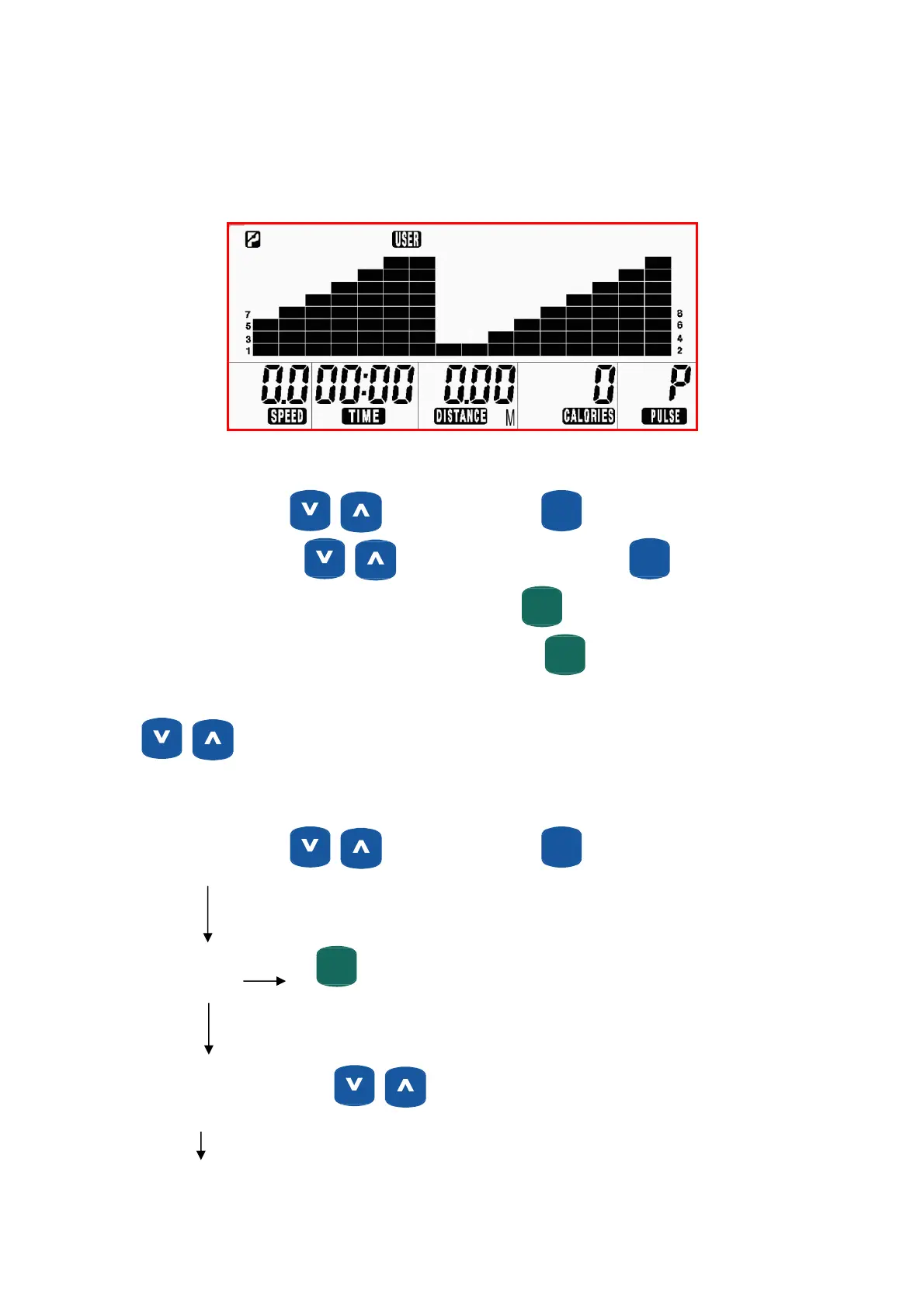
User Workout “User”
The User program allows you to set the individual level of intensity for 16 workout segments (columns).
Each segment (column) will be 1/16 of the total workout time. This program can be used immediately
and is stored for future workouts.
Create User Profile
Turn on the power, press to select “User” then press
ENTER
(MODE)
.
Segment 1 will flash. Adjust
to set desired resistance level. Press
ENTER
(MODE)
to move to next
segment and continue this procedure for all 16 segments. Press
START
(PAUSE)
QUICKQUICK
to begin 16 minute workout; 16
minutes is the default time. Workout time may be adjusted by pressing
START
(PAUSE)
QUICKQUICK
. “Time” flashes set total workout
time using
.
“User” Operating Instruction
Turn on the power, press to select “User” then press
ENTER
(MODE)
.
“User” flashes
START
(PAUSE)
QUICKQUICK
Quick start with default values
Segment (column) 1 flashes Use
buttons to set resistance for this segment.
27


 To Next Page