Heart Rate Recovery
This feature will evaluate your fitness condition based on change in heart rate over a period of one minute. At
the completion of this test a value (A+, A-, B+, B-, C+, C-) will be displayed (A+ is Best)
Press
RECOVERY
to enter the recovery program, or press
RESET
then
RECOVERY
when flashing “P” is displayed,
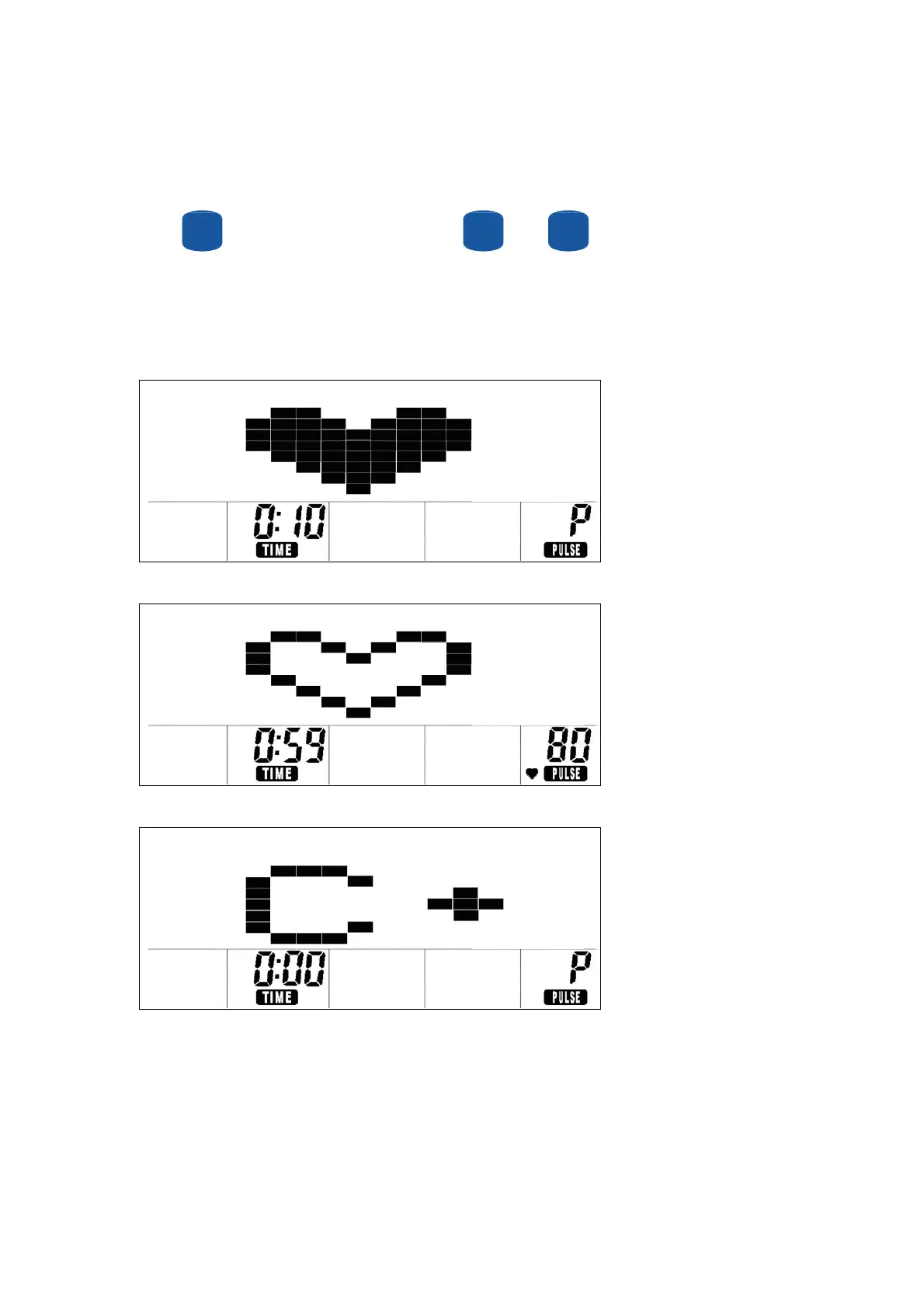
or stop your workout to enter the recovery program. In the first 10 seconds, the computer will detect your heart
rate (fig 1). Then computer will count down 60 seconds automatically (fig 2) and display your score (fig 3) (A+, A-,
B+, B-, C+, C-),A+ is the best. If the computer cannot detect user heart rate in first 10 seconds, the computer will
default to stand by mode.
Fig 1
Fig 2
Fig 3
31


 To Next Page