EasyManua.ls Logo

PaceSaver Scout RF - Page 30

PaceSaver Scout RF
40 pages
Print Icon
To Next Page IconTo Next Page
To Previous Page IconTo Previous Page
Loading...
28 BOSS 4.5, RF, P3 & P4 OWNERS MANUAL
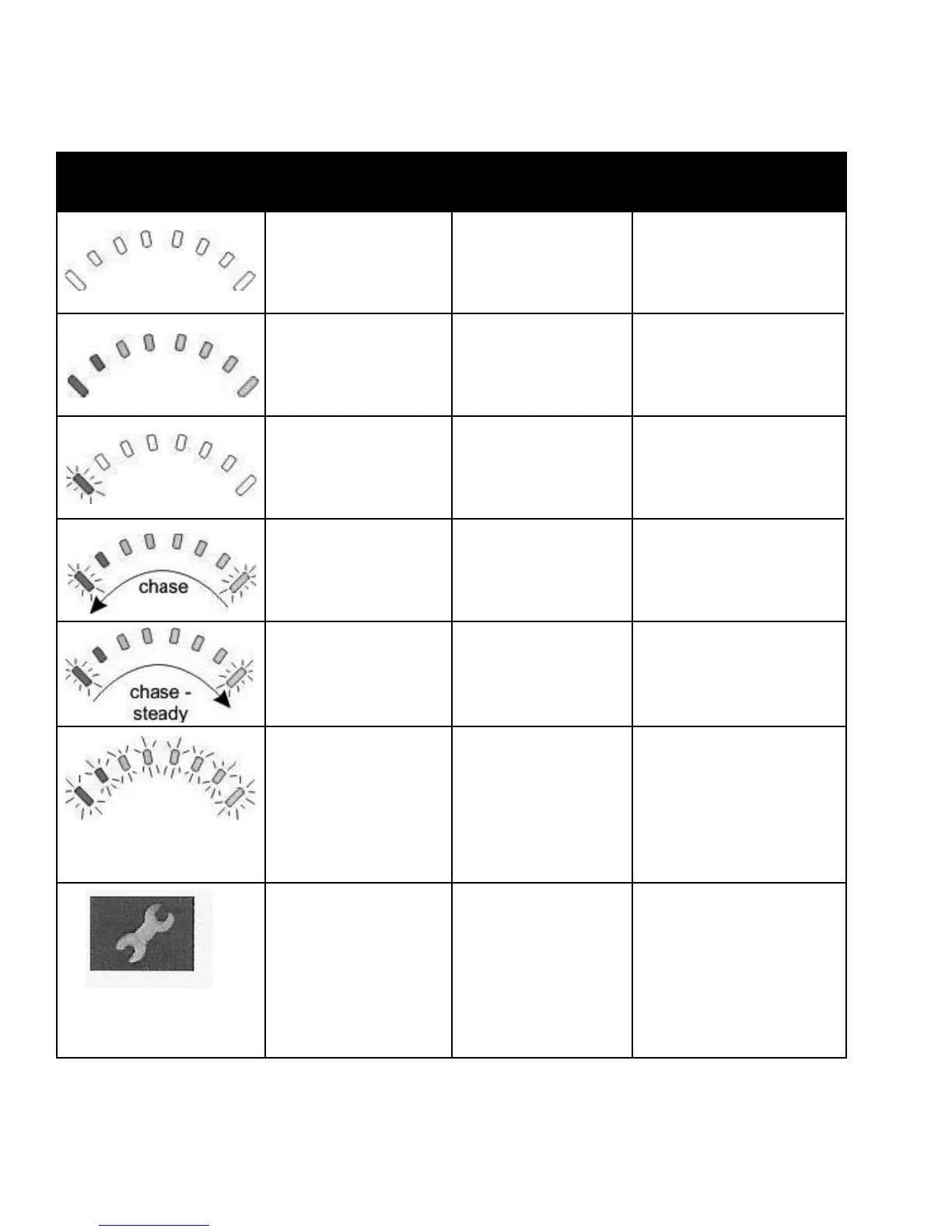
The following table indicates what the gauge will display for any given state.
Display Description This means . . . Notes
All LED's OFF
All LED's ON
Left RED LED
is ashing
Right to left
"chase"
Left to right
"chase" alternating
with steady dis-
play
All LED's ashing
slowly
Amber Service
Indicator LED
Power is OFF
Power is ON
Battery charge is
low
SHARK is being
brought out of
Lock mode
SHARK is in
programming,
inhibit and/or
charging mode
SHARK has
detected an OUT
OF Neutral At
Power Up
(OONAPU) con-
dition
SHARK has de-
tected a fault
Less LED's imply
a reduced battery
charge.
The batteries should
be charged as soon as
possible.
To unlock SHARK,
press the Horn button
twice within 10 seconds.
The steady LED's in-
dicate the current state
of battery charge.
Release the joystick
back to neutral.
SHARK uses Flash
Codes to indicate
faults. For a list of
Flash Codes and what
they indicate, see Di-
agnostics section.
Charging The Batteries

Related product manuals