Pachanko Labs User Manual (English) 29
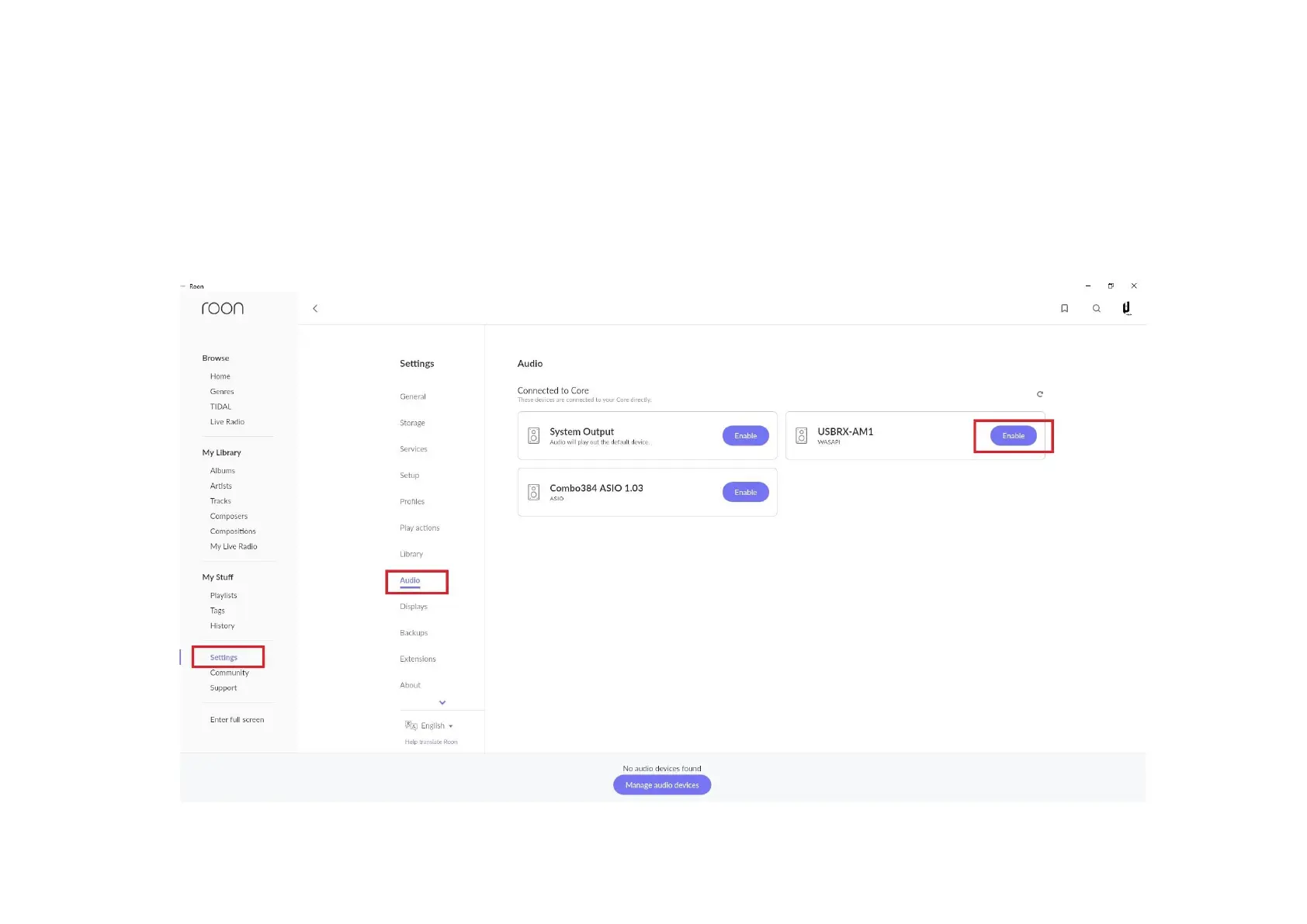
A. Select “Audio” from the left menu panel.
B. Find the “DAC WASAPI” (Only for USB) under the “connected to this PC” section in the main panel and select
“Enable”.
(Optional) we recommend that you disable any and all other devices that are not in use in this panel. Devices can
be disabled by selecting the settings cog wheels to the right of the device that is currently active.



 To Next Page