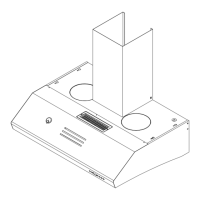
water inlet
3.The
..
Automatic Cleaning Progranune" starts by pressing the
..
Auto Clean" Button
once and the progranune can be stopped during operation by' pressing the "Auto
Clean" Button again.
N One Touch Automatic Cleaning
Programme:
A.
Functions:
The cookerhood shall be cleaned by using the special cookerhood cleaner available
in the market. After the cleaner
is
mixed with water (ratio 1:3 ), the cleaner
mixture shall
t>e
poured into the cleaner storage unit and stored
in
the cookerhood
for cleaning later. The cleaning process works on the centrifugal force and
cleaning power generated
by
revolving the motors at high speed,It keeps the inside
of
the cookerhood clean and prolongs the life
of
the cookerhood.
B.
Operating Instructions:
1.
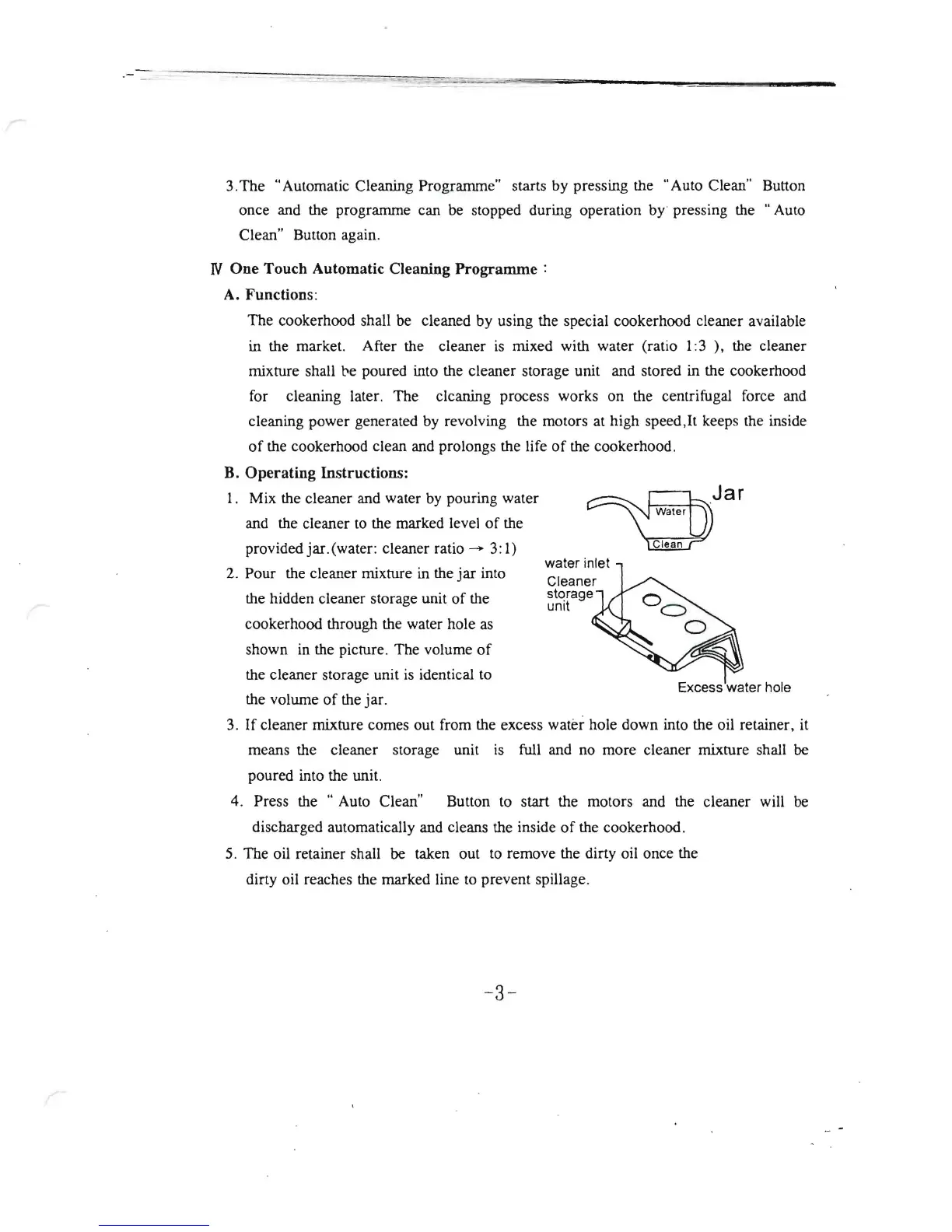
Mix the cleaner and water
by
pouring water
and the cleaner
to
the marked level
of
the
provided jar. (water: cleaner ratio
-+
3:
1)
2. Pour the cleaner mixture in the
jar
into
Cleaner
storage
the hidden cleaner storage unit
of
the
unit
cookerhood through the water hole
as
shown in the picture. The volume
of
the cleaner storage unit
is
identical to
Excess 'water hole
the volume
of
the jar.
3.
If
cleaner mixture comes out from the excess water hole down into the oil retainer,
it
means the cleaner storage unit
is
full and no more cleaner mixture shall
be
poured into the unit.
4. Press the
..
Auto Clean" Button
to
start the motors and the cleaner will
be
discharged automatically and cleans the inside
of
the cookerhood.
5.
The oil retainer shall
be
taken out to remove the dirty oil once the
dirty oil reaches the marked line
to
prevent spillage.
-3-



 To Next Page