EasyManua.ls Logo

Packard Bell PB9000-32 - User Manual

Packard Bell PB9000-32
20 pages
Print Icon
To Next Page IconTo Next Page
Loading...
USER GUIDE
PB9000-32
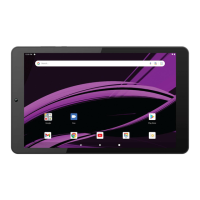
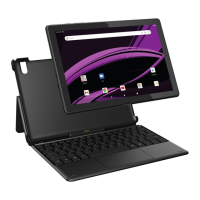
9” TABLET
Question and Answer IconNeed help?

Do you have a question about the Packard Bell PB9000-32 and is the answer not in the manual?

Summary

In the Box Contents

Care and Safety Precautions

General Safety and Care Guidelines

Important instructions for safe operation, handling, and maintenance of the tablet.

Hardware Overview

Expanding Storage

Inserting and Removing Micro SD Card

Instructions for managing storage expansion using a Micro SD card.

Charging the Tablet

Power Management and Reset

Turning the Tablet On;Off and Locking

Steps for powering the device on, off, and securing the screen.

Resetting the Tablet

Procedure to reset the tablet using the recessed reset button.

Initial Setup: Turning On

Initial Setup: Wizard Prompts

Initial Setup: Google Account

Google Play Store

Home Screen Operations

Adding Widgets to Home Screen

Guide on how to select and place widgets on the tablet's home screen.

Accessing Apps Screen

Notifications and Quick Settings

Notifications Panel

How to access and use the notifications panel for updates and alerts.

Quick Settings Panel

Accessing and managing quick settings like Wi-Fi, Bluetooth, and Airplane mode.

Connecting Devices

Wi-Fi and Bluetooth

Instructions for enabling and managing Wi-Fi and Bluetooth connections.

Casting Your Screen

Legal and Compliance Information

Limited Warranty Details

Packard Bell PB9000-32 Specifications

General IconGeneral
BrandPackard Bell
ModelPB9000-32
CategoryTablet
LanguageEnglish

Related product manuals