EasyManua.ls Logo

PacketFront CPS 200 - Powering up the CPS

Default Icon
10 pages
Print Icon
To Next Page IconTo Next Page
To Previous Page IconTo Previous Page
Loading...
4. Powering up the CPS
Procedure
1. Connect the pou.cr
cable from the Porver Suppl-v Unit
(figutc
5)
to the
CPS port labelled
"pourcr" (Figure 6).
2.
Connect the
Pou.er Supplr. Unit to the power source.
3. The pou.et supplv
LED should Light up. if the conncctiofls
arc
good
the
pourer
supplv LED sta,vs
lit. If thc pou.er suppll, I-ED
is not responding
as above, thcn pover dorvn the CPS
and find and correct
4.
You have completed this
procedure.
Note:
thc fault
If the pou.er suppl,v
LED
does
not Jight up and there
is no
obvious
problem,
return
the
CPS as thc LED itself
ma-v
be
faulq- or there could be
a mote
serious problem
s,ith the
CPS.
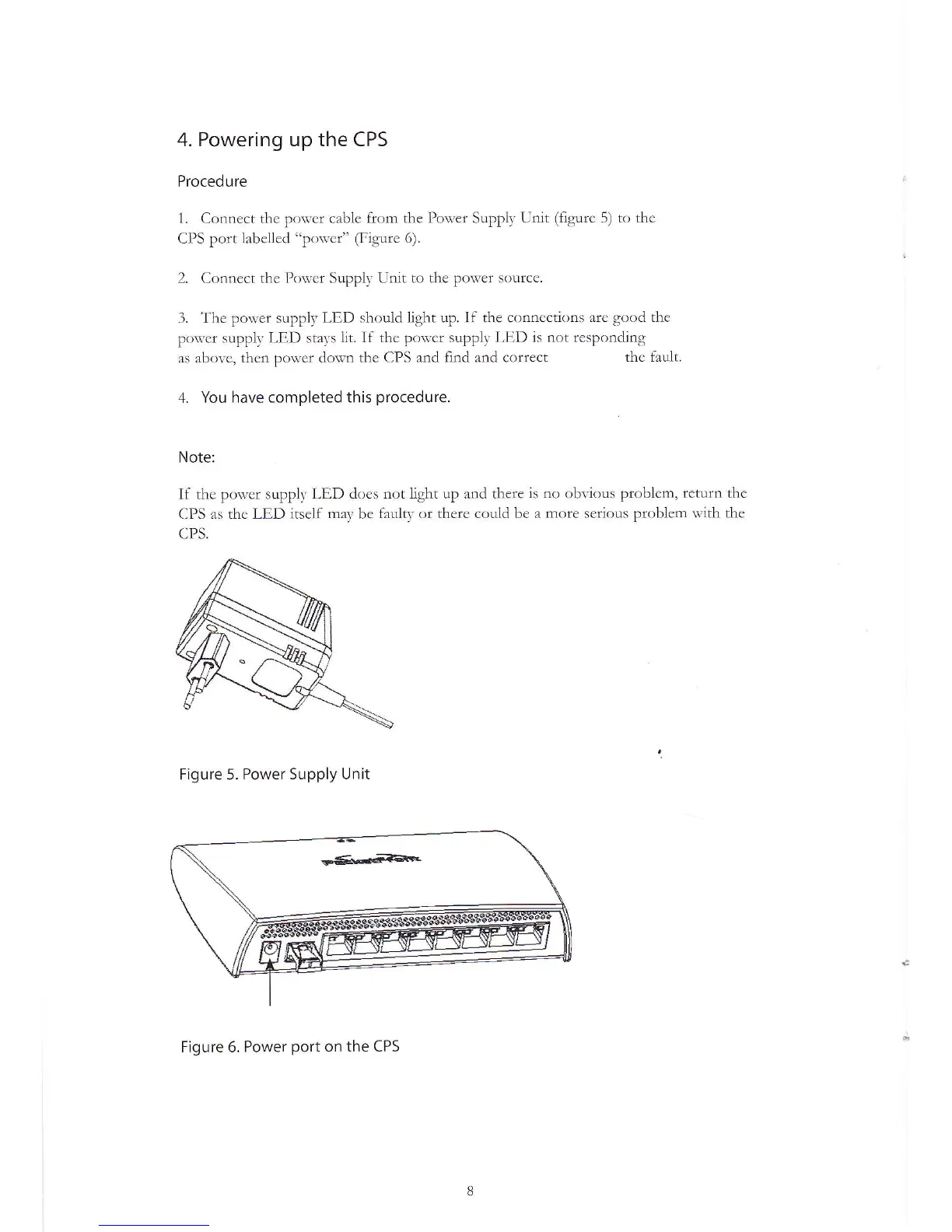
Figure 5.
Power Supply Unit
Figure 6. Power
port
on the CPS