8
Using Your Electric Food Slicer
Eortlessly and precisely prepare sliced meats, cheeses,
vegetables, bread and much more with your PADERNO
TM
Electric Food Slicer.
Operating Instructions
1. Place the food slicer on a lat surface.
Ensure there is enough space to slide the
food carriage without reaching across
the blade.
2. Place the food on the food carriage and
push the food irmly against the back
plate.
3. Align the food pusher by placing it on
the food carriage with the teeth against
the food.
4. Select the desired slice thickness using
the thickness control dial on the back of
the slicer. The thickness can be adjusted
up to 1” (2.5 cm).
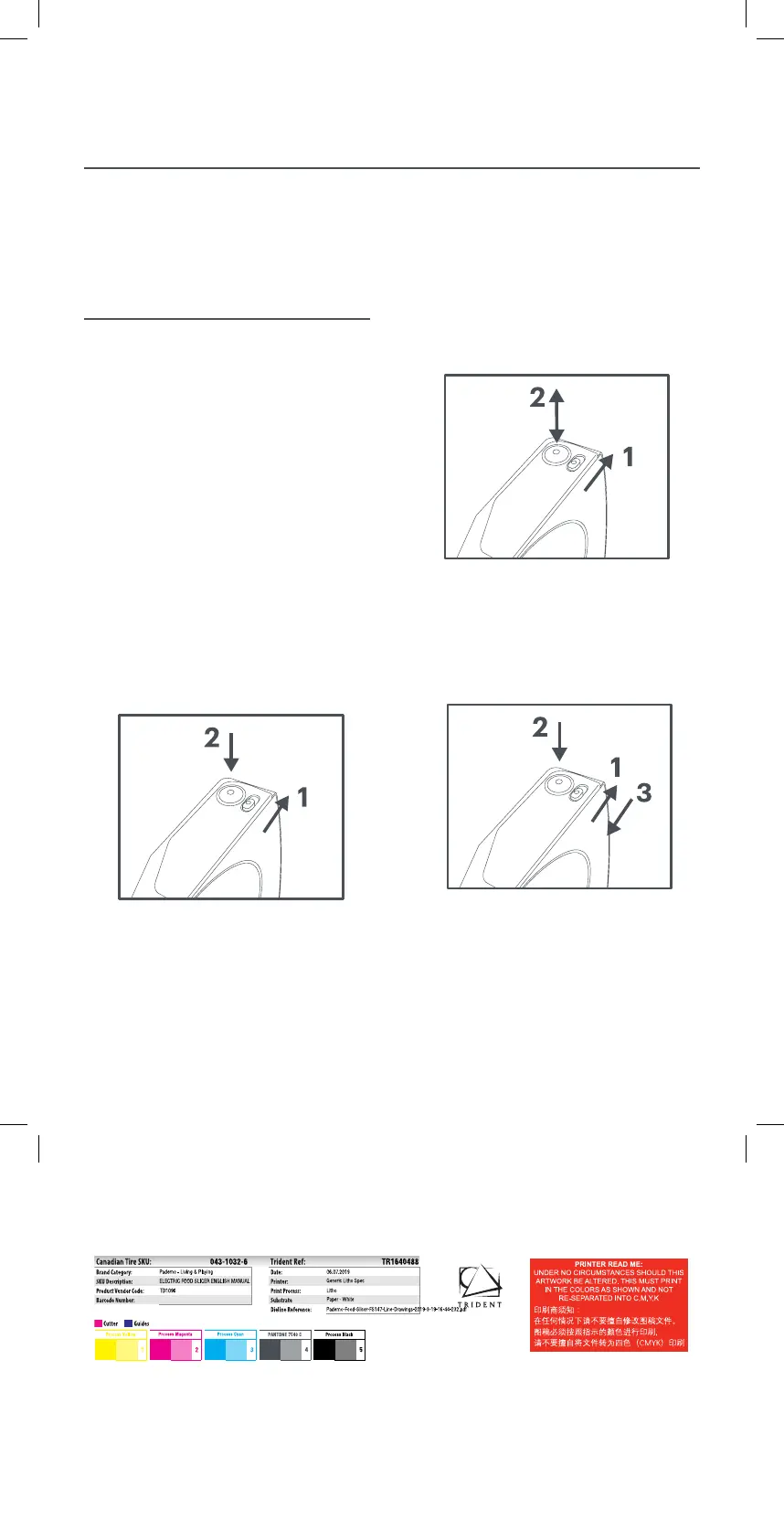
5. Switch the food slicer on by sliding
the blade lock switch to the unlocked
position and pressing the Power button,
as shown in Fig. 1.
6. For Pulse mode, hold the blade lock switch
in the unlocked position while pressing and
releasing the power button, as shown in Fig 2.
7. For Continuous mode, release the blade lock
switch while holding the power button. When
the blade lock switch is in the locked position,
release the power button, as shown in Fig. 3.
8. Hold the food in place using the food pusher.
NOTE: Always use the food pusher when
slicing food as the blade is extremely sharp.
Fig. 1
Fig. 2
Fig. 3
TR1640488_A.indd 8 6/7/19 12:26 PM


 To Next Page