PageFlip Lite User Guide 4. BASIC OPERATION
4 BASIC OPERATION
Please read the operating instructions carefully before first use.
PageFlip Lite is designed to handle a wide variety of books. It is
important that the user closely follow the directions below in order
to maximize performance, reliability, and reading pleasure.
4.1 Battery Installation: PageFlip Lite
1. Turn off device before inserting the batteries.
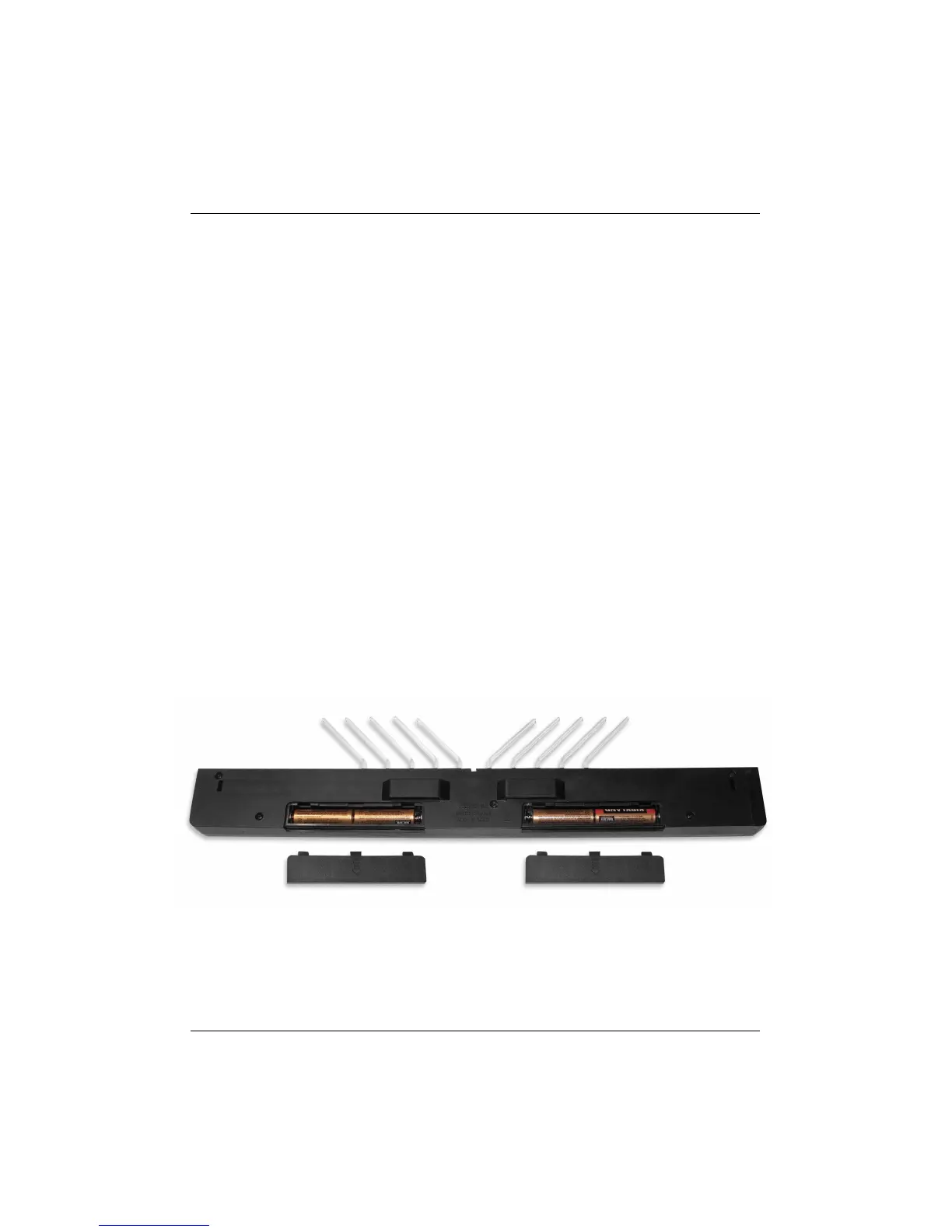
2. Remove the two rear battery covers (Fig. 2).
3. Install four new AA batteries: two in each battery well.
4. Slide the battery covers back on.
Note: To conserve battery power, turn off device when not in use.
The unit automatically turns off after 30 minutes of inactivity.
Figure 2: Battery covers are located at the rear of the PageFlip Lite unit.
PageFlip, Inc. 10 www.pageflip.com



 To Next Page