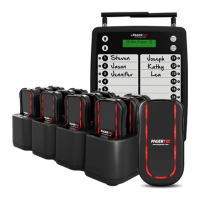
To change the Alert time mode of your pagers, follow these instructions:
1. At the “Set Alert Time” menu press “Enter”
2. Use the “▲”“▼” key to scroll through the different times
3. Select one of 9 Alert times as below then press “SEND”
1. 2 SEC
2. 5 SEC
3. 10 SEC
4. 15 SEC
5. 30 SEC
6. 60 SEC
7. 90 SEC
8. 120 SEC
9. Continuance
• The pagers will now respond with your new selected alert time mode. • Return all
the pagers to the charger base or plug the power supply. The pagers are ready to
receive the page with its new alert mode.
• At this point, all of the pagers in your system should alert for the amount of time that
you selected.
4. Press “C” key to exit, and return to the main menu.
SET PAGER OFF
With this feature you can have the option of turning off the pager to save battery.
1. Remove all the pagers from the chargers
2. At the “set pager off” press “ENTER”
3. Pager off ? will appear on display
4. Press Send, all pagers that have received the signal will blink for 2 seconds



 To Next Page