CLIP REPLACEMENT
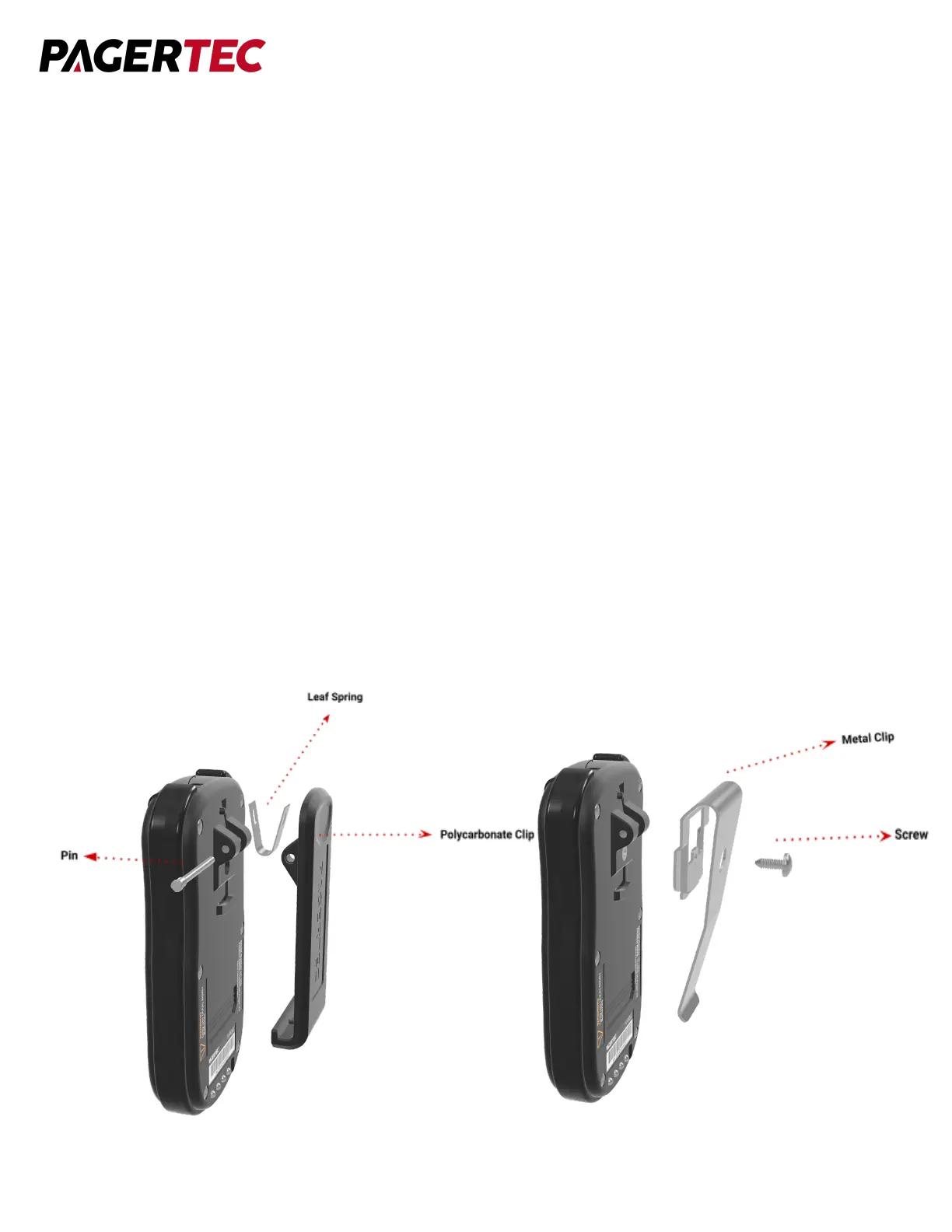
Polycarbonate Belt Clip:
To replace a damaged clip from a pager, first you must separate all parts. To do this first
remove the pin holding the clip on to the pager with a small screwdriver. Once removed,
replace the old leaf spring and attach the new belt clip to it. After everything is attached, put
the pin back in place and slide in until it locks. Replace clip with an appropriate replacement
part available for purchase as an accessory from Pagertec.
Metal Clip:
To do this first remove the screw holding the clip on to the pager with a small screwdriver. Once
removed, replace the damaged part and attach the new belt clip to it. After everything is
attached, put the screw back in place. Replace clip with an appropriate replacement part
available for purchase as an accessory from Pagertec.


 To Next Page