12
automatically, press and hold
the ˄ button (fast increase in
steps of 0.5 mA). To decrease
the intensity in steps of 0.5 mA
press and release the ˅ button.
To decrease automatically,
press and hold the ˅ button (fast
decrease in steps of 0.5 mA).
A short beep will be heard with
each press of the strength
controls.
When using the strength
controls, reaching maximum or
minimum intensity will be
indicated by three quick beeps.
You may feel nothing over the
first few stages of increase.
Continue pressing until the
sensation is strong but
comfortable. Further increases
during use may be necessary if
your body becomes used to the
sensation. Note that the
maximum intensity of 17mA is
sufficient to have a therapeutic
effect, even if you feel like this
intensity has become tolerated.
INTENSITY LEDS
The unit has 34 levels of strength.
The strength level will be
indicated by the three LEDs on
the bottom of the device. Each
LED gets brighter as the intensity
increases. The minimum and
maximum intensities are as
follows:
Minimum intensity – one dim LED
Maximum intensity – three bright
LEDS
6. SETTING UP AND
USING QALM
6.1. CHARGING THE
BATTERY
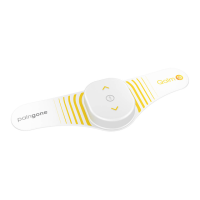
QALM is powered by a built-in
rechargeable Li-ion battery. A
separate charging cable with
universal USB plug is included in
the kit.
When the battery is low, the
central LED will flash white. This
would start about 4 hours before
the battery is empty (4 hours on
stand-by).
Warning: Use only the
charging cable
supplied. Use of other
chargers could be hazardous
and will negate the warranty.


 To Next Page