Need help?
Do you have a question about the Panacom monsoon and is the answer not in the manual?
Essential safety precautions to prevent damage and ensure safe operation of the speaker.
Details key features like BT Connection, FM Radio, Mic inputs, frequency response, impedance, and sensitivity.
Details the purpose and operation of each button and port on the speaker's front panel.
Explains the function of each button on the provided remote control for operating the speaker.
Step-by-step guide to connect devices wirelessly via Bluetooth to the speaker.
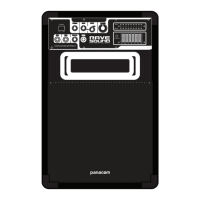
Illustrates and explains how to connect various audio sources and devices to the speaker's back panel.
Outlines the warranty period, limitations, voiding conditions, and claim procedures for the product.
Lists authorized service centers across various provinces for product support and repairs.
 General
| Brand | Panacom |
|---|---|
| Model | monsoon |
| Category | Portable Speakers |
| Language | English |

 To Next Page