Pg. 4
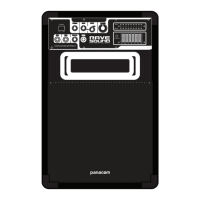
FRONT PANEL FUNCTIONS
1. MODE: Choose the desired input USB/SD/Line/BT
2. NEXT: Play next track
3. PREV: Play previous track
4. Equalizer: Move to adjust to your desired sound
5. USB port
6. SD card port
7. Mic BASS: Move to increase or decrease BASS
8. Mic TREBLE: Move to increase or decrease TREBLE
9. M. Volume: Move to increase or decrease Mics volume
10. X-BASS: Move to increase or decrease extra BASS
11. Led Display
12. Power Switch: Press to turn ON or OFF the speaker
13. Mic 1 & Mic 2: Connect the Mics in these outlets
14. Mic Delay: Move to increase or decrease Mics delay
15. Mic Echo: Move to increase or decrease Mics echo
16. Master Volume: Move to increase or decrease Master volume
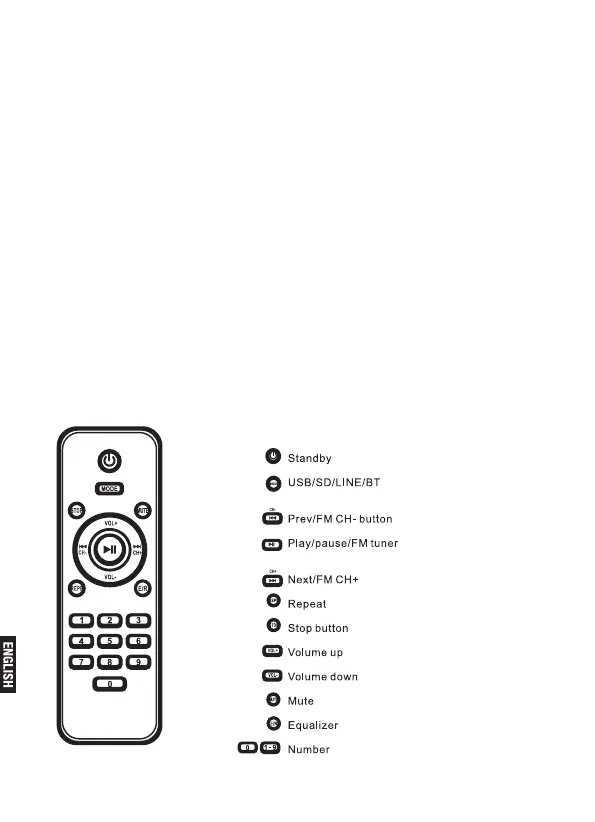
REMOTE CONTROL FUNCTIONS


 To Next Page