EasyManua.ls Logo

Panamax M4315-PRO - User Manual

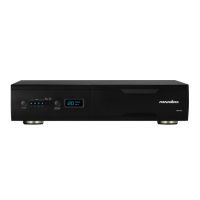
Panamax M4315-PRO
14 pages
Print Icon
To Next Page IconTo Next Page
Loading...
Important: You will need the BlueBOLT-CV1’s unique MAC address and challenge key (provided on the 2 labels
attached to the cover of the Quick Start Guide which is included in the M4315-PRO packaging). One label is
permanently adhered to the Quick Start Guide and the other is removable for your convenience.
1 2 3 4 5 6 7 8
UNSAFE VOLTAGE
BREAKER
WIRING FAULT
TEMPERATURE
15 A
BRIGHTNESS
OUTLET STATUS
REBOOT 1 REBOOT 2
M4315-PRO
B
LT
Blue
ENABLED
VOLTS
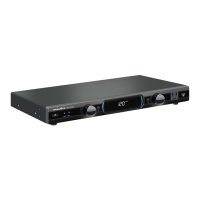
Power Management with Control System Interactive Functionality.
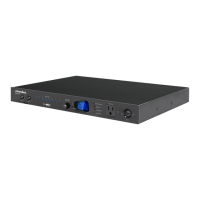
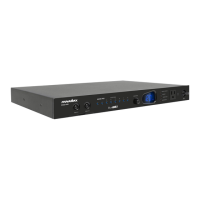
• 15 Amp Capacity M4315-PRO
• 8 Individually Controllable Rear Panel Outlets
• Fully Programmable
• TCP/IP (BlueBOLT™) Installed
• RS-232 Card (Included, not installed)
• Linear Filtration with 3 Isolated LiFT Filter Banks, 76db (5 kHz - 250 kHz), 46 db (250 kHz - 1 MHz)
• One Isolated Filter Bank for High Current Devices, 60db (5 kHz - 450 kHz), 46 db (450 kHz - 1 MHz)
• Front Panel Circuit Breaker
• Integrated Front Rack Ears
• 12 Volt Input Triggering
• Detachable 10 ft. Power Cord
• AVM & Protect-or-Disconnect Circuitry
M4315-PRO Instructions
INS00859 REV. D 5/10
B
L T
Blue
ENABLED

Other manuals for Panamax M4315-PRO

Question and Answer IconNeed help?

Do you have a question about the Panamax M4315-PRO and is the answer not in the manual?

Summary

Panamax M4315-PRO Features

BlueBOLTTM Network Management

Secure, hosted IP system control and monitoring for remote access.

Advanced Power Protection Features

LiFT filtration and AVM for AC purification and voltage protection.

Outlet Bank Control and Sequencing

8 controllable outlets in 4 isolated banks with sequential startup/shutdown.

Data Line Surge Protection

Protection for Telco, LAN, and CATV/SAT connections.

Safety, Front Panel, and Profiles

Important Safety Instructions

Essential safety warnings and precautions for operating the M4315-PRO.

Front Panel Controls and Indicators

Overview of buttons, indicators, and the display on the front panel.

Preset Outlet Sequencing Profiles

Details on four default profiles (P1-P4) for outlet timing configurations.

Connectivity and System Setup

Rear Panel Connections Overview

Diagram and description of rear panel ports: power, outlets, data, trigger.

BlueBOLTTM Setup and Registration

Step-by-step guide for installing, connecting, and registering the BlueBOLT service.

BlueBOLTTM Troubleshooting Guide

Solutions for common connectivity issues with the BlueBOLT system.

Advanced Control and Technical Information

RS-232 and Telnet Interface

RS-232 installation, communication protocols, and command set overview.

Controller Command Reference

Detailed commands for managing outlets, triggers, and device settings.

Status Queries and System Information

Commands to retrieve voltage, current, outlet status, and fault information.

Product Specifications and Compliance

Technical specifications, FCC notice, and customer support contacts.

Summary

Panamax M4315-PRO Features

BlueBOLTTM Network Management

Secure, hosted IP system control and monitoring for remote access.

Advanced Power Protection Features

LiFT filtration and AVM for AC purification and voltage protection.

Outlet Bank Control and Sequencing

8 controllable outlets in 4 isolated banks with sequential startup/shutdown.

Data Line Surge Protection

Protection for Telco, LAN, and CATV/SAT connections.

Safety, Front Panel, and Profiles

Important Safety Instructions

Essential safety warnings and precautions for operating the M4315-PRO.

Front Panel Controls and Indicators

Overview of buttons, indicators, and the display on the front panel.

Preset Outlet Sequencing Profiles

Details on four default profiles (P1-P4) for outlet timing configurations.

Connectivity and System Setup

Rear Panel Connections Overview

Diagram and description of rear panel ports: power, outlets, data, trigger.

BlueBOLTTM Setup and Registration

Step-by-step guide for installing, connecting, and registering the BlueBOLT service.

BlueBOLTTM Troubleshooting Guide

Solutions for common connectivity issues with the BlueBOLT system.

Advanced Control and Technical Information

RS-232 and Telnet Interface

RS-232 installation, communication protocols, and command set overview.

Controller Command Reference

Detailed commands for managing outlets, triggers, and device settings.

Status Queries and System Information

Commands to retrieve voltage, current, outlet status, and fault information.

Product Specifications and Compliance

Technical specifications, FCC notice, and customer support contacts.

Panamax M4315-PRO Specifications

General IconGeneral
TypeSurge Protector
Outlets12
Coaxial ProtectionYes
Ethernet ProtectionYes
WarrantyLifetime
Protection ModesL-N, L-G, N-G
EMI/RFI Noise FiltrationYes
Voltage120V
Amperage15 Amps
Voltage Protection Rating330V
Response Time< 1 Nanosecond
USB Charging PortsNo
Cord Length8 feet

Related product manuals