Need help?
Do you have a question about the Panamax MB1000 and is the answer not in the manual?
Step-by-step instructions for physically installing the UPS unit and connecting equipment.
Technical details including input voltage, AC power ratings, and UPS output capabilities.
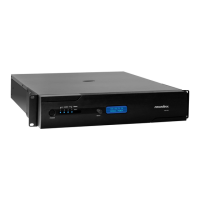
Details on the Power Switch, IR Detector, Menu Knob, Status Display, indicators, and outlets on the front panel.
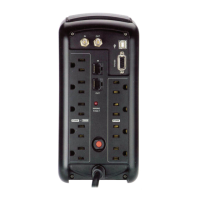
Description of rear panel ports including USB, RS-232, IR outputs, and power outlets.
Describes how the UPS functions when connected to a live AC power source.
Explains the Sensitive and Standard AVR modes for voltage correction.
Details the UPS's function as a battery backup during power failures.
Covers navigating the setup menu, adjusting parameters, and display settings.
Explains how the UPS manages battery power for critical versus non-critical loads.
Details the UPS's ability to learn and transmit IR commands for component control.
Describes how learned IR commands are transmitted during power failures.
Overview of using the RS-232 interface for setup, PC connection, and automation integration.
Defines the RS-232 communication parameters, pin-out, and command string format.
Lists and explains the ASCII commands used to control the UPS via RS-232.
Details commands to switch outlet banks, set battery thresholds, and configure the buzzer.
Commands for setting AVR, feedback, linefeed, display brightness, scroll, and sleep modes.
Commands for factory reset, unit identification, and querying outlet, power, voltage, and load status.
Queries for battery level, configuration list, help, and status change messages.
Important safety warnings regarding handling and disposal of batteries.
Step-by-step guide for safely removing and replacing the battery carriage.
Information on FCC compliance, interference, and required precautions for radio frequency emissions.
Details on limited product warranty, upgrade policy, and battery warranty.
Warning regarding warranty validity for products purchased from unauthorized internet dealers.

 To Next Page


 General