2-13
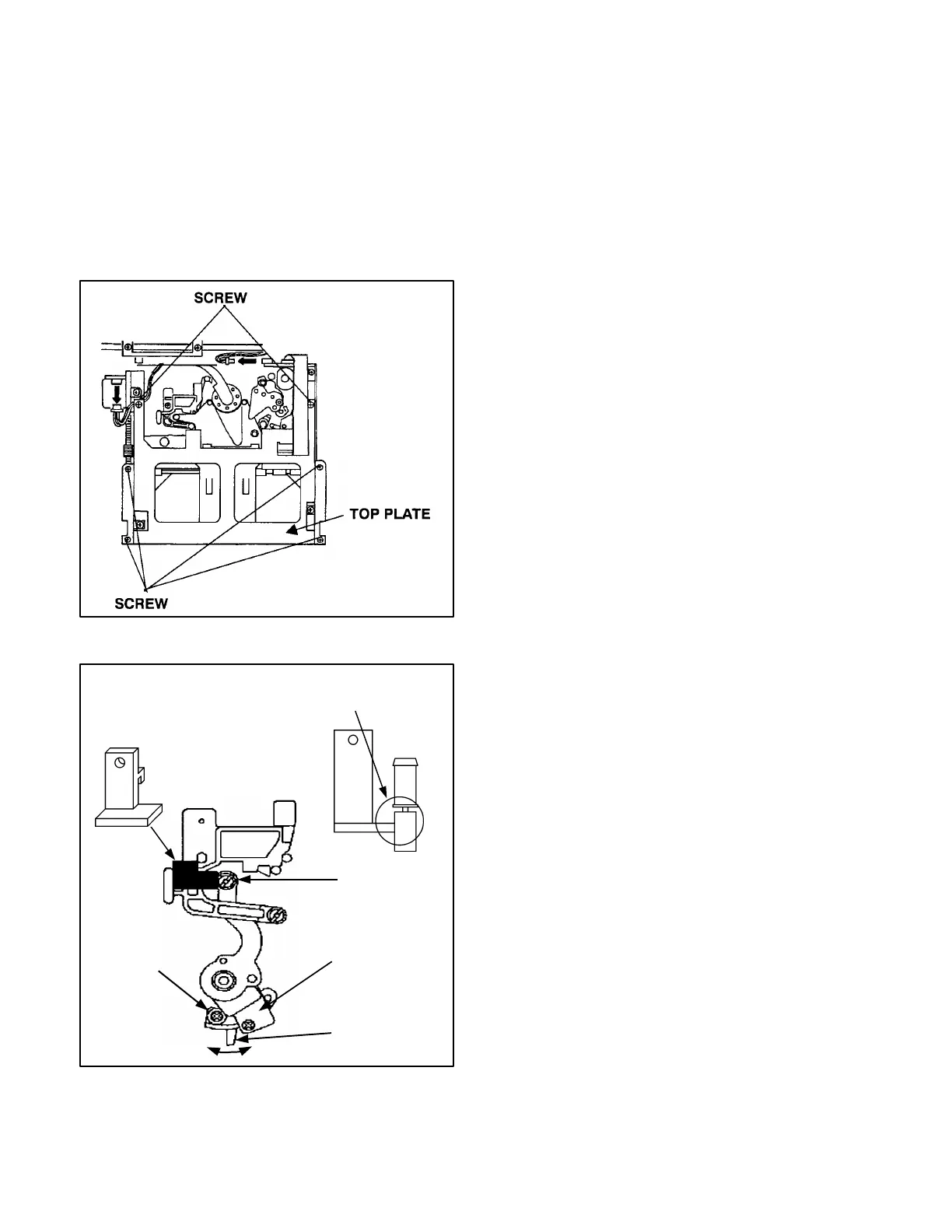
<In case of model CAM CORDER>
1. Remove the Cassette Up Unit.
<Common procedure>
1. Set the VFK1208 (black with hole) as position as
shown in figure 3-4-2.
2. Connect the Digital Volt Meter to Test point.
3. Place the unit into the no tape loading mode.
4. Loosen the screw (A) and move the lever (D) with
tweezers for adjust the sensor position so that the
DC voltage at Test Point is within specification.
Figure 3-4-1
Figure 3-4-2
REGURATOR
P.C.BOARD
(VFK1156)
(VFK1208)
Tension Arm Tool







 To Next Page