in the field and studio.
for superb results.
Example of an AV-HS400 monitor system
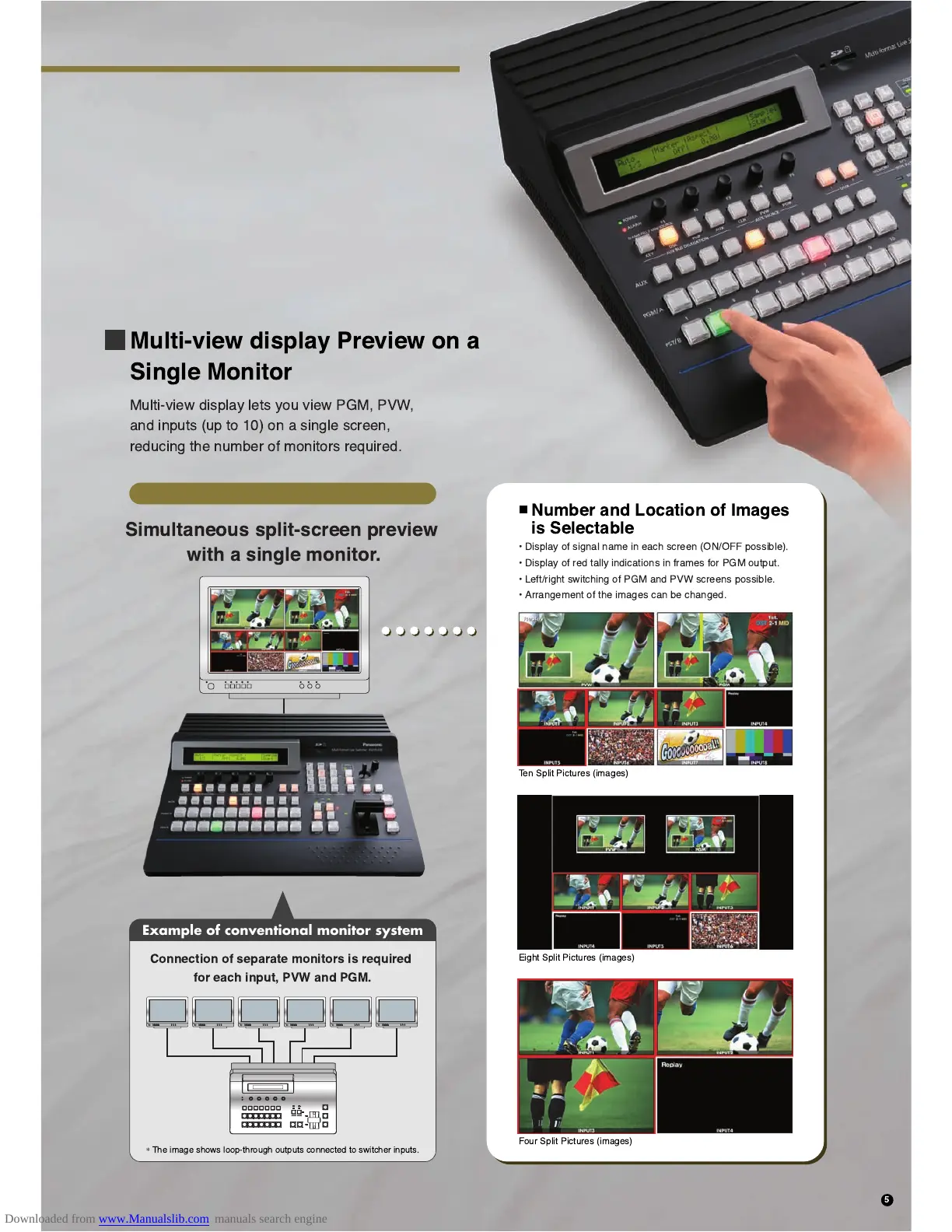
Simultaneous split-screen preview
with a single monitor.
Connection of separate monitors is required
for each input, PVW and PGM.
*
The image shows loop-through outputs connected to switcher inputs.
Ten Split Pictures (images)
¥ Display of signal name in each screen (ON/OFF possible).
¥ Display of red tally indications in frames for PGM output.
¥ Left/right switching of PGM and PVW screens possible.
¥ Arrangement of the images can be changed.
Eight Split Pictures (images)
Four Split Pictures (images)
Example of conventional monitor system
Number and Location of Images
is Selectable
Multi-view display Preview on a
Single Monitor
Multi-view display lets you view PGM, PVW,
and inputs (up to 10) on a single screen,
reducing the number of monitors required.
5













 To Next Page