EasyManua.ls Logo

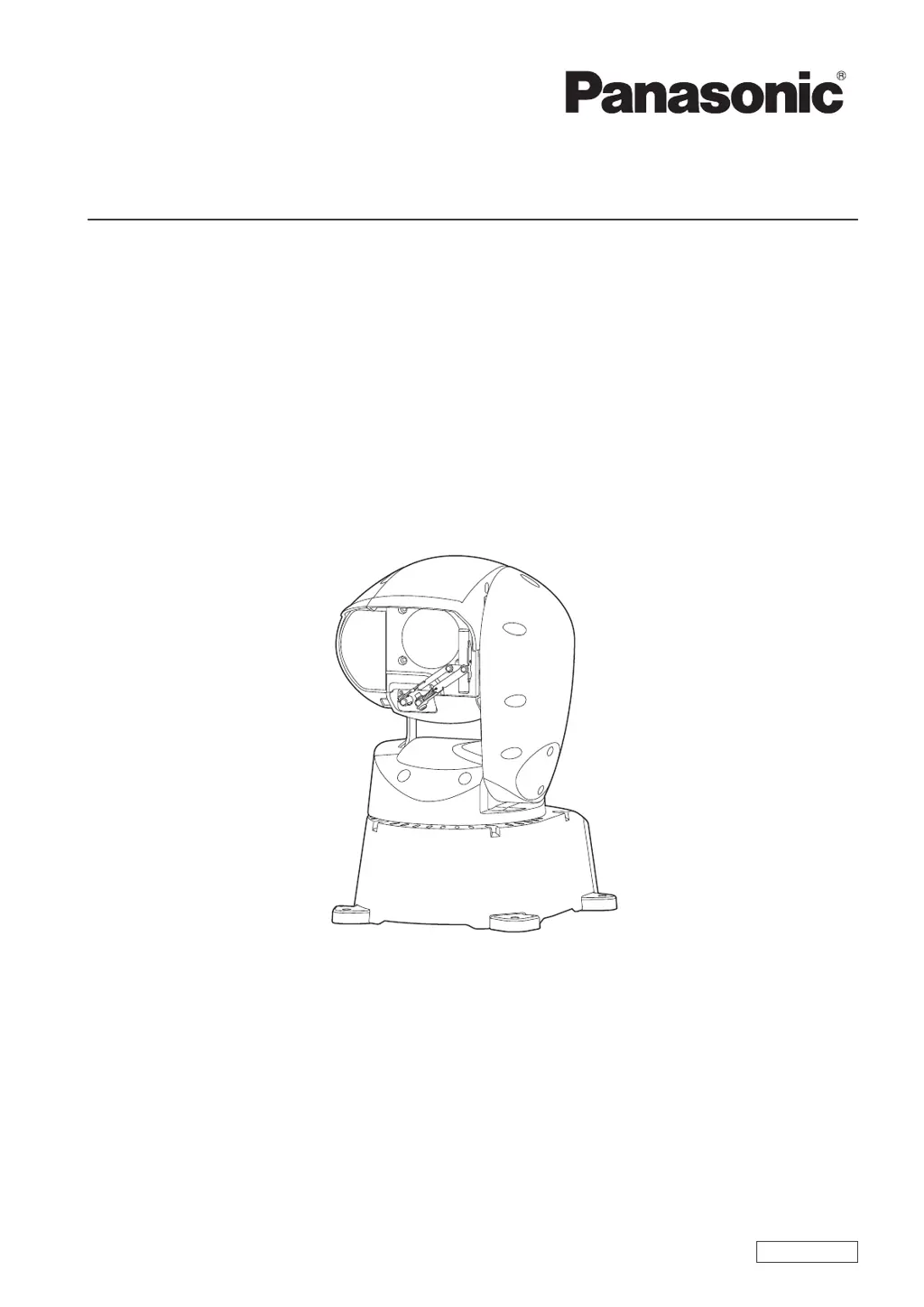
Panasonic AW-HR140 - User Manual

Panasonic AW-HR140
124 pages
Print Icon
To Next Page IconTo Next Page
Loading...
DVQP1343ZA
W0617TY0 -FJ
ENGLISH
Model No.
AW-HR140PJ
Model No.
AW-HR140EJ
Operating Instruction
HD Integrated Camera
Before operating this product, please read the instructions carefully and save this manual for future use.
Please carefully read the “Read this first!” (pages 2 to 4) of this Manual before use.

Table of Contents

Other manuals for Panasonic AW-HR140

Questions and Answers

  • K
    kellygibbsSep 23, 2025
    Why Panasonic IP Camera images from multiple cameras appear sequentially in a single web browser?
    • M
      Matthew GallowaySep 23, 2025
      When multiple web browsers are running to display H.264 images, images from multiple Panasonic IP Cameras may appear sequentially in a single web browser depending on the combination of the personal computer’s display adaptor and the driver. If this occurs, update the first display adaptor to the latest version.
  • M
    Mark BerryAug 25, 2025
    Why my Panasonic AW-HR140 cannot operate?
    • R
      Ray KingAug 25, 2025
      Your Panasonic Camcorder might not be operating because the power is off. Alternatively, the safe mode function may have been activated, or limiter functions may have been set. Also, ensure that the specific unit you intend to operate has been correctly selected.
  • J
    Jon LeonAug 25, 2025
    How to fix Panasonic AW-HR140 when I cannot access it from a web browser?
    • M
      Melissa StokesAug 26, 2025
      First, ensure a LAN cable of category 5 or above is connected to the LAN connector for IP control. Check if the LED of the LAN connector is lit. Verify that the power is on and that a valid IP address has been set for the unit. Confirm you're not using the wrong IP address, or accessing via “http://” while the HTTPS function is enabled. Ensure no other unit is using the same IP address, and that the subnet mask setting matches the network subnet of the connection destination. Also, check if the web browser has the “Use a proxy server” setting selected, or if the wrong default gateway has been set for the unit.
  • E
    Emily RodriguezAug 27, 2025
    What to do if no pictures are displayed or the pictures are disturbed on my Panasonic AW-HR140 Camcorder?
    • K
      Kelsey CookAug 27, 2025
      Ensure the unit has been connected properly to the other connected devices. If the system switches the picture when the unit is selected, verify the correct unit is selected. Confirm that the image signal setting has been selected correctly. Also, check if external sync signals that are supported by the video signal format which has been set are being input.
  • S
    staylorAug 27, 2025
    How to troubleshoot Panasonic AW-HR140 Camcorder when it cannot operate using the controller?
    • Y
      yfrancoAug 27, 2025
      Make sure the unit is properly connected to the controller. If you're using AW?RP50, AW?RP120 or AK?HRP200 remote camera controllers in a network, the user authentication and host authentication must be set to OFF. It may be necessary to upgrade the version of the controller so that the controller will support the unit. When using an HTTPS connection, network connection with the AW?RP50, AW?RP120, and AK?HRP200 will be disabled.
  • M
    Mr. Kurt Todd PhDSep 13, 2025
    What to do if Panasonic IP Camera has no power?
    • C
      Carla MoraSep 14, 2025
      If your Panasonic IP Camera has no power, verify that the power plug is properly connected and that the LAN cable is securely connected to the LAN connector for IP control. If using PoE++, ensure the network cable is properly connected and that the total power limit is not exceeded on power supply devices. If the unit is connected to a controller, ensure it is connected properly.
  • C
    Christina McguireSep 12, 2025
    Why H.264 images are not displayed on my Panasonic AW-HR140 Camcorder?
    • M
      Michelle BrewerSep 12, 2025
      If the “Network Camera View 4S” plug-in viewer software is deleted in an environment where the “Network Camera View 3” plug-in viewer software is installed, display of H.264 images will become impossible.
  • W
    williamsjenniferSep 12, 2025
    How to fix Panasonic IP Camera cannot access from a web browser?
    • D
      Derek ReynoldsSep 12, 2025
      If you cannot access the Panasonic IP Camera from a web browser, ensure that a LAN cable of category 5 or above is connected to the LAN connector for IP control and check if the LED is lit. Also, verify that the power is on and a valid IP address has been set for the unit. Confirm that you are accessing the correct IP address and that you are not using “http://” while the HTTPS function is enabled. Ensure that no other unit is using the same IP address and that the subnet mask setting matches the network subnet of the connection destination. Check if the “Use a proxy server” setting has been selected in your web browser and that the correct default gateway has been set for the unit.
  • R
    Roberto WolfSep 4, 2025
    Why is the picture flipped vertically on my Panasonic AW-HR140?
    • J
      Johnny JohnsonSep 4, 2025
      The picture may be flipped vertically if the stand-alone (Desktop) installation setting has not been selected correctly.
  • C
    Crystal CarlsonSep 2, 2025
    How to access Panasonic Camcorder from a mobile terminal?
    • R
      Raymond MooreSep 2, 2025
      Ensure the URL is correct and includes “/mobile” at the end. Verify that the HTTPS SSL encryption of the mobile terminal matches that of the unit. Also, check that you are not accessing via “http://” while using the HTTPS function.

Summary

Read This First!

Before Use

Network Security and Authentication

Details network security risks, firewall usage, and user authentication recommendations for secure access.

Features

Operating Precautions

Safe Usage and Environmental Guidelines

Provides essential guidelines for proper lighting, temperature, handling, and avoiding strong lights or liquids.

AW-RP50 Remote Camera Controller

Control Panel and Rear Panel Overview

Explains the AW-RP50 control panel layout, indicators, LCD panel, and rear panel connections.

Basic Controller Operations and Menus

Details fundamental operations like powering on/off, camera selection, zoom, focus, and navigating controller menus.

Network Settings and Web Access

IP Setup and Viewer Software Installation

Guides users through network setup using Easy IP Software and installing the viewer software for remote access.

Basic Shooting Operations

Advanced Operations and Camera Menus

Web Screen Configurations

Troubleshooting

Operation and Connectivity Issues

Addresses common problems with power, controller connectivity, web access, and IP image display.

Video and Image Display Problems

Solves issues related to picture display, color, focus, video signal output, and image distortion or flickering.

Panasonic AW-HR140 Specifications

General IconGeneral
BrandPanasonic
ModelAW-HR140
CategoryCamcorder
LanguageEnglish

Related product manuals