EasyManua.ls Logo

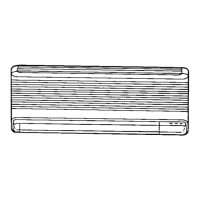
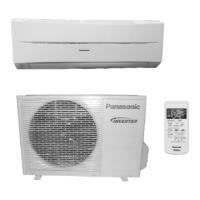
Panasonic CS-1803KE - User Manual

Panasonic CS-1803KE
31 pages
Print Icon
To Next Page IconTo Next Page
Loading...
cc
PANA
-11996
ROOM
AIR
CONDITIONER”
Before
using
your
air
conditioner,
please
read
this
operating
instructions
NEDERLANDS..
PIP
P10
:
a
a
TTALIANO
ae
Pr
II
-
P1180)
Panasonic
Question and Answer IconNeed help?

Do you have a question about the Panasonic CS-1803KE and is the answer not in the manual?

Summary

Names of Each Part

Indoor Unit Components

Identifies parts of the indoor air conditioner unit.

Outdoor Unit Components

Identifies parts of the outdoor air conditioner unit.

Included Accessories

Remote Control Overview

Remote Control Display and Buttons

Details the remote control's display, signal transmitter, and operational buttons.

Remote Control Operations

Basic Button Functions

Explains essential buttons like ON/OFF, airflow, temperature, and timer controls.

Remote Control Setup

Battery Installation and Wall Mounting

Guides on inserting batteries and affixing the remote control holder to a wall.

Setting Current Time

Time Setting and Remote Control Switch

Instructions for setting the current time and details on the remote control's A/B switch.

Before Operating the Unit

Important Usage and Safety Precautions

Covers essential warnings for safe and proper operation of the air conditioner.

Preparation Before Operation

Power Connection and Switch

Steps for connecting power and setting the main power switch for operation.

Automatic Operation Mode

Activating and Understanding Automatic Mode

Explains how to select and what to expect from the automatic operation mode.

Adjusting Airflow and Temperature

Changing Airflow Volume

Instructions on how to select different airflow volumes using the remote control.

Modifying Room Temperature

Steps to adjust the desired room temperature up or down.

Cooling and Soft Dry Modes

Selecting Cooling or Soft Dry Operation

Guides on choosing between Cooling and Soft Dry operational modes.

Airflow and Temperature Control Details

Automatic Airflow Volume Management

Details on automatic airflow adjustments based on cooling status.

Air Circulation Operation Mode

Explains the function and benefits of the air circulation mode.

Setting the Timer

Configuring the OFF-Timer

Step-by-step guide to set the timer for turning the unit off.

Cancelling Timer Programs

Instructions on how to cancel an active timer setting.

Timer Program Management

Setting the ON-Timer

Guide to set the timer for turning the unit on at a specific time.

Handling Power Failures with Timers

Information on how timer settings are retained during power interruptions.

Convenient Operation Modes

Air Circulation and Sleep Mode Usage

Explains how to use Air Circulation and Sleep modes for comfort.

Airflow Direction Adjustment

Vertical Louver Control

Instructions for manually adjusting the vertical airflow direction louvers.

Airflow Direction Settings

Automatic Airflow Direction Control

How to activate and manage automatic airflow direction.

Manual Horizontal Airflow Adjustment

Guides on manually adjusting the horizontal airflow direction.

Forced Operation Mode

Manual Operation Without Remote Control

Steps to operate the unit manually when the remote control is unavailable.

Care and Maintenance

Replacing Air Purifying Filters

Instructions for replacing the air purifying filters every three months.

Maintenance Procedures

Cleaning Air Filters and Unit

Steps for cleaning the air filters and the main unit and remote control.

Long-Term Storage and Inspection

Preparing for Long Periods of Non-Use

Guidance on operating the unit before storage and removing batteries.

Troubleshooting Abnormal Operation

Effectiveness and Operation Issues

Addresses problems like poor cooling or the unit not operating at all.

Remote Control Troubleshooting

Display and Signal Problems

Solutions for faint displays, no display, or signal reception issues.

Power Failure Impact on Operation

What happens during a power failure and how to resume operation.

Troubleshooting Normal Operation

Addressing Common Operational Sounds and Smells

Explains normal sounds, smells, and temporary stops during operation.

Operation Hints and Health Tips

Maximizing Efficiency and Comfort

Advice on saving energy, using timers, and adjusting temperature for comfort.

Health Protection Through Ventilation and Airflow

Tips for healthy room environments, avoiding overcooling, and proper airflow.

Problem Resolution and Dealer Contact

Identifying Serious Issues and When to Call a Dealer

Lists critical problems requiring immediate attention from a dealer.

Safety and Wiring Information

Electrical Safety and Wiring Compliance

Important warnings regarding earthing, wiring colors, and power cord safety.

Record Keeping

Important Model and Purchase Details

Fields for recording model number, serial number, dealer, and purchase date.

Summary

Names of Each Part

Indoor Unit Components

Identifies parts of the indoor air conditioner unit.

Outdoor Unit Components

Identifies parts of the outdoor air conditioner unit.

Included Accessories

Remote Control Overview

Remote Control Display and Buttons

Details the remote control's display, signal transmitter, and operational buttons.

Remote Control Operations

Basic Button Functions

Explains essential buttons like ON/OFF, airflow, temperature, and timer controls.

Remote Control Setup

Battery Installation and Wall Mounting

Guides on inserting batteries and affixing the remote control holder to a wall.

Setting Current Time

Time Setting and Remote Control Switch

Instructions for setting the current time and details on the remote control's A/B switch.

Before Operating the Unit

Important Usage and Safety Precautions

Covers essential warnings for safe and proper operation of the air conditioner.

Preparation Before Operation

Power Connection and Switch

Steps for connecting power and setting the main power switch for operation.

Automatic Operation Mode

Activating and Understanding Automatic Mode

Explains how to select and what to expect from the automatic operation mode.

Adjusting Airflow and Temperature

Changing Airflow Volume

Instructions on how to select different airflow volumes using the remote control.

Modifying Room Temperature

Steps to adjust the desired room temperature up or down.

Cooling and Soft Dry Modes

Selecting Cooling or Soft Dry Operation

Guides on choosing between Cooling and Soft Dry operational modes.

Airflow and Temperature Control Details

Automatic Airflow Volume Management

Details on automatic airflow adjustments based on cooling status.

Air Circulation Operation Mode

Explains the function and benefits of the air circulation mode.

Setting the Timer

Configuring the OFF-Timer

Step-by-step guide to set the timer for turning the unit off.

Cancelling Timer Programs

Instructions on how to cancel an active timer setting.

Timer Program Management

Setting the ON-Timer

Guide to set the timer for turning the unit on at a specific time.

Handling Power Failures with Timers

Information on how timer settings are retained during power interruptions.

Convenient Operation Modes

Air Circulation and Sleep Mode Usage

Explains how to use Air Circulation and Sleep modes for comfort.

Airflow Direction Adjustment

Vertical Louver Control

Instructions for manually adjusting the vertical airflow direction louvers.

Airflow Direction Settings

Automatic Airflow Direction Control

How to activate and manage automatic airflow direction.

Manual Horizontal Airflow Adjustment

Guides on manually adjusting the horizontal airflow direction.

Forced Operation Mode

Manual Operation Without Remote Control

Steps to operate the unit manually when the remote control is unavailable.

Care and Maintenance

Replacing Air Purifying Filters

Instructions for replacing the air purifying filters every three months.

Maintenance Procedures

Cleaning Air Filters and Unit

Steps for cleaning the air filters and the main unit and remote control.

Long-Term Storage and Inspection

Preparing for Long Periods of Non-Use

Guidance on operating the unit before storage and removing batteries.

Troubleshooting Abnormal Operation

Effectiveness and Operation Issues

Addresses problems like poor cooling or the unit not operating at all.

Remote Control Troubleshooting

Display and Signal Problems

Solutions for faint displays, no display, or signal reception issues.

Power Failure Impact on Operation

What happens during a power failure and how to resume operation.

Troubleshooting Normal Operation

Addressing Common Operational Sounds and Smells

Explains normal sounds, smells, and temporary stops during operation.

Operation Hints and Health Tips

Maximizing Efficiency and Comfort

Advice on saving energy, using timers, and adjusting temperature for comfort.

Health Protection Through Ventilation and Airflow

Tips for healthy room environments, avoiding overcooling, and proper airflow.

Problem Resolution and Dealer Contact

Identifying Serious Issues and When to Call a Dealer

Lists critical problems requiring immediate attention from a dealer.

Safety and Wiring Information

Electrical Safety and Wiring Compliance

Important warnings regarding earthing, wiring colors, and power cord safety.

Record Keeping

Important Model and Purchase Details

Fields for recording model number, serial number, dealer, and purchase date.

Panasonic CS-1803KE Specifications

General IconGeneral
BrandPanasonic
ModelCS-1803KE
CategoryAir Conditioner
LanguageEnglish

Related product manuals